Zendesk pricing starts at $19 per agent/month on annual billing, then rises with Suite plans, add-ons, Copilot, contact center needs, and AI usage. For teams that mainly need AI answers, live handoff, and multichannel support, Chatling is simpler than a full customer service suite.
Is Zendesk worth the price?
You’re considering Zendesk, but the real cost is not just the number on the pricing page. The base plan looks simple, but costs change as you add seats, channels, AI help for agents, phone support, reporting, or workforce tools.
Zendesk can be worth it when you need all of that in one system. But if your team mainly needs to answer repeat questions, collect lead details, and pass complex chats to a human, you may not need the full setup yet.
This Chatling guide breaks down Zendesk pricing, what affects the final cost, and when a simpler AI support setup is enough.
What is Zendesk?
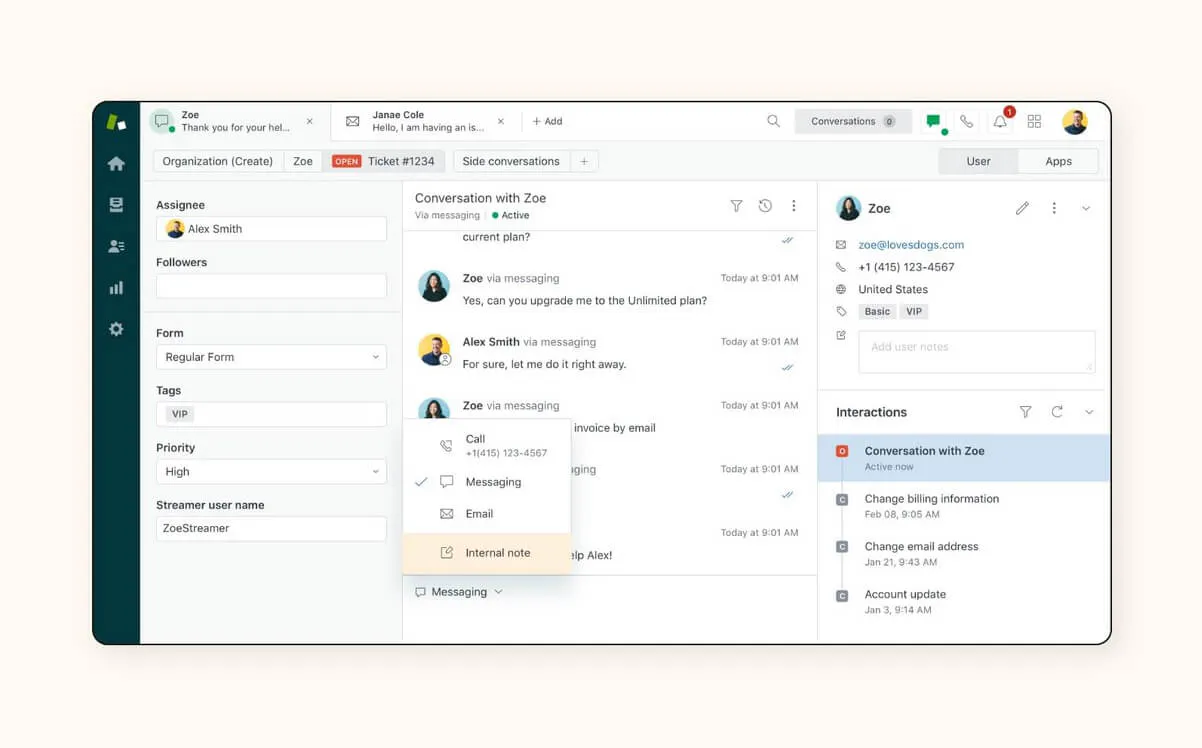
Zendesk is a customer service platform for managing tickets, messaging, live chat, phone support, help center content, and automated workflows across channels.
It also supports AI agents and reporting in its core plans, plus workforce tools, quality monitoring, and contact center workflows through higher-tier plans or add-ons. For teams that mainly need AI answers, lead capture, and human handoff, that extra layer may add cost before value.
Zendesk pricing structure
Zendesk’s customer service plans use per-agent pricing:
agent seats × plan price
Then check what sits on top. Copilot, contact center features, workforce tools, AI agent resolutions and voice usage can all change the final budget.
Zendesk’s 14-day trial gives access to Customer Service Suite Professional, with Copilot included by default. That is helpful for testing, but it also means you may trial a bigger setup than you plan to buy.
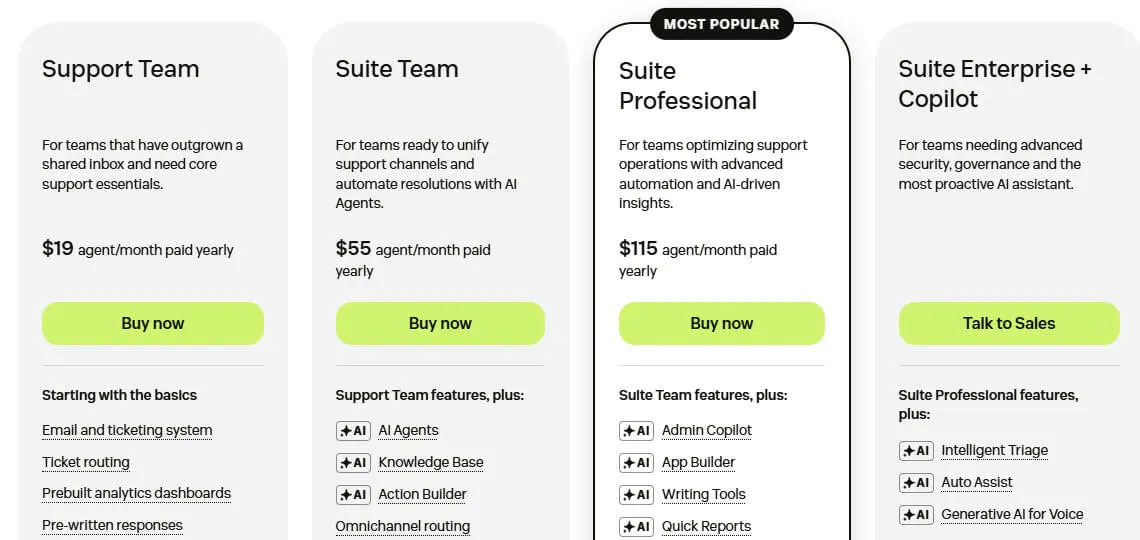
Zendesk pricing plans
Plan or setup | Base price (annual) | Ideal for | Add-on cost |
Support Team | $19/agent/month | Outgrowing a shared inbox | Some add-ons require a higher plan |
Suite Team | $55/agent/month | Managing multiple support channels | Contact Center adds $83+/agent/month if needed |
Suite Professional | $115/agent/month | Routing, reporting, and workflows | Copilot brings it to $165/agent/month |
Suite Enterprise + Copilot | Talk to Sales | Large security and governance needs | Custom pricing |
How to choose between Zendesk plans
Support Team
Choose Support Team when your shared inbox needs basic ticketing, routing, customer context, pre-written replies, dashboards and automations.
Suite Team
Choose Suite Team when support spans messaging, live chat, phone and help center content, and you need AI agents, a knowledge base and omnichannel routing.
Suite Professional
Choose Suite Professional when your team needs stronger routing, deeper reporting, advanced workflows and more AI support for agents. Until then, the jump from $55 to $115 per agent/month may not move the needle.
Suite Enterprise + Copilot
Choose Suite Enterprise + Copilot when security, compliance, approval workflows, sandbox access, and role controls are must-haves. If not, this is likely more than a small team needs.
Why is Zendesk expensive for some teams?
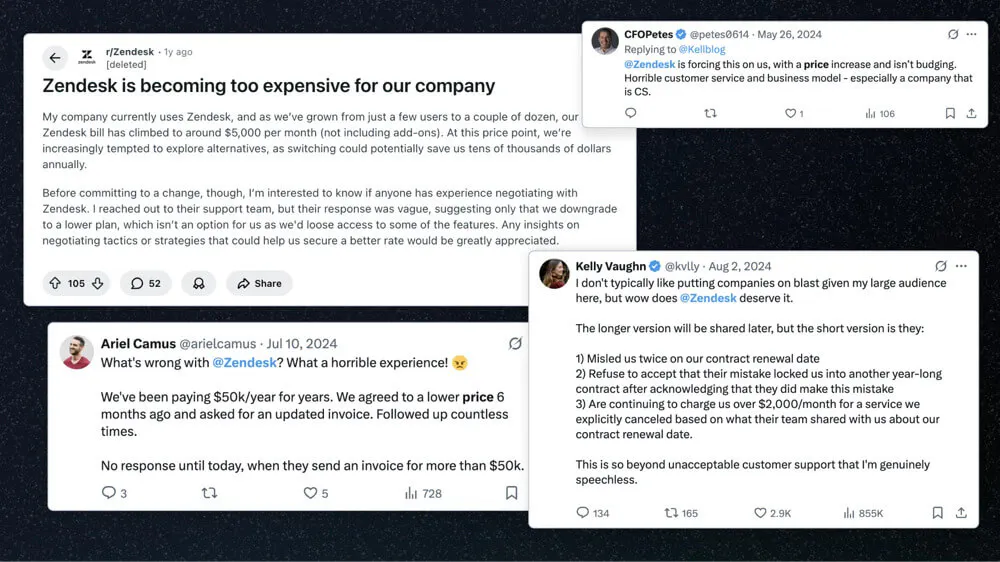
Zendesk gets expensive when your support needs move beyond the base plan. For example, a 10-agent team on Suite Professional starts at $1,150/month on annual billing. Add Copilot to every seat, and that becomes $1,650/month before taxes, discounts, usage, or custom terms.
Contact Center starts at $83+, Workforce Engagement adds $50. Those costs make sense for voice-heavy teams or larger teams managing QA, staffing, and performance.
They are harder to justify when most conversations are repeat questions, pricing questions, order questions, or lead inquiries that a focused AI chatbot setup can handle first.
Pros and cons of Zendesk pricing
Pros
- Full support suite: Zendesk earns its price when teams use ticketing, messaging, live chat, voice, automation, reporting, AI, integrations, and admin controls in one platform.
- Low-cost starting point: Teams that only need core email support can start with Support Team at $19 per agent/month before moving into higher Suite plans or add-ons.
- Room to scale: Higher plans and add-ons support stronger routing, governance, workforce tools, and contact center needs.
Cons
- Add-ons stack fast: Copilot and Workforce Engagement Bundle each add $50 per agent/month, while Contact Center adds $83+ before voice usage.
- Per-agent pricing compounds: Each new support seat raises the base cost, and add-ons can multiply that across the team.
- Platform-size mismatch: If you mainly answer repeat questions, capture leads, and hand off complex chats, Zendesk may be more platform than you need.
Chatling: a simpler alternative for AI customer support
Most teams do not start by needing a full customer service suite. They start with repeated questions, after-hours leads and a growing support queue.
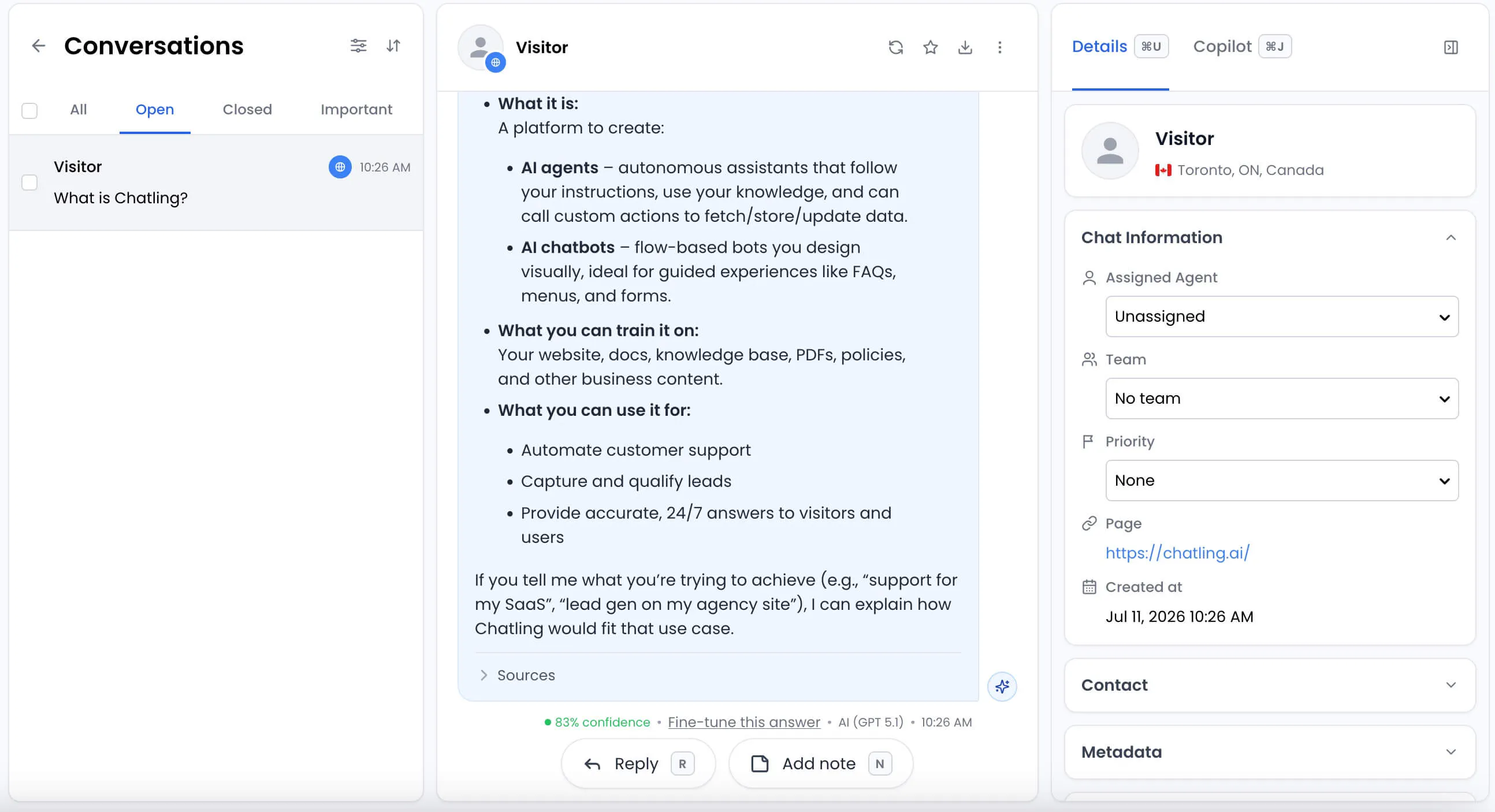
That is where Chatling fits. We help teams deploy AI agents across websites, WhatsApp, Instagram, Telegram, and Messenger. Those agents answer repetitive questions, capture and qualify leads, and hand chats to a human with a full summary. See how it compares to other options in our guide to the best chatbots for customer support.
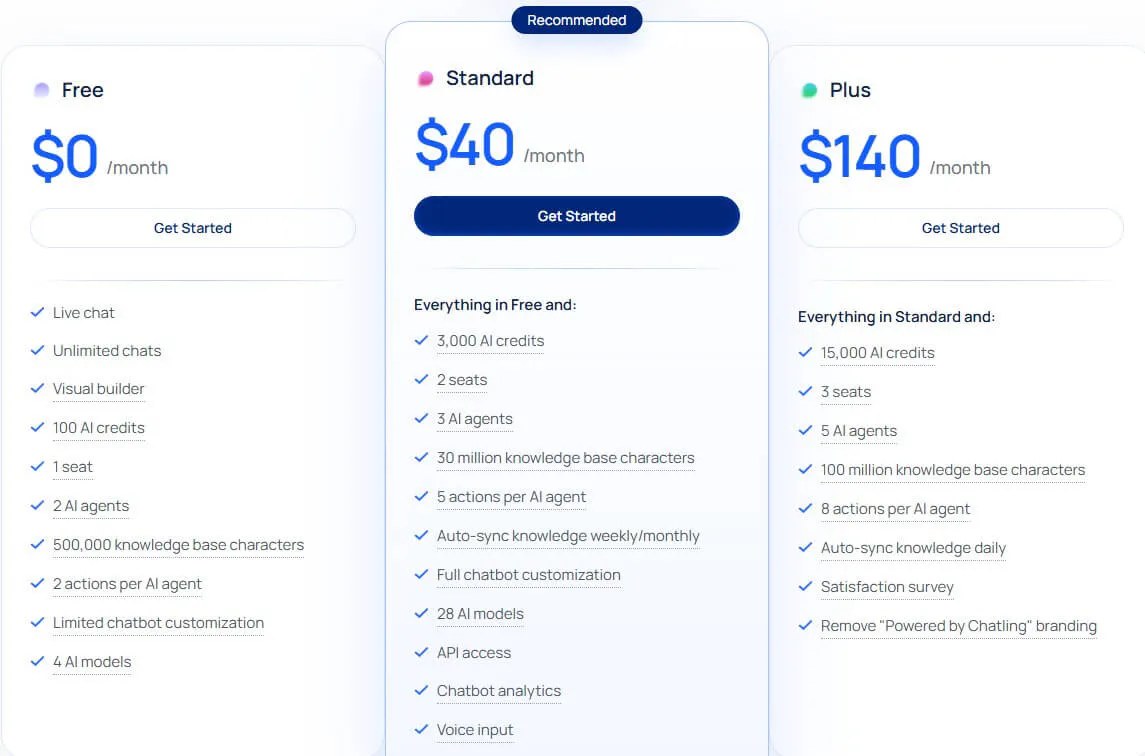
Pricing works differently too. The free plan includes 100 AI credits. Standard costs $40/month with 3,000 AI credits, 2 seats, and 3 AI agents. Plus costs $140/month with 15,000 AI credits, 3 seats, and 5 AI agents.
AI credit usage varies by model. Annual billing saves 20%, bringing Standard to $32/month and Plus to $112/month.
Why choose Chatling?
Choose Zendesk when support depends on ticketing, phone workflows, workforce planning, compliance, and deep admin controls. Those needs justify a broader support platform.
Chatling is the better fit when most support volume comes from repeat questions, lead inquiries, and conversations AI can resolve before they become tickets.
The difference is not feature count. It is whether you need to manage a larger support operation or reduce how much reaches it in the first place.
Start with the support you actually need
If you mainly need AI support, live chat, lead capture, multilingual answers, and smooth handoff, Chatling gives you a simpler place to start. Build your AI agent today, connect your website and help content, and start resolving customer questions before repetitive requests turn into a support backlog.