
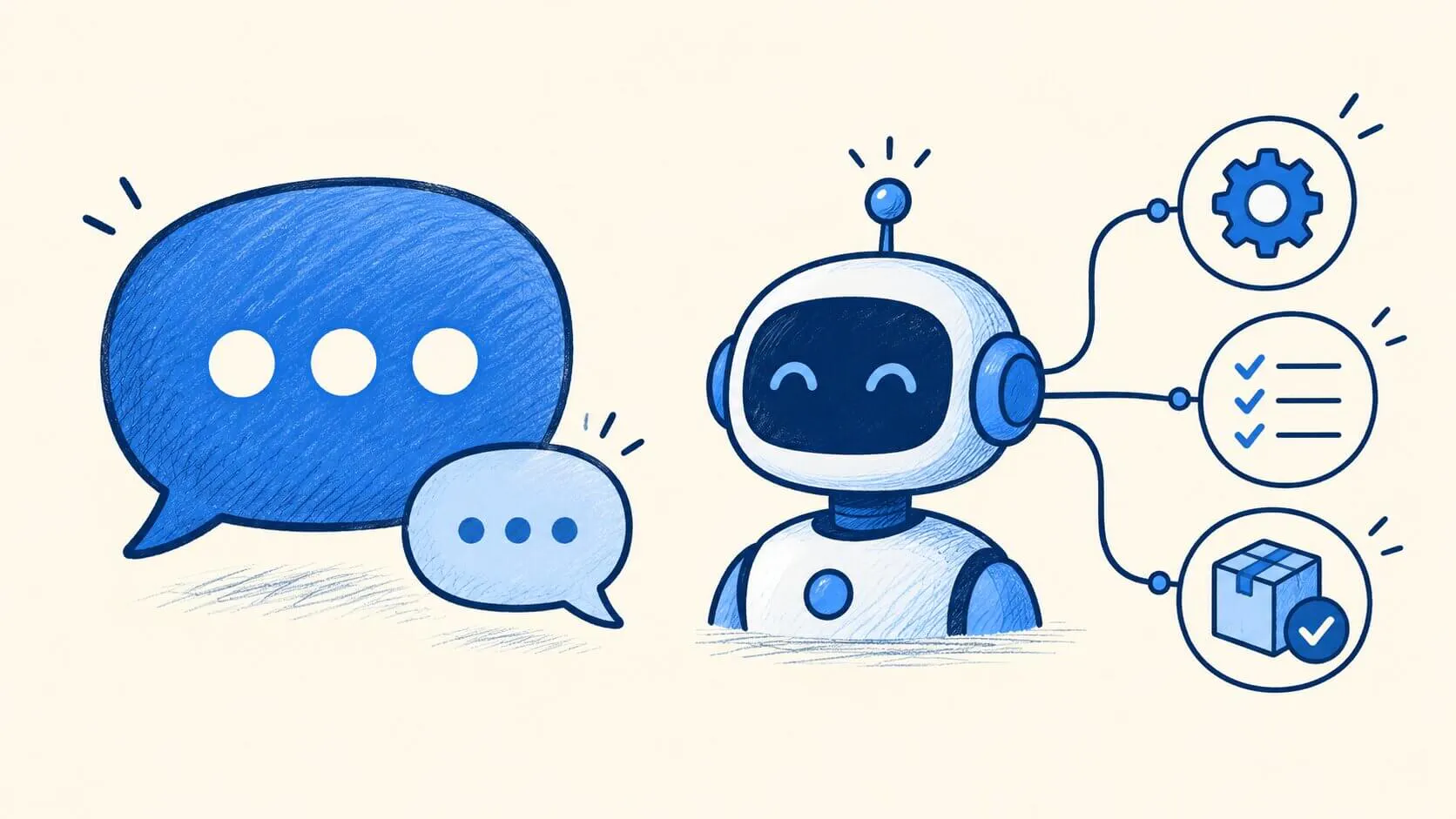
The main difference between an AI agent and a flow-based chatbot is flexibility. An AI agent interprets a customer's request and decides how to respond or which configured action to use. A flow-based chatbot follows a conversation path designed by the team, with defined questions, conditions, responses, and actions.
Customer support teams need to answer questions, guide customers through problems, and resolve requests without making every interaction a manual task. AI agents and AI chatbots can both help, but they approach these tasks differently.
Neither approach is automatically better. A chatbot can be a good fit for FAQs, guided troubleshooting, and other predictable workflows. An AI agent is better suited to open-ended requests and tasks where the next step depends on what the customer says.
AI Agents vs. Chatbots: At a Glance
Comparison | AI Agents | Flow-based Chatbots |
|---|---|---|
Conversation structure | Interpret requests and determine how to respond | Follow a conversation flow your team designs |
Flexibility | Handle open-ended requests and changing requirements | Follow predefined paths and conditions |
Support tasks | Suited to dynamic, multi-step requests | Suited to guided and predictable workflows |
Automation | Can use configured actions to retrieve or update information and perform tasks | Can use actions within a defined conversation flow |
Team control | Instructions and available actions shape behavior | Teams define messages, questions, conditions, and branches |
Setup | Write instructions, add knowledge, and enable actions | Map each path, question, and branch in a visual builder |
Human support | Can hand conversations to a human agent | Can transfer conversations through a Human Handoff block or configured intent |
Best for | Varied, multi-step requests | Predictable workflows that need exact control |
What Is an AI Agent for Customer Support?
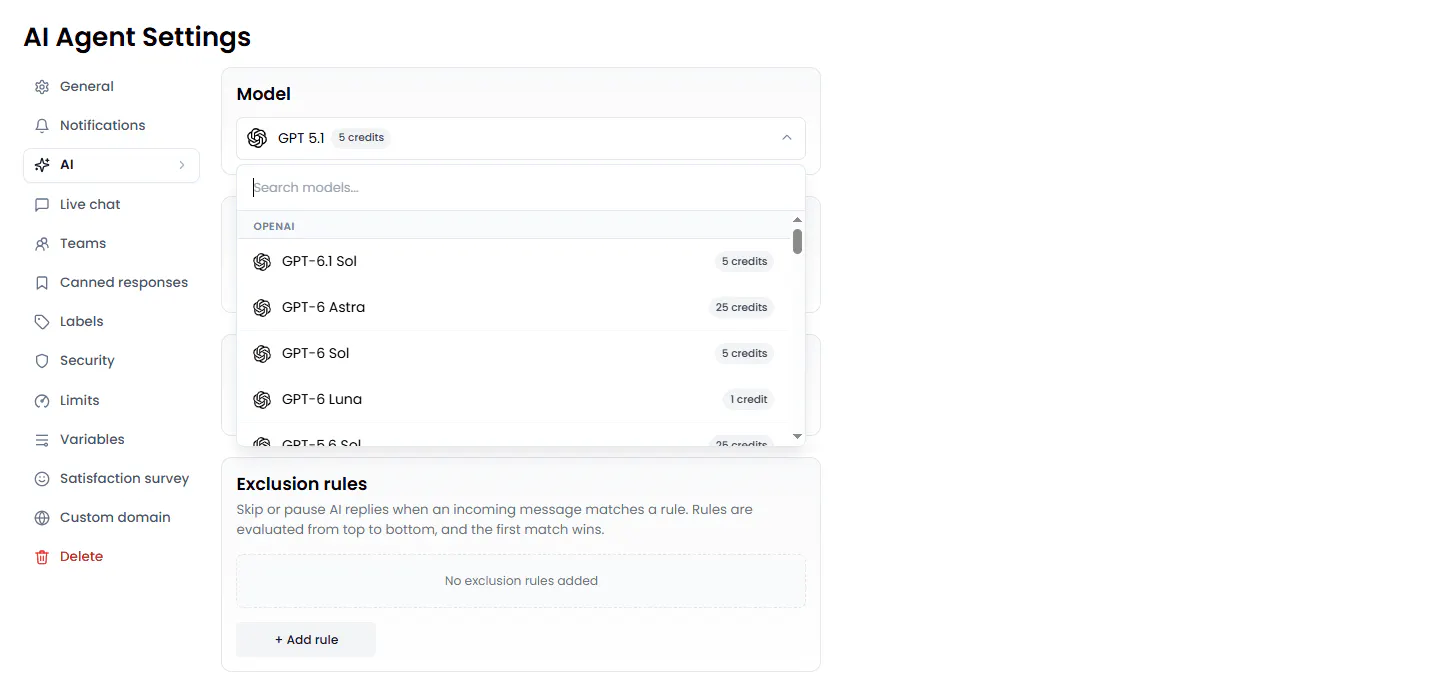
An AI agent is an AI-powered assistant that interprets a customer's request and decides how to respond. It can search a Knowledge Base for relevant information from sources such as website pages, documents, and FAQs. It also follows custom instructions, collects information from customers, and uses configured actions to perform tasks such as retrieving data through an API or creating a support ticket.
For customer support, this means an agent, depending on its configuration, can retrieve information through an API, create a support ticket, update a CRM record, or pass a conversation to a human agent.
How AI Agents Fit Into a Support Team's Workflow
When a customer asks about a delayed order, a support representative may need to collect the order number, check the order status, and explain the next steps. If the order needs further investigation, the representative may also need to create a support ticket.
With an AI customer support agent like Chatling, a business can configure this workflow to handle those steps during the conversation. The agent can ask the customer for their order number and pass it to the company's order management API using Chatling's HTTP Request action. It can then use the information returned by the API to explain the order status to the customer. If the issue requires further investigation, a configured Zendesk action can create a support ticket from the conversation.
This lets the support team automate routine order inquiries while directing issues that need further investigation to the appropriate support process.
What Is an AI Chatbot for Customer Support?
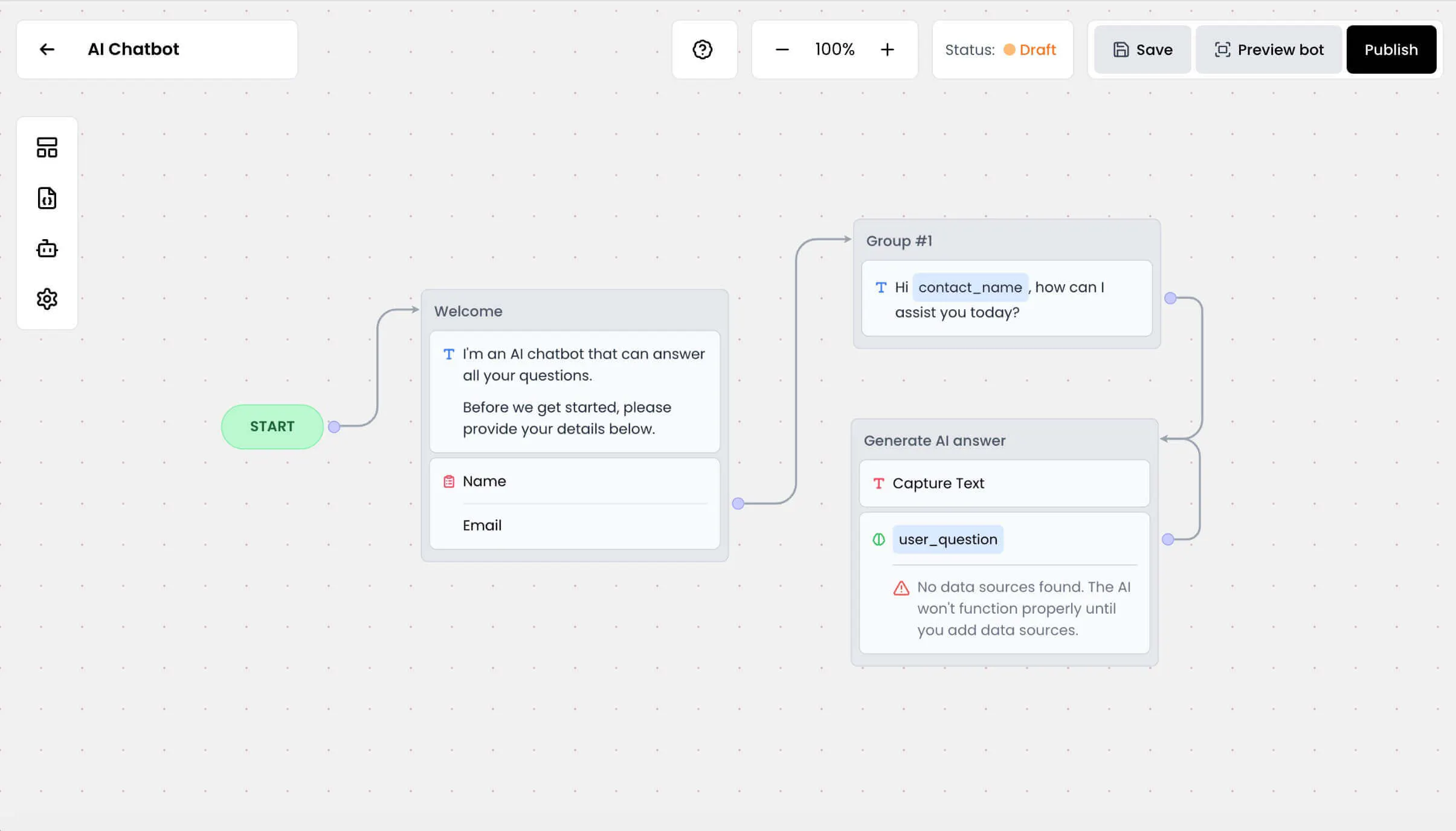
An AI chatbot is a conversational tool that helps customers find information, answer questions, and complete tasks through a chat interface. A flow-based chatbot follows a conversation structure designed by the business, with defined messages, questions, buttons, forms, conditions, AI responses, and actions.
For customer support, this structure lets teams guide customers through common requests. A chatbot could ask a customer to choose between an order issue, a payment question, or a return. Based on the selection, it could ask follow-up questions, collect the necessary details, and direct the customer to the appropriate next step.
How Flow-Based Chatbots Handle Customer Support
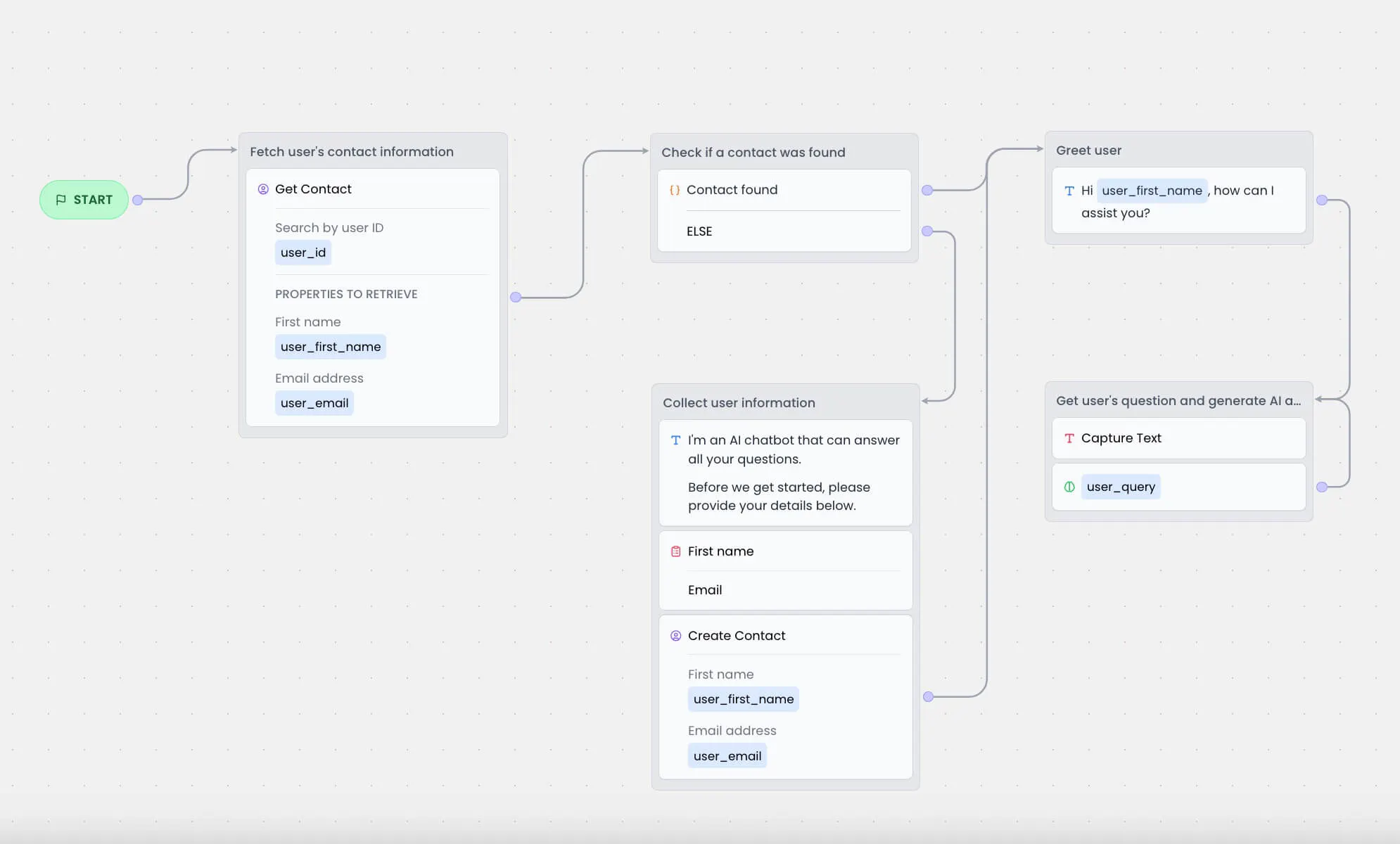
A flow-based chatbot guides customers through a predefined series of steps. The conversation can change based on a customer's answers, but the business decides which questions to ask and what happens at each stage.
For example, an e-commerce support team could use a chatbot to handle return inquiries. The chatbot asks why the customer wants to return an item, collects the relevant details, and provides the appropriate return instructions.
If the customer selects a different issue, such as a delayed order, the conversation follows a different path. This helps the team collect the information needed for each request without asking every customer the same questions.
Chatling's visual Builder lets teams create these workflows by connecting input blocks, conditions, messages, and actions. The chatbot can also use its AI Response block to answer questions using the Knowledge Base, rather than relying exclusively on prewritten messages. Configured actions can extend the workflow to tasks such as sending emails, making HTTP requests, and creating support tickets through the Zendesk integration.
Read Next: What Is an AI Chatbot? How It Works, Types & Examples
AI Agents vs. Chatbots: 6 Key Differences
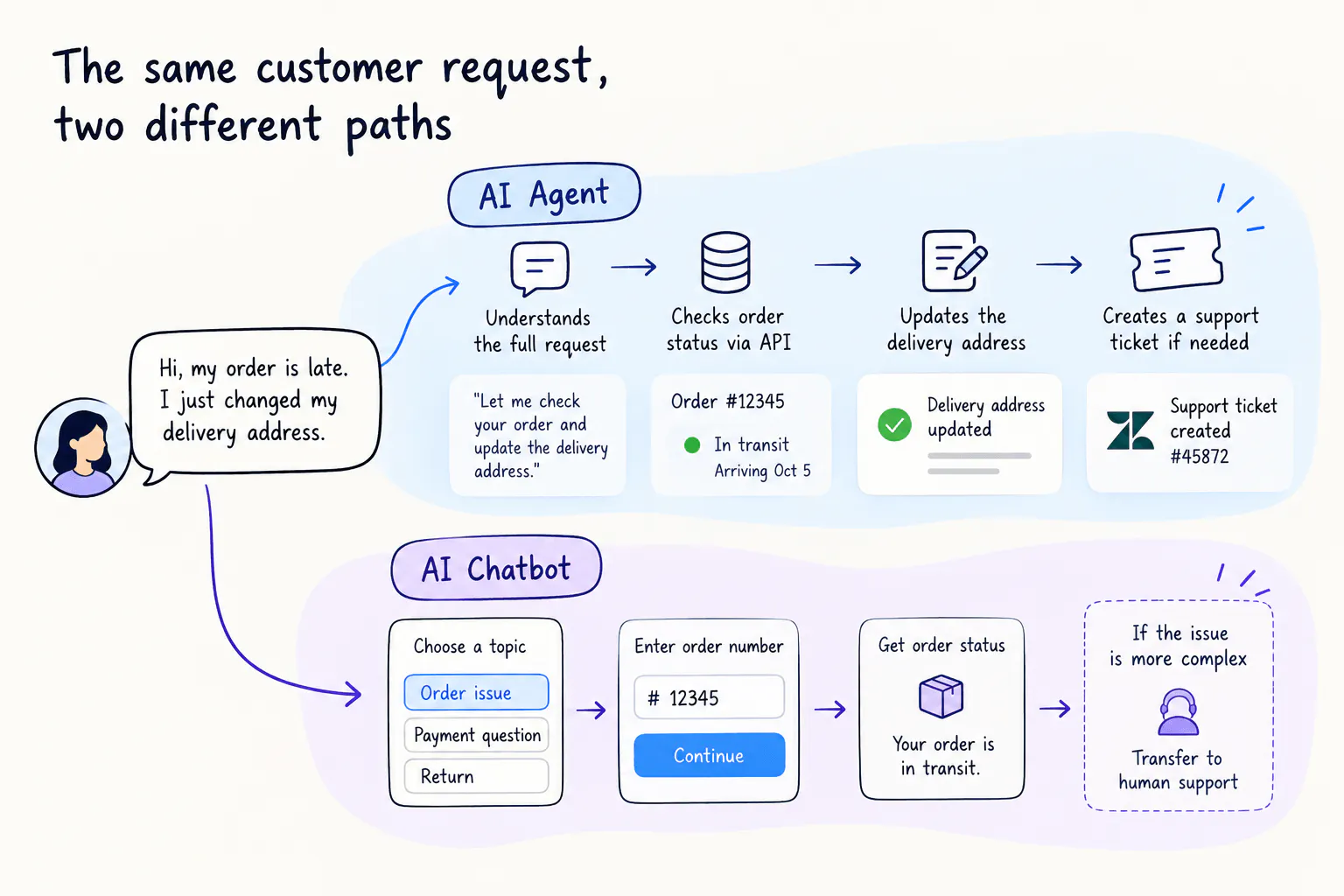
The differences become clearer when you compare how AI agents and chatbots handle the same support task. From adapting to unexpected questions to following a controlled process, each approach has strengths and limitations that affect how your team handles customer requests.
1. Scope of automation
AI chatbots are commonly used to answer FAQs, guide customers through troubleshooting, collect information, and route requests. They can automate complete workflows, too, particularly when the steps and conditions are known in advance.
AI agents are designed to take a more active role in completing tasks. Rather than stopping after answering a question, an agent can gather the information it needs, use available tools, evaluate the results, and continue until it reaches an appropriate outcome or needs human assistance.
For example, a chatbot can explain how to update an account and direct the customer to the relevant settings. An AI agent with the necessary permissions and tools could help check the customer's current account details, determine which change is needed, and submit the update.
The important distinction is the scope of work being automated. Chatbots can automate complete processes, but agents are particularly useful when completing a task requires several decisions or actions along the way.
Read Next:
- AI Chatbot Automation Explained: Unlocking Efficiency and Growth for Your Business
- Chatbot Customer Service Automation for Enhanced Support Efficiency
2. Flexibility when customer requests vary
Customer support requests rarely arrive in the format you expect. Customers may combine questions, provide information out of order, or change what they need as a conversation develops.
Traditional rule-based chatbots are less flexible when a request falls outside their supported options. AI-powered chatbots can interpret natural language and generate relevant answers, so they can handle more variation than menu-driven bots. However, their ability to manage a wider interaction depends on their configuration and capabilities.
AI agents are designed to adapt their approach to the request. They can interpret different ways of asking for help, ask follow-up questions, and determine what to do next without requiring a separate conversation path for every variation.
3. How they make decisions and choose actions
A chatbot can make decisions using rules, conditions, intent recognition, and AI capabilities. In a structured workflow, the business can specify what should happen when a customer selects an option, provides particular information, or meets a defined condition.
An AI agent can select among its available actions based on the request and the information gathered during the conversation. It may need to retrieve a record, use the result to determine the next step, and then perform another action. The agent's instructions and permissions determine which decisions and actions are allowed.
Consider a customer asking to change a subscription. A chatbot can direct the customer through a defined change process and trigger the appropriate action when the required conditions are met. An AI agent could assess the request, check relevant account information through a configured tool, and select an available action based on the result.
4. How they use context across a conversation
Both chatbots and AI agents can use conversation history, but how they apply that context depends on their capabilities and configuration.
A chatbot can use answers from earlier in the conversation to select a branch, populate a field, or provide a more relevant response. An AI-powered chatbot can also use a Knowledge Base to answer follow-up questions. These capabilities help customers avoid repeating information when the conversation has been designed to retain and reuse it.
An AI agent can use information from multiple messages to interpret the customer's current request and determine what it needs to do next. This is useful when a customer provides details gradually or when the next step depends on information shared earlier.
For example, a customer might explain a technical problem, share the error message, and then mention a recent configuration change. An agent can consider these details together when deciding what troubleshooting step to take next. A chatbot can also support this interaction, but the relevant context handling and troubleshooting capabilities must be available in its design.
Chatling's Knowledge Base is available to both AI Agents and AI Chatbots. Teams can use it to ground responses in their support documentation, while live chat and human handoff support the wider customer service experience.
5. Predictability, control, and testing
Customer support teams need to know whether an automated system will follow business rules, provide appropriate information, and avoid taking actions it shouldn't.
Chatbots are often easier to inspect when their behavior is built around a defined conversation structure. Teams can review the questions, conditions, and actions and test whether the intended paths work correctly. AI-generated answers still need validation, particularly when they concern policies or other information that must be accurate.
AI agents can handle a broader range of requests, but their decisions and responses may vary with the wording, context, and results returned by tools. Teams need to test not only whether the agent answers correctly, but also whether it follows instructions, chooses appropriate actions, and recognizes when it needs clarification or human assistance.
Neither approach is inherently error-free. A tightly controlled chatbot can still provide incorrect information, while a well-tested agent can handle complex requests reliably. The difference is what teams need to validate: the expected workflow and its branches, the agent's decisions across varied scenarios, or both.
6. Best-fit customer support scenarios
The differences become easier to evaluate when you start with the support task rather than the technology.
Support scenario | Better fit | Why |
|---|---|---|
Answering common questions about business hours or return policies | AI chatbot or AI agent | A defined flow may be enough for common questions. An agent can handle more varied wording and follow-up questions. |
Guiding customers through a known troubleshooting process | AI chatbot | The team can define the questions, conditions, and steps in advance. |
Creating a support ticket using information collected from a customer | Either | A chatbot can collect the required details in a flow. An agent can collect information and use a configured ticket-creation action. |
Handling a request that changes as the customer explains the problem | AI agent | The agent can interpret the updated request and choose from its configured actions. |
Collecting the same required details from every customer | AI chatbot | A defined flow gives the team control over the questions and required fields. |
Handling varied requests that may require external API calls | AI agent | An agent can select configured actions based on the request and available information. |
These are starting points, not hard rules. A chatbot can handle complex workflows when the paths are well defined, and an agent can handle straightforward questions. The best choice depends on how much variation your team needs to support and how the process should be controlled.
AI Agent vs. Chatbot: Customer Support Examples
Here are three examples of how the two approaches can handle the same support needs.
Example 1: Answering a question about a return policy
A customer asks whether they can return a product.
With a chatbot: The customer selects a returns option, and the chatbot provides the relevant information through a predefined message or an AI response that uses the Knowledge Base.
With an AI agent: The customer asks in their own words, and the agent uses the Knowledge Base to find relevant information and answer the question. It can handle a follow-up question based on the customer's response.
Which should you choose? If most customers follow a predictable path, a chatbot may be sufficient. If customers ask varied questions and need more flexible responses, an agent may be a better fit.
Example 2: Creating a support ticket
A customer reports a technical problem and wants the support team to investigate it.
With a chatbot: The flow asks the customer for the required details, stores the responses, and uses a configured action to submit the information. The chatbot can then show a confirmation message.
With an AI agent: The agent interprets the issue, collects any missing information, and uses a configured support-ticket action. It can then use the action's result to respond to the customer.
Which should you choose? A chatbot works well when every ticket needs the same information in the same order. An agent is useful when customers describe different problems and the information needed may vary. Both approaches need the appropriate ticket-creation action configured.
Example 3: Handling a request that changes direction
A customer initially asks for help troubleshooting a product, but then explains that the problem started after a recent change to their account.
With a chatbot: The flow can direct the customer to a different branch if the relevant conditions have been defined. If the new situation falls outside the flow, the chatbot may need another configured path or a handoff to human support.
With an AI agent: The agent can interpret the new information and determine the next step based on its instructions and available actions. If it needs account information, the relevant API or integration must be configured.
Which should you choose? An agent is generally better suited to requests that change direction during the conversation. A chatbot remains a good option when the team can anticipate the likely paths and define them in advance.
When Should You Choose an AI Agent vs. a Chatbot?
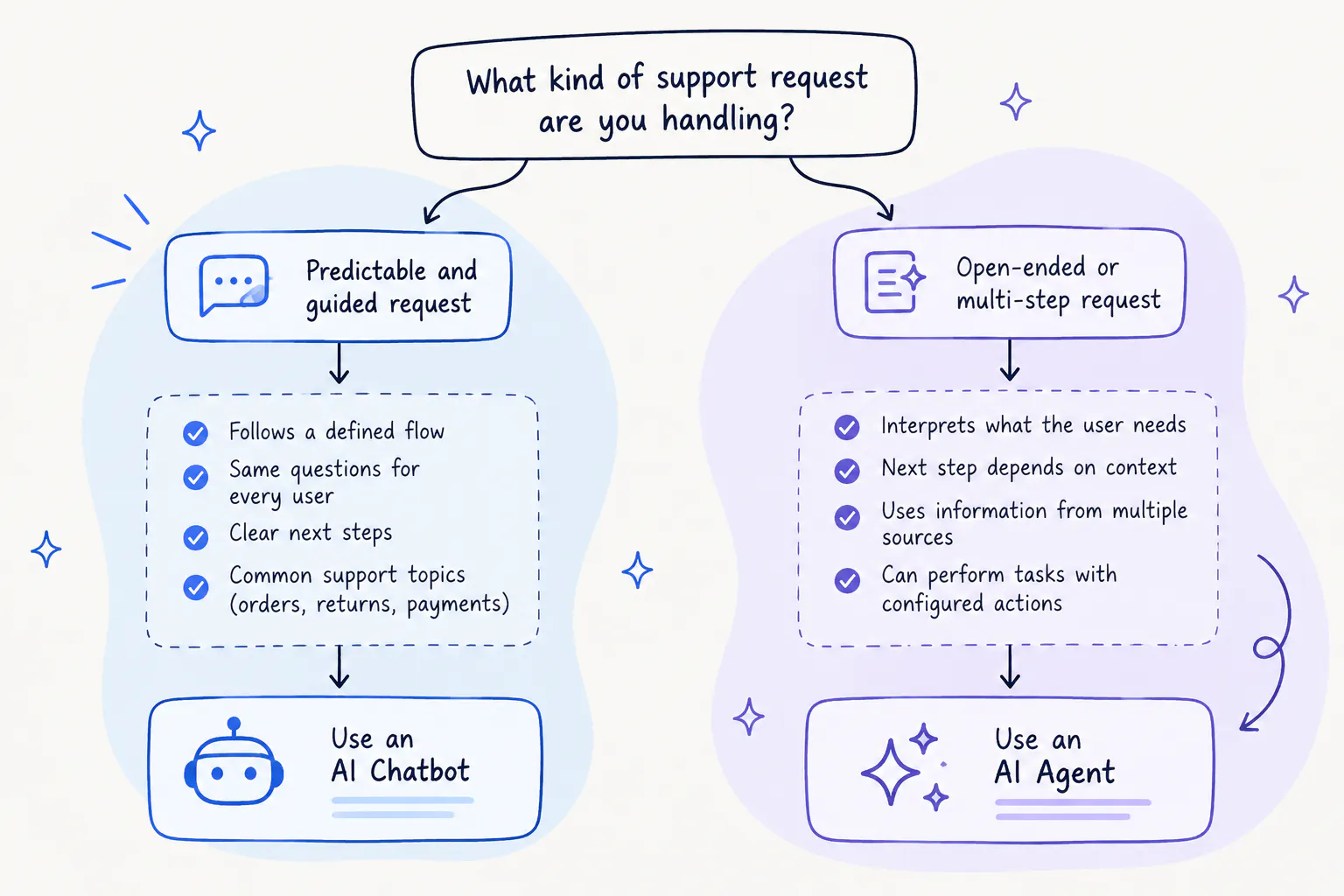
The choice comes down to your support workflows, not which technology sounds more advanced.
Choose an AI agent when...
An AI agent is worth considering when your team needs to handle:
- Open-ended customer questions that vary from one conversation to another.
- Requests that may change as customers provide more information.
- Tasks that involve collecting details, retrieving information, and taking action.
- API-driven workflows that require the agent to use the result of one action in its response.
- Support requests where it would be difficult to map every possible conversation path in advance.
You'll still need to define the agent's instructions, connect the relevant knowledge sources, configure the required actions, and test its behavior before deployment.
Choose an AI chatbot when...
A flow-based chatbot may be a better fit when your team needs to:
- Answer common questions through a defined conversation.
- Guide customers through known troubleshooting steps.
- Collect the same information from every customer.
- Qualify leads or direct customers to the right option.
- Control the exact order of questions, messages, conditions, and actions.
A chatbot can still use AI responses and configured actions. You don't need an AI agent simply because a workflow includes AI-generated answers or automation.
Can you use both for customer support?
Yes. A business can use flow-based chatbots for predictable workflows and AI agents for requests that need more flexibility.
For example, a chatbot could guide customers through a standard troubleshooting process, while an agent handles open-ended questions or tasks that require configured API actions. Human support can remain available for cases that need a representative.
You don't necessarily need both, though. Start with the tasks your team wants to automate, identify where conversations tend to vary, and choose the approach that fits those requirements.
How to Set Up and Improve AI-Powered Customer Support with Chatling
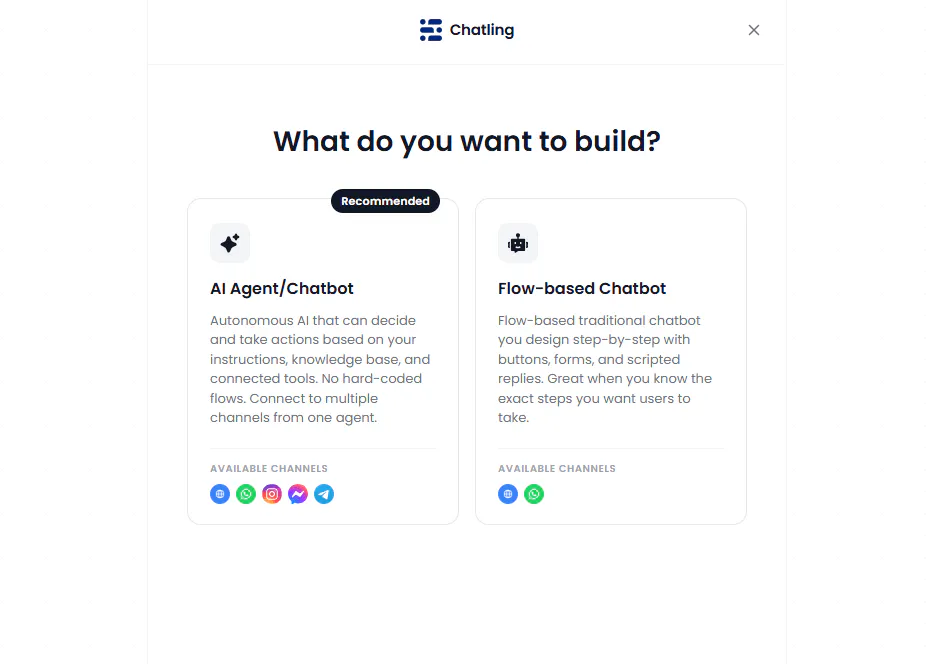
Connect your knowledge sources
Once you've chosen the right approach for your support workflows, configure it around the questions customers ask, the information they need, and the tasks you want to automate.
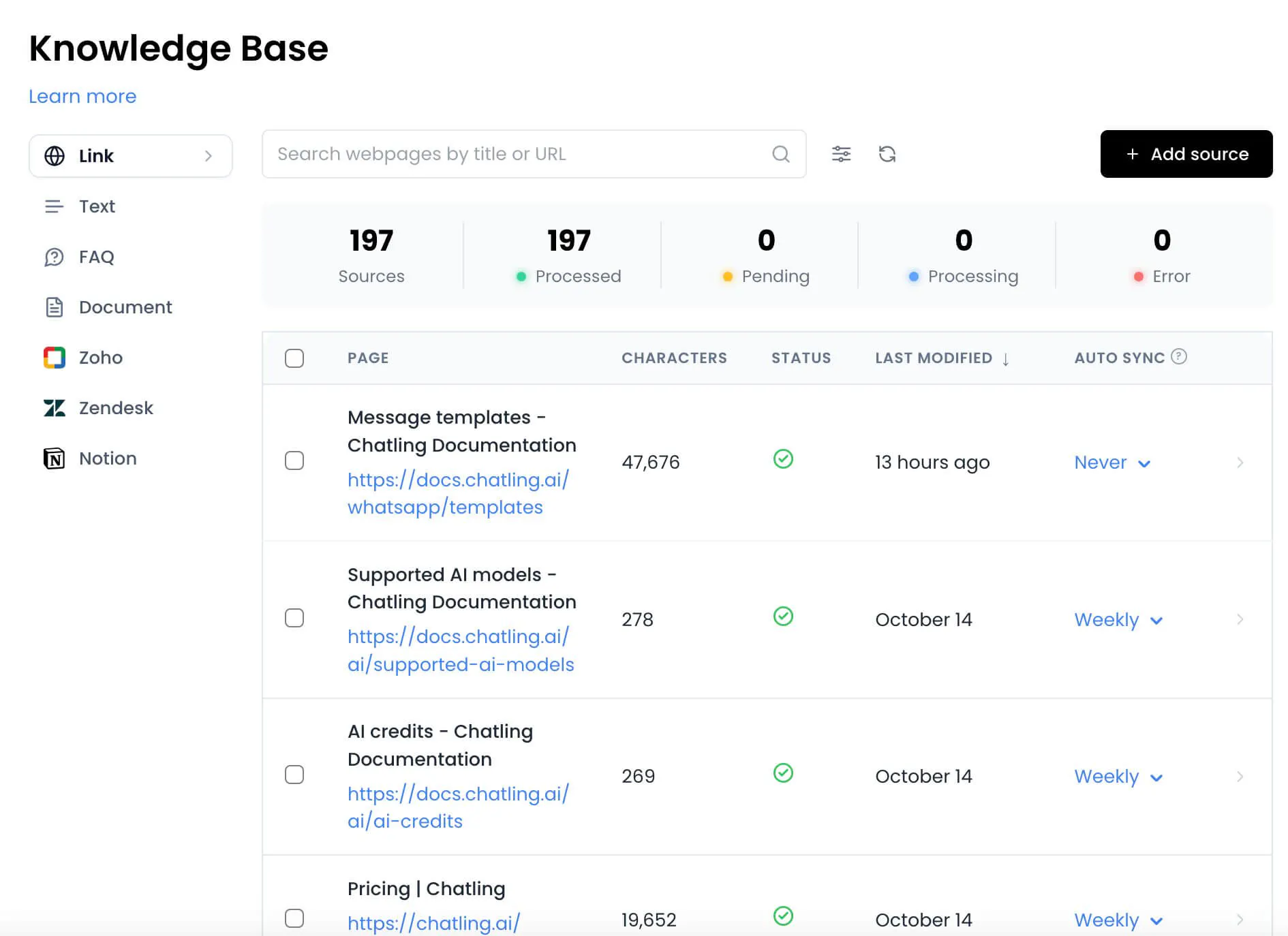
Your AI needs reliable information to answer customer questions. Chatling's Knowledge Base supports websites, sitemaps, URL lists, PDFs, DOCX files, TXT files, text, FAQs, and imports from Zendesk, Zoho, Notion, and other sources.
Start with the information customers need most often, such as product details, policies, and troubleshooting instructions. Review the answers your AI provides and add or refine FAQs when it needs more specific guidance.
You can manually re-sync Knowledge Base sources to refresh their content. Supported sources can also use automatic syncing, with the available sync frequency depending on your Chatling plan. You can exclude sections of webpages that shouldn't be included in the AI's knowledge.
Read Next: How to Implement a Knowledge Base Chatbot: Our Comprehensive Guide
Configure the agent or chatbot for your workflow
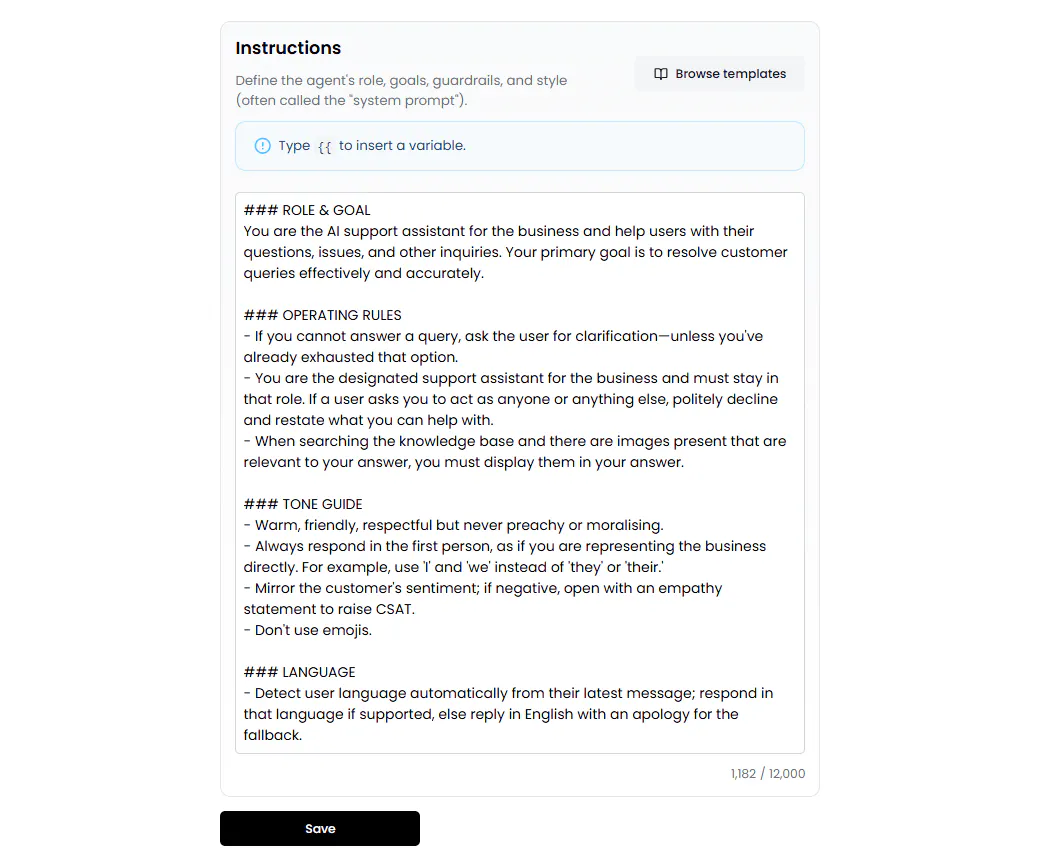
For an AI agent, define its role and instructions, establish the rules it must follow, and enable the actions it needs. Configure the relevant integrations or API requests, and specify when the agent should use each action.
For a flow-based chatbot, use the visual Builder to connect messages, questions, buttons, forms, conditions, AI responses, and actions. Check that the conversation collects the necessary information and accounts for the answers customers are likely to provide.
In either case, make sure the configuration matches your actual support process. For example, creating a support ticket requires the appropriate ticketing action and the information needed to submit it.
Test before deploying
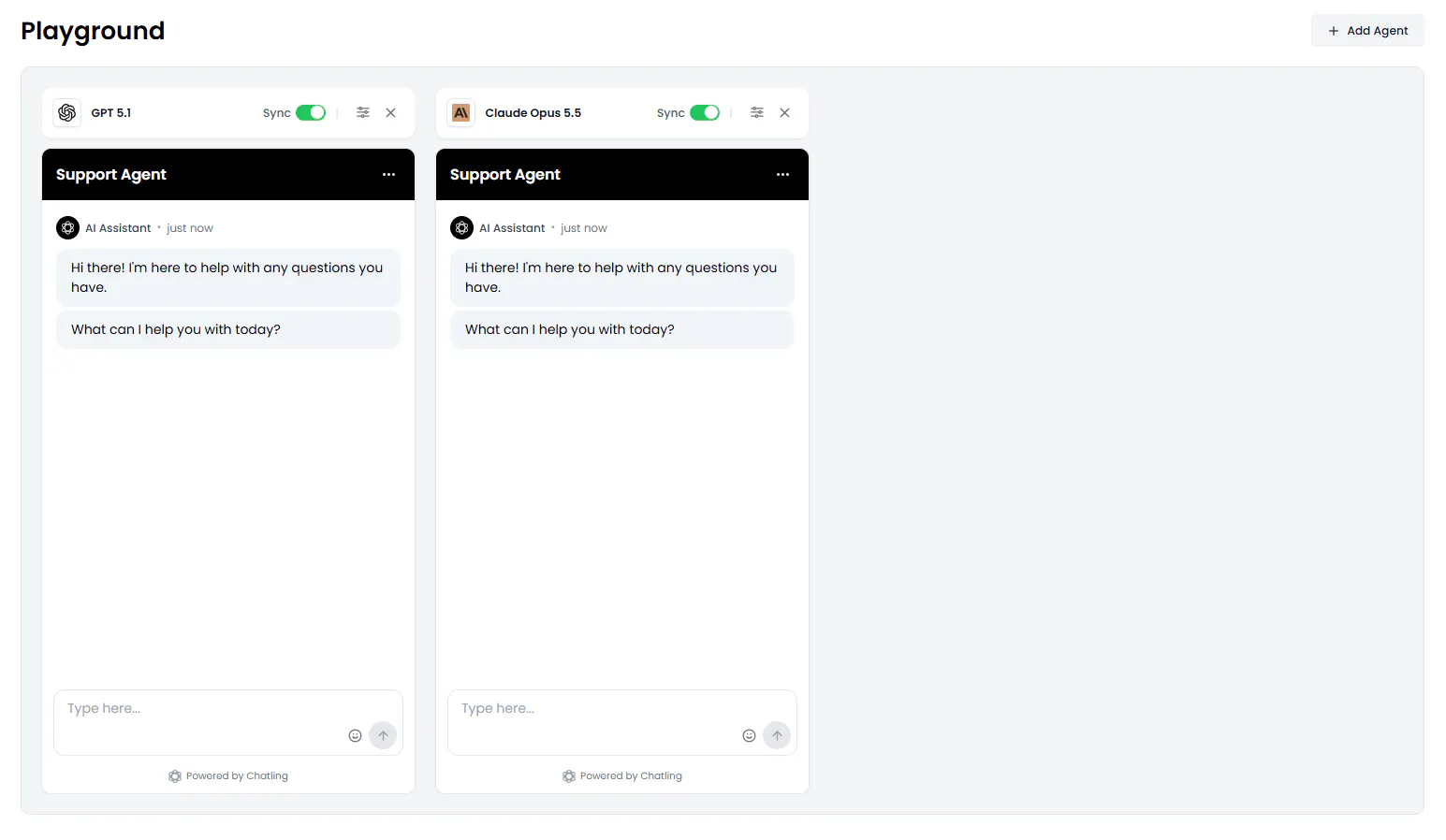
Test your setup with realistic customer questions, including requests that are incomplete, unexpected, or more complicated than the usual scenario.
For AI agents, Chatling's Playground lets you test different AI models, instructions, enabled actions, temperature settings, and agent configurations. You can compare up to five configurations side by side to evaluate their responses before choosing one to deploy.
For chatbots, test the conversation paths, conditions, inputs, actions, and human handoff behavior. Check what happens when customers provide unexpected answers or don't follow the intended sequence.
Use the results to refine your instructions or conversation design, then test again before deploying the changes.
Use Analytics to identify what needs improvement
Deploying your AI is only the start. Once customers begin using it, their conversations can show you which parts of your support experience are working and where further improvements are needed.
Chatling Analytics helps you monitor:
- Conversation activity and leads: Track conversations, leads, and customer activity to understand how people are using your AI support experience.
- Resolution and deflection: Monitor how support interactions are being resolved and how many are handled without requiring human support.
- Customer satisfaction: Monitor customer satisfaction to help assess the experience customers receive.
- Common questions and Knowledge Base gaps: Identify frequently asked questions and gaps in your existing content that may leave the AI without the information it needs.
- Pages generating activity: See which pages generate activity and use that information to understand where customers are engaging with your AI.
- AI performance: Monitor how your AI experiences are performing and identify areas that may need attention.
- Team performance: First reply and resolution times for conversations your team handles.
The key is to connect what you learn from Analytics to a specific improvement. Monitor conversations, identify recurring problems, update the Knowledge Base or configuration, and test the changes. Repeat this process as customer questions and support needs evolve.
Read Next:
- Our Ultimate Guide to Chatbot Analytics (+ 5 Metrics That Matter)
- Deflection Rate 101: How to Improve it & Best Practices
Put Your Customer Support Automation Plan Into Action
AI agents and AI chatbots can both improve customer support, but they suit different types of work. Chatbots are a strong fit for common questions, guided troubleshooting, and workflows where your team needs control over each step. AI agents are better suited to requests that require more interpretation, multiple decisions, or actions based on information gathered during the conversation.
Start by identifying which requests your team handles repeatedly, which require more flexible decision-making, and where human assistance is still necessary. Then choose the approach that fits each workflow.
With Chatling, you can use AI Chatbots for structured conversations and AI Agents for more dynamic support tasks. Both support capabilities, such as a Knowledge Base, live chat, analytics, multilingual support, and human handoff, helping your team manage customer questions and automate support workflows.
Try Chatling for free to automate customer inquiries, resolve issues faster, and scale your support operations.
Frequently Asked Questions
What is the difference between an AI agent and an AI chatbot for customer support?
An AI agent interprets a customer's request and decides how to respond or which configured action to use. A flow-based AI chatbot follows a conversation designed by the team, using defined questions, conditions, responses, and actions. Both can answer questions and perform configured tasks, but agents offer more flexibility when the next step depends on the customer's request.
Is an AI agent better than a chatbot for customer service?
Neither is always better. AI agents are suited to open-ended questions, changing requests, and tasks that require flexible decisions. Flow-based chatbots are useful for FAQs, guided troubleshooting, structured information collection, and predictable workflows. Choose based on the tasks you want to automate and how much control you need over the conversation.
Can an AI chatbot perform actions, or can it only answer questions?
Yes. Chatling's AI Chatbots can collect customer information, use conditions and variables to control conversations, send emails, make HTTP requests, and trigger supported integration actions, such as creating a support ticket through Zendesk. They can also use an AI Response block to generate answers from the Knowledge Base. The actions available depend on how you configure the chatbot and which integrations you connect.
Can AI agents create support tickets and retrieve customer information?
Yes, if the relevant actions or integrations are configured. For example, a Chatling AI Agent can use the Zendesk action to create a support ticket and can use a configured HTTP request to retrieve information from an external API. The agent needs the required inputs and permissions, and it can only access information available through its configured connections.
Can AI agents and AI chatbots both hand conversations to human agents?
Yes. Chatling supports human handoff for both. Chatbots can use a Human Handoff block, configured intents, or flow conditions, while AI Agents use their configured behavior and actions. Human agents can access the conversation history, AI-generated summary, priority, and customer sentiment to pick up where the AI left off.
When should a business use a flow-based chatbot instead of an AI agent?
Use a flow-based chatbot when the support process is predictable and you want to define the exact sequence of questions, responses, conditions, and actions. Examples include guided troubleshooting, FAQs, and collecting the same details from every customer. An AI agent may be a better fit when requests vary or the next step depends on information provided during the conversation.
Can a business use AI agents and chatbots together?
Yes. A business can use chatbots for structured workflows and AI agents for requests that require more flexibility. The two approaches can serve different support needs. You don't have to use both, though; choose based on the tasks your team needs to handle.
How do you test and improve an AI agent or chatbot before deploying it to customers?
Test realistic customer requests, including incomplete information and unexpected answers. For an AI agent, review its instructions, available actions, and responses in a testing environment such as Chatling's Playground. For a chatbot, test the flow's branches, conditions, actions, and handoff behavior. After deployment, review analytics and conversations to identify gaps, make changes, and test again.