Free plan
- No credit card required
- Set up in minutes
 Automation
Automate customer conversations and the work behind them with Chatling. Use AI Agents, actions, and workflows to answer questions, retrieve information, manage support tasks, and connect customer requests to the right next step.
Free planNo credit card requiredSet up in minutesWhy automate
When someone has to look up an order, update a record, or send a follow-up for every request, customers wait and your team falls behind. Chatling automates those steps, so customers get what they need in one conversation and your team focuses on the work that needs them.
 Inbox 54
Hey, wheres my order? It hasn’t arrived yet..
Checking with the warehouse, we’ll get back to you.
I need a refund on my order, I got the wrong size!
Hi, I wanna exchange and get a different jacket.
Agent: Your suggestions are crucial! How can we enhance your experience?
My parcel says delivered but it isn’t here, and I need it by Friday

I’ve opened a claim with the carrier and asked for a replacement with express shipping. You’ll receive an email shortly.
Action steps
AI actions
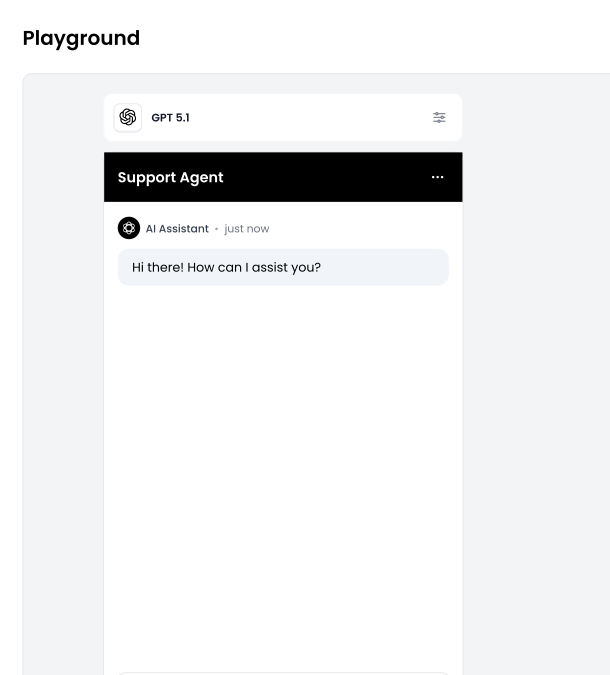
AI actions let your agent do the work during the conversation, from looking up live data to booking meetings, so customers get what they need without waiting for your team.
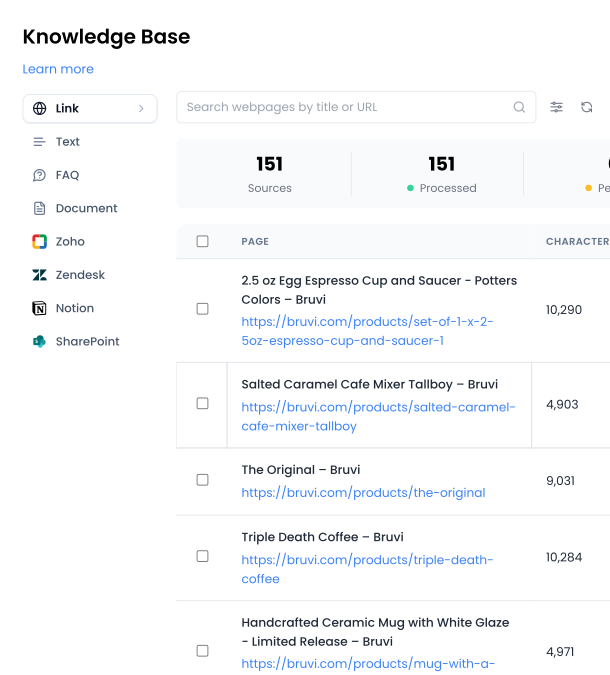
 Give answers without manual lookups
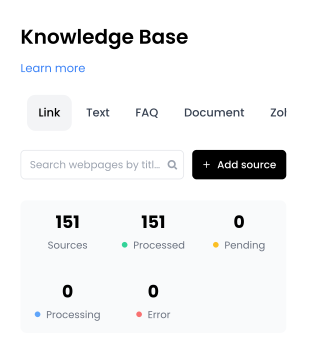
Connect your AI agent to your APIs to check order status or product availability, so customers get answers from your live data.
 Book meetings in the chat
Let customers pick an open time and book without leaving the conversation, with Calendly, Cal.com, Google Calendar, and other scheduling integrations.
 Capture leads before prospects lose interest
Use in-chat forms to collect contact details and qualify prospects, then save them to HubSpot, Zendesk, Google Sheets, and other CRMs.
 Send follow-ups automatically
Send confirmations, summaries, and follow-up emails using details from the conversation or results from another action.
Inbox automation
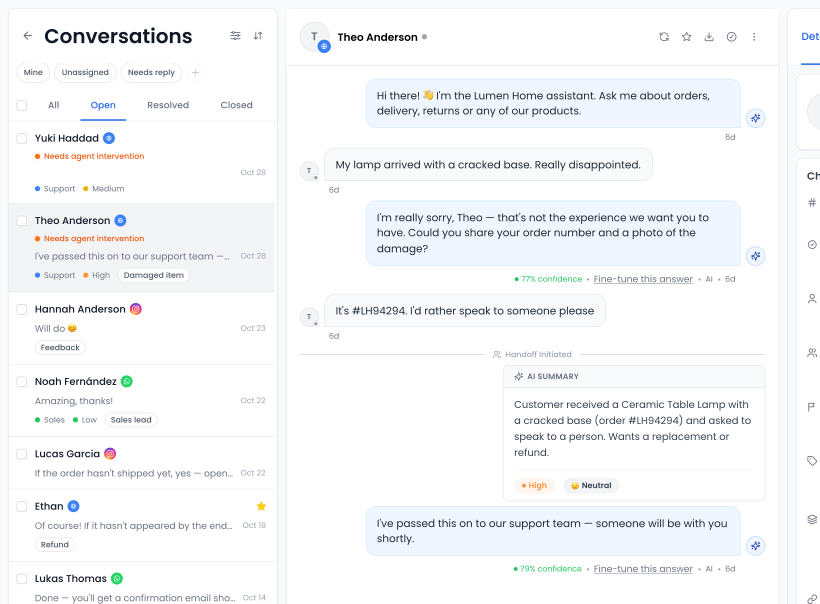
When a conversation needs a person, Chatling routes it to the right agent, flags what’s urgent, and helps your team reply faster.
Explore live chat
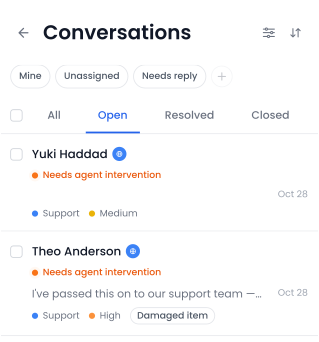
Send handed-off conversations to the right team or agent based on channel, language, priority, sentiment, or details the AI agent collected. Round-robin assignment spreads the load evenly.
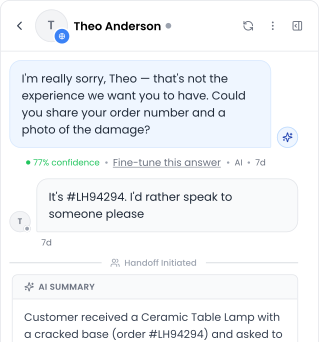
Every handoff arrives with an AI summary, a priority level, and the customer’s sentiment, so your team knows what to handle first.
Save replies to common questions so agents don’t have to write the same answer twice.
Agents can ask Copilot questions and get draft replies from your knowledge base, with sources to check. They stay in control of what gets sent.
Workflows
 Trigger
New contact created
 Condition
Plan is enterprise
 Step
Send API request
Start from a trigger, add conditions, and run steps like API requests, record updates, and messages in order, all without code.
 John DoeNew lead




Sync contacts to HubSpot, Zendesk, and other CRMs automatically when they’re created or updated, so your sales team always has the latest details.



Ticket assigned to Mike
2m agoNotify your team in Slack, email, or other integration when a customer asks for a human, so someone steps in right away.

Adrian Wong
Having issues with my card. Billing
 High
 Spanish


Add labels, set priority, or update contact details based on what happens in the conversation, so your inbox stays organized on its own.
Integrations
Connect Chatling to your CRM, help desk, calendar, and your own APIs, so your AI agent and workflows can read and update information where it already lives.
Control
Decide exactly when actions run, what they need, and when workflows go live, then test everything before customers see it.
Describe in plain language when your AI agent should use an action, and when it shouldn’t, so an action like refunds never start when a customer only asks about your refund policy.
Tell each action what it needs, like an order number or email, and your AI agent asks the customer before it runs.
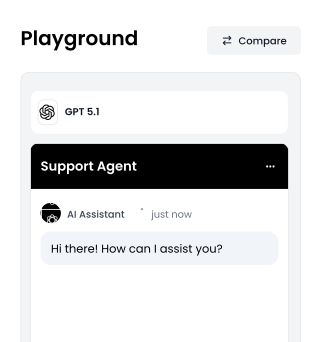
Try real customer questions and compare up to five versions of your agent side by side before you go live.
Edit workflows as drafts. Only the published version runs, so changes never reach customers before you’re ready.
How it works
Put your actions and workflows to work in an AI agent that resolves customer requests around the clock.
Explore AI agents
Qualify leads, book demos, and send new contacts to your CRM automatically.
Explore lead generation
Resolve routine requests on your own terms and route the rest to your team with full context.
Explore customer support
Guide users through troubleshooting, answer product questions, and help them find the right next step.
Explore technical support


FAQs
Customer service automation, also called customer support automation, uses AI and software to handle repetitive support tasks, answer common questions, and complete requests without a person doing each step. It helps customers get faster help and gives your team more time for complex issues.
AI actions run during a conversation. Your AI agent uses them to look up an order, book a meeting, or create a ticket while it’s talking to the customer. Workflows run automatically when something happens, like a new contact or a handoff, and take care of follow-up work such as syncing your CRM or alerting your team.
You can automate answers to common questions, order and account lookups, bookings, lead capture, ticket creation, follow-up emails, CRM updates, and routing conversations to the right agent. Chatling handles these with AI actions, workflows, and inbox automation.
Customer service automation software helps businesses resolve customer requests and run support with less manual work. Chatling brings together AI agents, AI actions, workflows, conversation routing, live chat, and AI Copilot in one platform.
No. You can set up actions and workflows without writing code. If you want to connect your own systems, the API request action lets developers link Chatling to any API.
Ticket routing automation sends each conversation to the right team or agent using rules you set. In Chatling, you can route by channel, language, priority, sentiment, or details the AI agent collected, and use round-robin assignment to share conversations evenly across your team.
AI ticket triage uses AI to decide how urgent a request is and how it should be handled. In Chatling, every handoff comes with an AI summary, a priority level, and the customer’s sentiment, and your routing rules can use them to send urgent conversations to the right people first.
An AI agent can answer questions and complete tasks, like checking an order or booking an appointment, at any hour. With Chatling, customers can get help outside business hours, and anything that needs a person goes to your team with the full conversation when they’re back.
No. AI handles routine questions and repetitive tasks, but complex issues and sensitive requests still need a person. Chatling hands those conversations to your team with an AI summary, and AI Copilot helps your agents find answers and draft replies.
Get started
Set up AI actions and workflows that look up orders, book meetings, and keep your tools in sync, so your team can focus on the conversations that need them. No code required.
Free plan · No credit card required






 Sent automatically by AI