No credit card required
 Chatbot
Chatling turns the content your business already has into an AI chatbot customers can actually ask questions to. No code required – connect your content, build your conversation in the visual chatbot builder, and put it where customers need it.Chatling turns your business content into an AI chatbot customers can ask questions to. No code required – connect your content, build conversations visually, and put it where customers need it.
No credit card required
The problem
Capabilities
Chatling gives you the tools to answer customers, guide conversations, understand their questions, measure performance, and bring in your team when needed.Chatling gives you the tools to answer customers, guide conversations, understand what customers are asking, measure performance, and bring in your team when needed.
Give customers answers using the information your business already has.
Build structured conversations around the questions and choices your customers make.
See how your chatbot is performing and where customers need more help.
Hand conversations to your team with the context they need to take over.
Control
You shouldn't have to guess how your chatbot will behave once customers start using it. You decide what it knows, how it responds, what it collects, and when your team takes over.
 Concern |
 Your control |
|---|---|
| It'll give customers generic answers. | Connect your own website, documents, FAQs, and supported sources so the chatbot can answer using your business information. |
| I won't know what it's going to say. | Build the flow, set the instructions, then test every response yourself before a single customer sees it. Nothing goes live that you haven't already read. |
| Customers will get stuck when it can't help. | Set up human handoff so your team can take over when a conversation needs a person. |
| It'll create more work for my team. | Conversations arrive in one inbox with an AI summary attached, so stepping in takes less time than answering from scratch would have. |
| Our customers will hate talking to a bot. | You control the tone, the persona, and how quickly it offers a human. And customers only stay with the chatbot as long as it's helping – handoff is one message away. |
Omnichannel
Customers don't all ask questions in the same place. Deploy the same chatbot to your website, WhatsApp, Instagram, Messenger, and other channels, and give everyone a consistent way to get answers.
Product details, policy questions, order status, troubleshooting. The routine conversations get handled before they reach anyone on your team.
Learn more
Answer pre-purchase questions, capture contact details, and route the high-intent conversations straight to your sales team.
Learn more
Walk customers through setup, configuration, and common errors using your existing documentation, with a clear path to your team when a case needs one.
Turn the questions that come up constantly into instant self-service answers, pulled from content you've already written.
Solutions
Outcomes
An AI chatbot isn't useful because it exists. It's useful when it changes what happens after a customer has a question.
Your team works only on what matters
The repetitive questions never reach them. What's left is work that needs judgment, context, or a human touch.
More conversations, not more headcount
Doubling your volume doesn't mean doubling your team. The AI absorbs the growth, so the cost of scaling stays where it is.
Coverage without the night shift
Customers in every timezone get answers immediately, in their own language, without staffing around the clock to make it happen.
Conversations turn into real pipeline
Support chats become qualified leads, booked demos, and captured details, with no context switching.
How it works
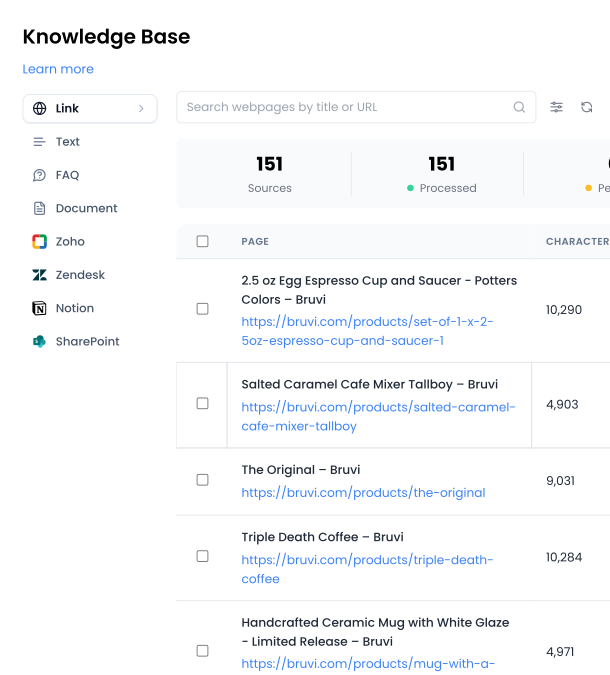
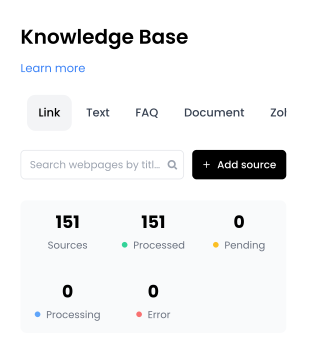
Add your website, documents, FAQs, help center, and other content. Your chatbot learns from all of it.
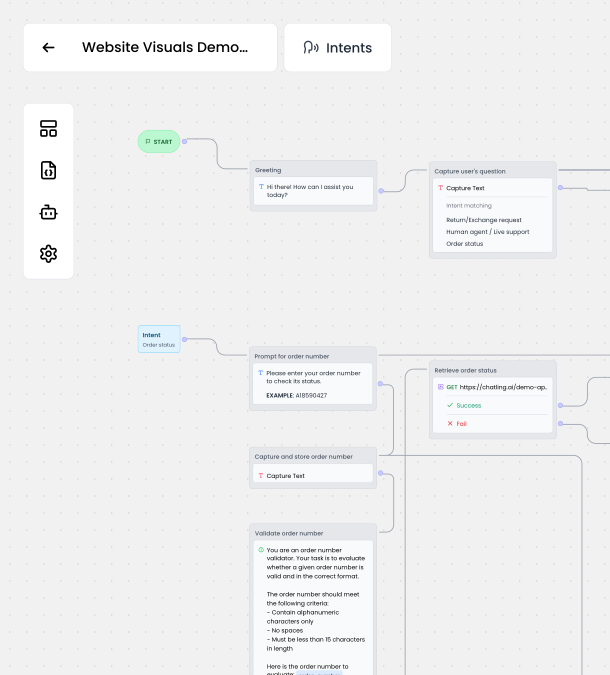
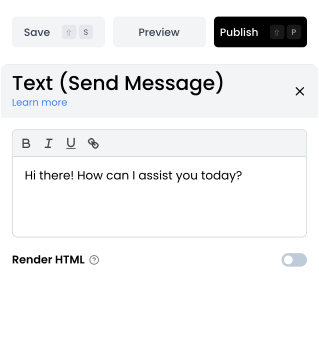
Drag and drop messages, questions, buttons, forms, conditions, and other blocks in the visual builder to build the conversation flow. Add AI responses wherever you want them.
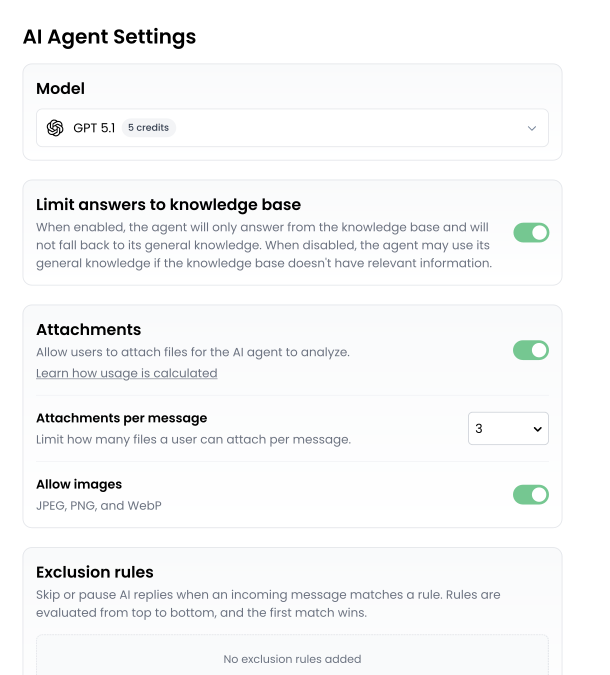
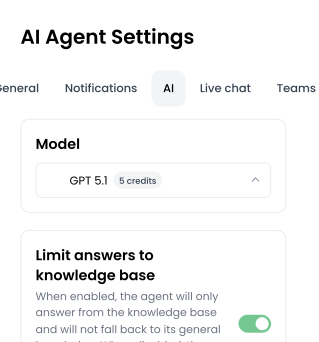
Define the rules, what information to collect, and when a conversation should go to your team.
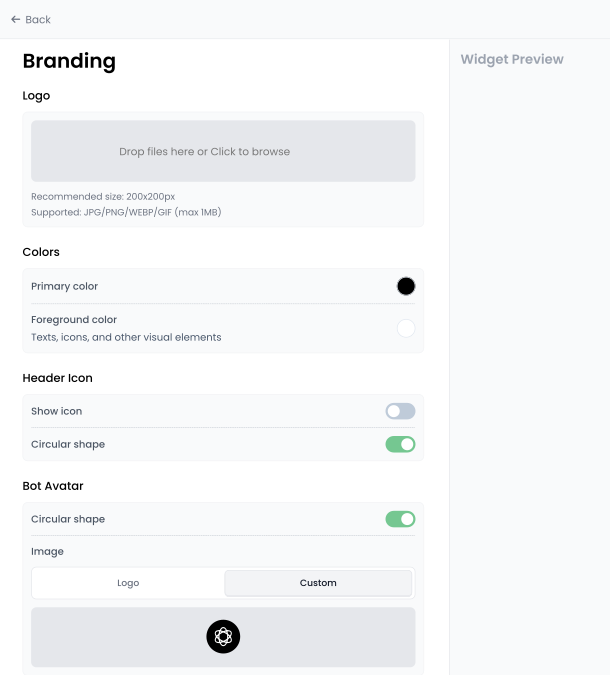
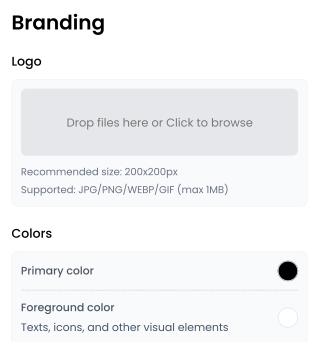
Customize the widget's appearance, position, and display settings to match your branding.
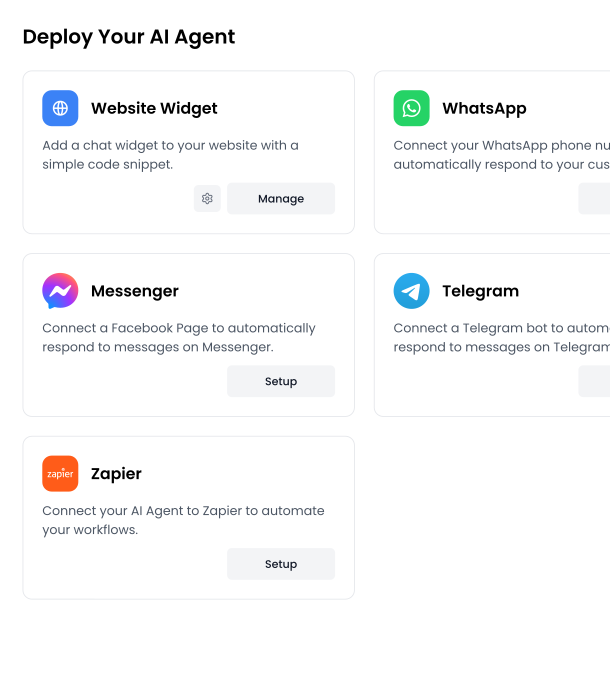
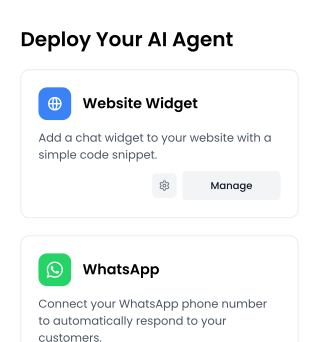
Add the AI chatbot to your website with a single snippet, or deploy it to WhatsApp, Messenger, and other channels. Then use analytics to see what customers ask and improve from there.

Integrations
Push leads to your CRM, create tickets in your help desk, log conversations in a spreadsheet. Your chatbot fits into the workflow you already run.
Industries


Reviews
4.7

"We've saved so much time on support thanks to Chatling. It instantly became an expert by scanning our 100+ knowledge base articles and responds just like I would, only faster. It's also great with international customers, answering accurately in German, Italian, and more."
Ben Sibley
Co-Founder, Independent Analytics

"Beautiful answers, 75% seem human, fewer emails."
Jitske De Graaf
Events Manager, The Zoo Events

"Reduced support workload, quick answers outside working hours, and intuitive to use."
Daniela Bouza Veitía
Social Media Manager, EPODEX

"Freed up time, feels like we have no customer service workload, and keeps our tech stack more centralised."
Scott Meadows
CEO, Fast Transcript

"Guides customers to the right product and saves the first two emails in the conversation."
Lucas de Graaf
Founder, JEL Products
FAQs
Add your website, webpages, documents, text, FAQs, and other supported sources to your Knowledge Base. When a customer asks a question, the AI searches your content for relevant information and uses it to generate an answer.
Yes. The Chatbot Builder lets you create and connect conversation blocks, add messages and questions, set conditions, collect information, and include AI responses. You control the flow instead of relying on a fixed set of answers.
Yes. After building and publishing your chatbot, you can customize the website widget and add it to your website using one snippet of code. No website rebuild is required.
You can configure Human Handoff so conversations can move from the AI chatbot to your team when human help is needed. Your team can see the conversation and an AI-generated summary before taking over.
Yes. Chatling supports AI Chatbots on Web, WhatsApp, Messenger, and Telegram.
Yes. You can customize the website widget to control its appearance and display settings, including how it looks and behaves on your website.
Yes. Chatling's multilingual AI chatbot can understand and respond in the customer's language. You can also use the web widget's language settings to customize how the chatbot is presented to customers.
Yes. Chatling's analytics let you monitor conversations and customer activity, helping you understand what visitors are asking and where your chatbot experience can be improved.
Yes. Chatling offers integrations with tools such as Zapier, HubSpot, Zendesk, Zoho, Google Sheets, and Cal.com. Available integrations and features depend on your plan.
Most teams are live the same day. Connect your knowledge base, build the conversation flow, customize the widget, and publish, all without coding. There's no manual training and no setup call.
Yes. Chatling's free plan includes 200 AI credits, one chatbot, one seat, live chat, and a knowledge base of up to 500,000 characters, with no credit card required. Use it to build your chatbot, connect your content, and see how it performs before upgrading.
Explore the Chatling documentation for detailed guides on building, customizing, connecting, and deploying your AI chatbot.
Get started
Connect your content, build your chatbot, and start giving customers faster answers without adding more work for your team.
No code · No credit card · Free plan





 Concern
 Your control