
Every support ticket takes time to handle, but many start with questions that should not lead to ticket creation in the first place if the right information were easier to find.
When those questions pile up, support teams spend more time repeating answers and less time solving problems that need their attention.
AI chatbots offer a way to change that. They can answer routine questions, guide customers through troubleshooting, help them find relevant information, and, when configured with the right integrations, complete certain support tasks. They can also reveal recurring customer problems that your existing help content or processes aren't addressing.
But reducing support tickets isn't just about automating more conversations. It's about helping customers resolve issues without unnecessary back-and-forth, while making sure they can still reach a human when they need one.
In this guide, we explore eight practical ways to reduce support tickets with AI chatbots, which requests to automate first, and how to measure whether your approach is actually working.
Reducing Support Tickets: A Quick Look
- AI chatbots reduce support tickets by answering routine questions, guiding troubleshooting, and automating simple support tasks.
- Automate repetitive questions first. Start with the most common questions your customers ask like shipping, returns, subscriptions, product features, and basic setup.
- Connect your chatbot to reliable information. Use accurate, updated content to help customers find answers quickly.
- Automate suitable support tasks. With the right integrations, chatbots can retrieve information, update data, and handle routine requests.
- Make human handoff easy. Escalate complex issues and provide conversation context and summary to the team so customers don't repeat themselves.
- Measure actual resolutions, not just fewer tickets. Track deflection, AI resolution, repeat contacts, escalations, and customer satisfaction.
- Start small and improve. Automate one or two common issues, review failed answers, fix knowledge gaps, and expand gradually.
What Does It Mean to Reduce Support Tickets With AI Chatbots?
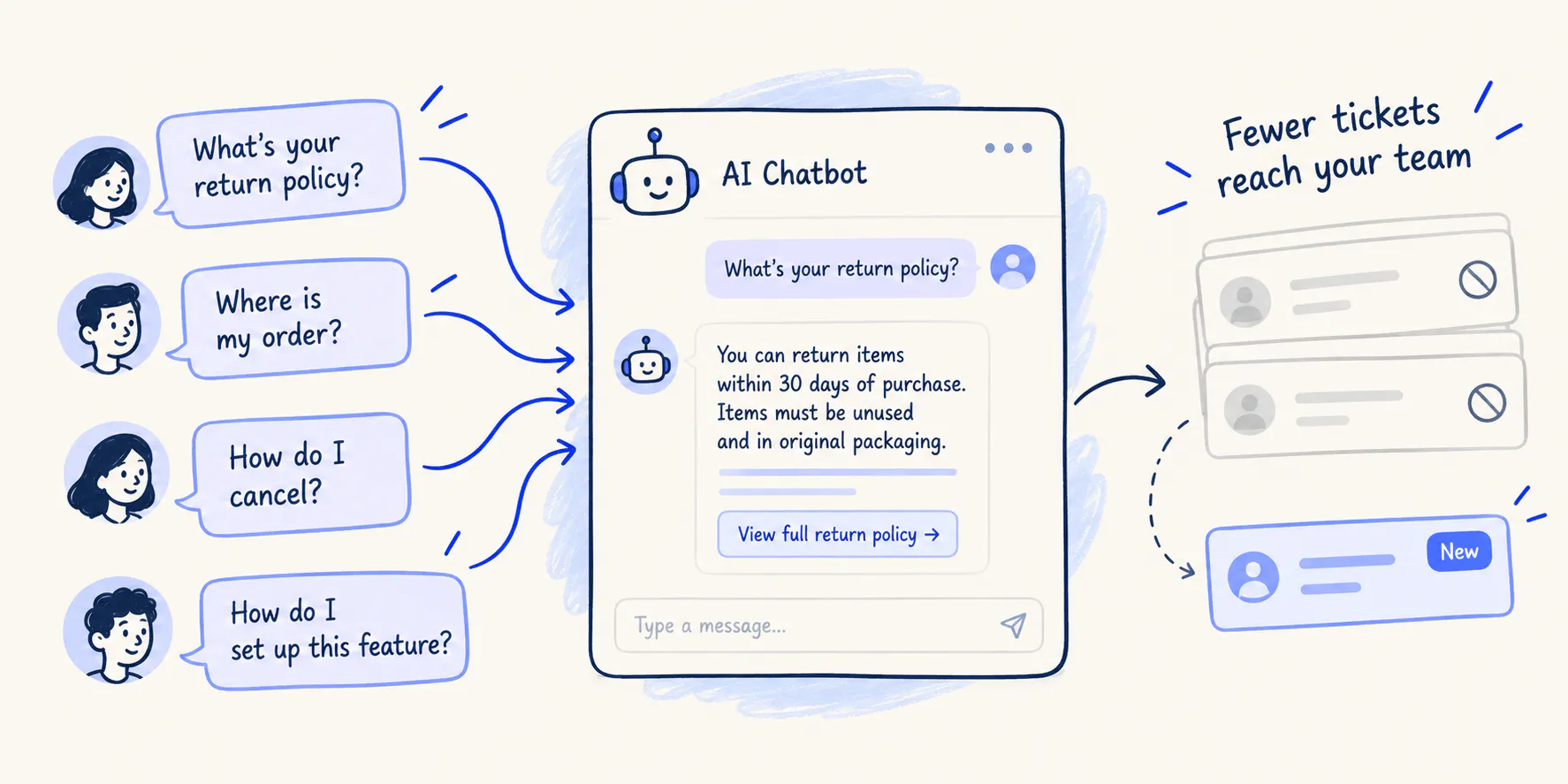
Reducing support tickets with AI chatbots means resolving customer questions before they require a support agent. This is called ticket deflection.
Imagine your team receives 100 questions a week about your return policy. If a chatbot answers 70 of those questions accurately, you will have a 70% ticket deflection rate and your team will have fewer requests to handle manually.
AI chatbots can reduce support tickets in three ways:
- Ticket prevention: A customer gets an answer before submitting a support request.
- Automated resolution: A chatbot resolves a problem that would otherwise require an agent, such as explaining a setup process or retrieving an order status when connected to the relevant system.
- Agent assistance: AI helps a human agent answer a ticket faster, but the ticket still reaches the support team.
These outcomes can all improve support efficiency, but they aren't interchangeable. If your goal is to reduce ticket volume, you need to track how many requests no longer require human support, not just how many conversations the chatbot handles.
Answering routine questions with an AI chatbot gives customers a faster way to resolve straightforward issues while keeping agents available for problems that need their attention.
Read Next: What Is an AI Chatbot? How It Works, Types & Examples
Which Support Tickets Can AI chatbots Resolve?
AI chatbots are most useful for requests that come up frequently, have a clear answer or next step, and don't require judgment that requires human input.
Start by reviewing your recent support tickets. Group similar requests together, then identify which ones can be answered using existing business information and which require access to another system or a human decision.
You can automate more complex workflows only after you've tested the chatbot's accuracy and escalation behavior.
Support request | AI Chatbot suitability | Example |
|---|---|---|
Frequently asked questions | Very high | Explain a return policy, subscription plan, or product feature |
Order and delivery questions | High; Depends on integrations | Retrieve an order status using a connected system |
Account and setup guidance | High | Explain how to change a setting or configure a feature |
Basic troubleshooting | High; Depends on complexity | Walk through a standard sequence of troubleshooting steps |
Billing disputes | Usually needs escalation | Pass a disputed charge to a support agent |
Complex technical problems | Depends on the issue | Collect details and guide basic checks before escalating |
Sensitive complaints | Often needs human support | Transfer the conversation when empathy, judgment, or discretion is important |

We receive over 1,500 emails monthly from customers, and it takes much of our time to respond to them. After implementing Chatling, it successfully resolved 45% of the support questions, and we now spend less time on customer support and more on development and marketing.
8 ways to reduce support tickets with AI chatbots
A chatbot reduces ticket volume when it resolves the questions that would otherwise reach your team. The following strategies cover the process, from choosing what to automate to improving the chatbot after launch.
1. Automate answers to repetitive questions
Start with the questions customers ask most often. These might include shipping times, return eligibility, cancellation policies, subscription options, product features, or instructions for using a service.
Your support team probably already has the answers. The problem is that an agent has to repeat them for each customer who asks.
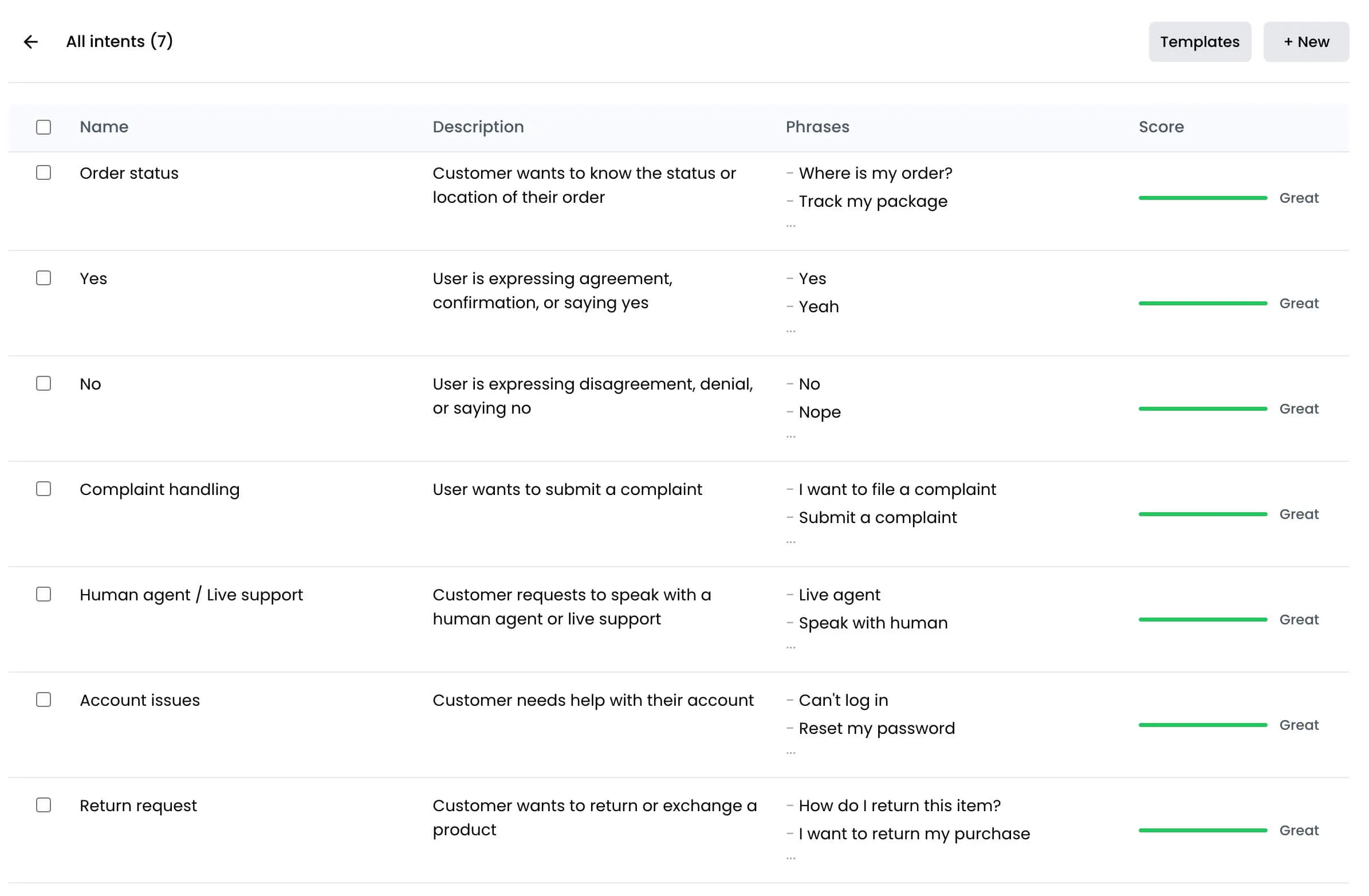
To automate these questions, review recent tickets and identify recurring topics. Group different phrasings of the same question together. For example, “How long does delivery take?”, “When will my order arrive?” and “What's the shipping timeframe?” all relate to the same underlying question, although the last two can require different answers if a customer is asking about a specific order.
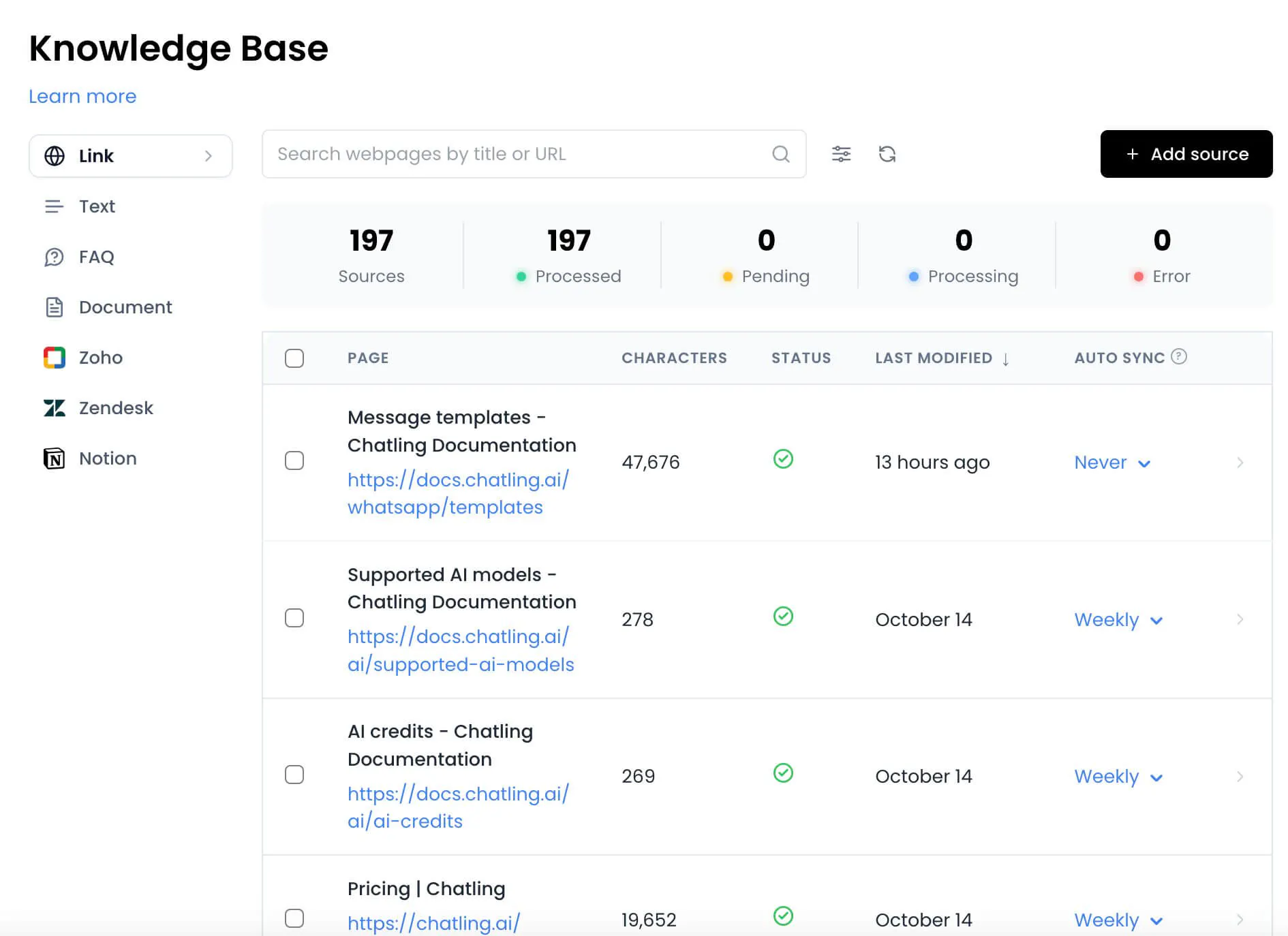
Next, connect the chatbot to the relevant business content. This could include your help center, internal knowledge base, FAQs, and product or policy information.
Chatling allows you to update your business content in the form of website URLs, PDFs, Docs, and TXT files to a knowledge base that you can connect with your AI chatbot. Make sure the content it stores is accurate and accessible to the chatbot. Test common customer questions to check whether the chatbot retrieves the right information and includes important conditions or exceptions.
Measure the number of tickets received for the questions you've automated. If those tickets decline while customer satisfaction remains steady, the chatbot is helping prevent repetitive work rather than simply adding another support channel.
2. Make your help content easier to use through a chatbot
A help center can contain all the right answers and still fail to prevent tickets. Customers may not know which article to open, what search terms to use, or which instructions apply to their situation.
An AI chatbot gives customers another way to find that information. They can describe the problem in their own words and receive an answer based on relevant business content, rather than having to navigate a collection of articles themselves.
The quality of that experience depends on the knowledge base behind the chatbot. Review your existing help content before connecting it:
- Remove outdated instructions and policies.
- Update articles that no longer match your product or service.
- Make eligibility rules and exceptions explicit.
- Separate answers to different questions instead of combining unrelated instructions into one long article.
- Check that important information is available to the chatbot and that it can retrieve the relevant sections.
Then test the chatbot with real customer questions, including incomplete requests, informal phrasing, and questions that could have more than one interpretation.
Example: Your help center has a long article covering cancellations, refunds, and subscription changes. A customer asks, “Can I cancel without losing access immediately?” The chatbot should provide the relevant cancellation information and explain any applicable conditions, rather than returning a link and leaving the customer to search through the whole article.
Read Next: How to Implement a Knowledge Base Chatbot: Our Comprehensive Guide
3. Guide customers through common troubleshooting steps
Some support requests need more than a single answer. Customers may need to check a setting, follow a sequence of steps, and confirm whether the problem has been resolved.
A chatbot can guide customers through these predictable workflows without requiring an agent to explain each step individually.
Start with recurring troubleshooting tickets that follow a known process. Write down the steps an agent normally takes, including the questions they ask to narrow down the cause. Turn that process into a clear sequence that the chatbot can guide customers through.
For example, a basic login troubleshooting flow might:
- Ask whether the customer can access the login page.
- Check whether they're seeing an error message.
- Suggest the relevant next step, such as resetting a password.
- Ask whether the issue is resolved.
- Offer a human handoff if the steps don't work.
Each step should depend on the customer's response. Sending every customer through the same instructions, regardless of their problem, creates friction and can lead to more support requests.
You should also define when the chatbot must stop troubleshooting. If the customer has followed the recommended steps without success, the chatbot should collect useful details and transfer the conversation rather than repeating the same advice.
Track which troubleshooting flows resolve issues and which frequently lead to escalation. If customers regularly get stuck at the same step, review the instructions or investigate whether the underlying problem needs a different solution.
4. Put chatbot support where customers need it
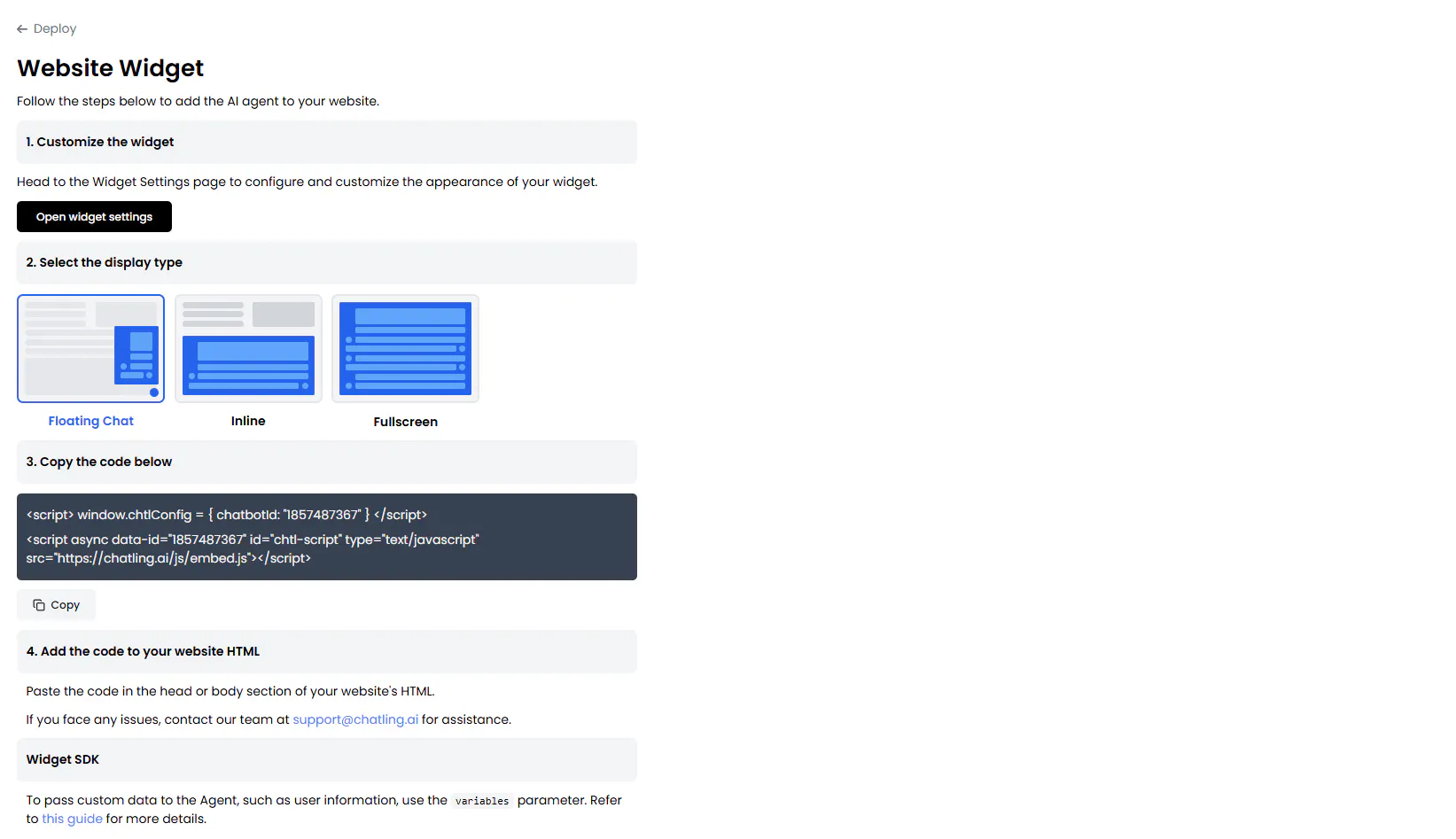
Customers often contact support because they encounter a question while browsing a website, comparing products, or trying to complete a task. If they have to leave that page, find a help center, and search for an answer, submitting a ticket may feel easier.
To reduce your support ticket volume, make the chatbot available at the points where customers are most likely to need help. Depending on your business, that could include product pages, pricing pages, checkout, account settings, or a dedicated help center.
Choose placements based on actual support patterns rather than adding a chatbot everywhere without a clear reason. If customers frequently ask about plan limits while evaluating pricing, place the chatbot there to make it easy for them to ask those questions on the pricing page.
The chatbot also needs enough context to answer accurately. If it doesn't know which product, plan, or process the customer is asking about, it should clarify the question instead of assuming.
Review where chatbot interactions start, what customers ask, and whether those conversations lead to support requests. This helps you identify placements that solve real problems instead of adding a chat window that customers rarely use.
5. Use customer questions to find gaps in your help content
A chatbot can reveal problems that aren't obvious from your existing help center. Repeated unanswered questions may indicate missing information, unclear instructions, or policies that customers struggle to understand.
The key is to treat failed conversations as feedback rather than isolated chatbot mistakes.
Review chatbot conversations and group failures by cause. For example:
- Missing information: Customers ask about a policy that isn't covered in your help content.
- Unclear instructions: The relevant information exists, but customers still need clarification.
- Retrieval problems: The information is available, but the chatbot doesn't return the right answer.
- Product or process issues: Customers repeatedly encounter a problem that needs to be fixed, not explained away.
- Out-of-scope requests: Customers ask for an action the chatbot isn't configured or permitted to perform.
Each cause requires a different response. Add missing answers to your help content, rewrite confusing instructions, improve chatbot configuration, or send recurring product issues to the appropriate team.
For instance, if customers repeatedly ask whether a discount can be combined with another offer, adding a clear explanation of the eligibility rules may prevent future questions across both chatbot and human support channels.
After making a change, monitor the same question category. If the issue continues, the new content may not answer the question customers are actually asking, or the chatbot may still be retrieving the wrong information.
This creates a continuous improvement loop: customer questions reveal gaps, your team fixes those gaps, and future customers can resolve the same issues without submitting a ticket.
6. Automate suitable next steps, not just answers
Some customers need the chatbot to do something, not simply explain what to do. A customer might need to check an order, submit a request, update information, or initiate a support workflow.
To handle these kinds of support requests, you need an AI chatbot with required integrations, permissions, and configured actions.
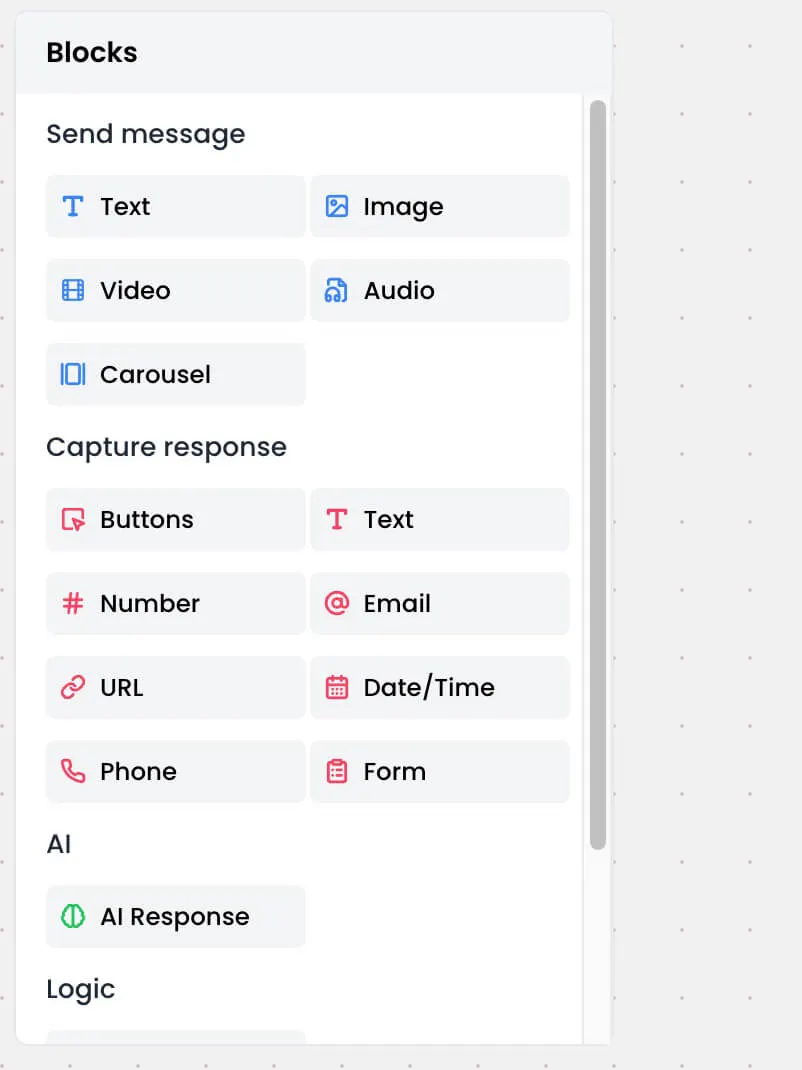
Start by identifying repetitive requests that involve a clear action. Document what information the action requires, which system holds that information, and what permissions are needed. Then configure and test the workflow, including what happens if required information is missing or the action fails.
Example: A chatbot without access to order data can explain where customers usually find tracking information. A chatbot connected to the relevant order system like Shopify may be able to retrieve the status and provide a specific answer. The second approach can resolve more requests, but only if the integration works correctly and access is handled appropriately.
7. Make human handoff part of the chatbot experience
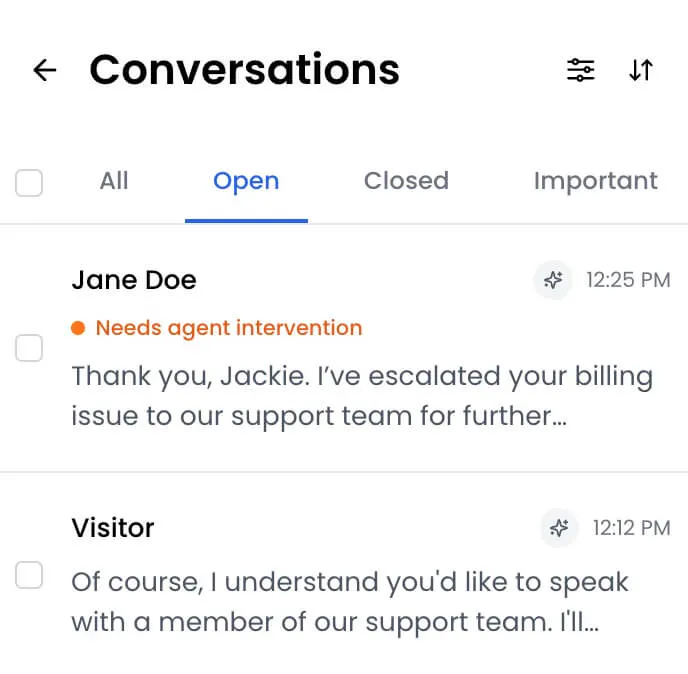
A chatbot shouldn't try to resolve every issue. When it cannot answer reliably or the request needs human judgment, a clear handoff or escalation prevents a failed automated interaction from becoming a frustrating experience.
Define escalation rules before launching the chatbot. These might include a direct request to speak to a person, repeated failed answers, an issue outside the chatbot's scope, or a problem that requires an agent to review private account details or make a decision.
A good handoff should also preserve useful context. If the customer has already explained the problem and tried several troubleshooting steps, the agent should receive that information where the system supports it. Otherwise, the customer may have to start again, creating more work for both sides.
Example: A customer asks about a delayed delivery. The chatbot retrieves the available tracking information, but the shipment appears to be stuck beyond the expected delivery window. Rather than repeating the tracking status, it collects the necessary details and transfers the conversation to support.
Review escalated conversations to see whether the chatbot identified the right moment to hand off. If agents repeatedly receive requests without enough context, improve the handoff process. If the chatbot escalates simple questions too often, review its information sources and rules.
A successful chatbot doesn't need to resolve every conversation independently. It needs to resolve the cases it can handle and make the remaining cases easier for the support team to manage.
Read Next: Chatbot vs Live Chat: Which Should You Use for Customer Support?
8. Start with a narrow use case and improve it over time
Trying to automate every support request at once makes it harder to identify errors and understand whether the chatbot is working. A smaller rollout gives your team a clearer way to test its performance before expanding to more complex requests.
Start with one or two high-volume, low-risk categories. Use recent tickets to create a set of realistic test questions, including common variations, ambiguous requests, and questions the chatbot should not answer without more information.
Before launch, check whether the chatbot:
- Gives accurate answers to common questions.
- Handles different ways of asking the same thing.
- Acknowledges when it doesn't have enough information.
- Escalates requests outside its scope.
- Provides the correct next step when an automated action fails.
Once it goes live, review real conversations regularly. Look for incorrect answers, repeated fallbacks, unnecessary escalations, and questions that the chatbot handles well enough to automate more confidently.
Expand its scope only when the results support doing so. If it performs well on policy questions but struggles with troubleshooting, keep the reliable use case active while improving the troubleshooting workflow.
This approach makes it easier to identify the cause of problems and reduces the risk of scaling a poor customer experience across more interactions.
How to Measure Whether Your Chatbot is Reducing Support Tickets
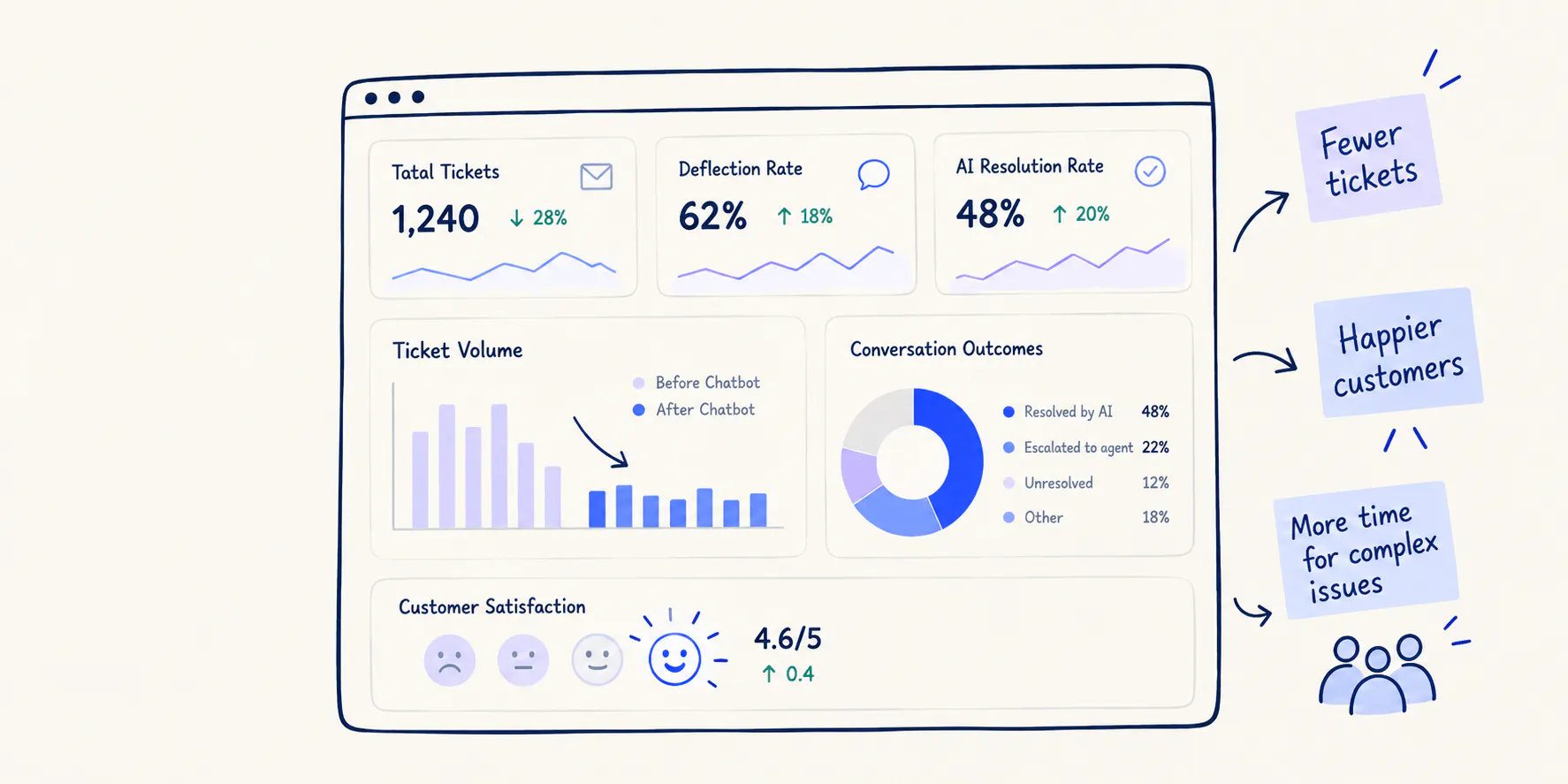
A chatbot can handle hundreds of conversations without reducing ticket volume if customers still submit requests afterward. To understand its impact, analyse ticket trends alongside resolution quality and customer experience.
Start by recording your current support volume, the categories you plan to automate, and how often those requests require an agent. Once the chatbot is live, compare those numbers over equivalent periods and account for changes in customer volume, product launches, seasonality, or other factors that could affect demand.
Track these support metrics
No single metric tells the whole story. Use a small set of measures that show whether tickets are declining and whether customers are getting useful answers.
Support Metric | What it measures | What to look for |
|---|---|---|
Ticket volume by category | Number of incoming tickets for each issue type | Fewer tickets in the categories targeted for automation |
Ticket deflection rate | Share of eligible interactions resolved without a support ticket | An increase in the conversations handled by the chatbot |
AI resolution rate | Share of chatbot interactions resolved without human assistance | More successful resolutions, not just more conversations handled |
Fallback and escalation rate | How often the chatbot cannot answer or transfers the conversation | Repeated failures that reveal content or configuration gaps |
Customer satisfaction | How customers rate the support experience | Stable or improving satisfaction as automation increases |
Repeat contact rate | How often customers return about the same unresolved issue | No increase suggesting that the chatbot gave incomplete or incorrect help |
Read Next: Our Ultimate Guide to Chatbot Analytics (+ 5 Metrics That Matter)
How to calculate ticket deflection rate
A useful starting point is to calculate the percentage of eligible support interactions that the chatbot resolves without a ticket being created.
Use this formula:
Ticket deflection rate = (Eligible interactions resolved without a ticket ÷ Total eligible interactions) × 100
For example, suppose a chatbot handles 400 eligible interactions in a month. Of those, 120 are confirmed as resolved without a support ticket.
The calculation is:
(120 ÷ 400) × 100 = 30% ticket deflection rate
The important word is resolved. Don't count a conversation as successful simply because the customer stopped responding. Use available resolution signals, customer feedback, follow-up behavior, and ticket records to validate the result as far as your systems allow.
Ticket deflection doesn't always mean the problem is solved
A chatbot can prevent a support ticket from being created without actually helping the customer. Someone might ask a question, receive an irrelevant answer, and leave the conversation because they can't find what they need. Your dashboard may count that interaction as deflected, even though the problem remains unresolved.
The customer may then contact your team through email, phone, or another channel. Others may give up entirely and leave a negative review about their experience with your customer support. In both cases, a lower ticket count can hide a worse customer experience.
That's why ticket deflection and ticket resolution should be measured separately. Deflection tracks whether a request reaches human support. Resolution tracks whether the customer actually gets their question answered or their problem solved.
You should also compare results for the categories the chatbot handles with those it doesn't. This helps separate the impact of automation from broader changes in ticket volume.
The aim is not to maximize deflection at any cost. It's to resolve more issues without human intervention while preserving the option of human support when customers need it.
Read Next: Deflection Rate 101: How to Improve it & Best Practices
Common Mistakes to Avoid When Using Chatbots to Reduce Tickets
Even a well-configured chatbot can create extra work if the rollout focuses on automation rather than resolution. Watch for these common mistakes:
- Automating before checking your information. Outdated policies and incomplete answers lead to incorrect responses. Review the content the chatbot uses and test it against real customer questions before launch.
- Starting with the hardest requests. Complex troubleshooting and unusual account problems are harder to automate reliably. Begin with frequent, predictable questions and expand after reviewing results.
- Making customers repeat themselves. A handoff that loses the conversation history forces customers to explain the issue again. Preserve the context available to the support agent wherever possible.
- Treating every unanswered conversation as a deflection. Customers may leave because they couldn't get help. Check resolution signals and repeat contacts instead of relying on conversation counts alone.
- Unclear route to human support. Customers with unresolved or sensitive issues need a clear way to reach a person. Set escalation rules and make the handoff process easy to follow.
- Launching without ongoing review. Customer questions, policies, and products change. Review failed conversations and update the chatbot's knowledge base and configuration as those changes occur.
These checks help you avoid a common problem: reducing the number of tickets in the queue without actually reducing the number of customers who need help.
How Chatling Can Help You Reduce Support Tickets
Chatling lets businesses build AI chatbots that answer customer questions using connected business content. This helps support teams make information easier to access without requiring an agent to answer every routine question.
To use a chatbot to reduce tickets, start by identifying a recurring question category, then connect the relevant information and test the chatbot against real examples from your support queue. Review its answers, correct gaps, and define when it should hand a conversation to a human.
As you expand, focus on the workflows where automation can make a measurable difference. With the supported integrations and configurations, you can also use your AI chatbot to take actions, including data collection, updating information, and booking appointments.
Ready to reduce repetitive support tickets? Build a free AI chatbot with Chatling that answers customer questions and automates routine support tasks.
Frequently Asked Questions
How can AI chatbots reduce support tickets?
AI chatbots reduce support tickets by answering common questions and guiding customers through routine issues before they need a human agent. They can provide information from connected business content, walk customers through troubleshooting steps, and perform configured actions when the necessary integrations are available.
Which support tickets should be automated first?
Start with repetitive, predictable, low-risk requests that have clear answers. Common examples include product questions, return policies, basic setup instructions, and routine troubleshooting. Review recent tickets to find the categories that appear most often, then check whether the answers are available and consistent. Leave complex, sensitive, or judgment-heavy cases for human support until you have a reliable way to handle them.
What is the difference between ticket deflection and ticket resolution?
Ticket deflection means a customer resolves an issue through self-serving sources without creating a support ticket. Ticket resolution refers to solving the customer's problem, whether through a chatbot or a human agent.
How do you calculate chatbot ticket deflection rate?
A common method is to divide the number of eligible interactions resolved without a ticket by the total number of eligible interactions, then multiply by 100. For example, if 120 out of 400 eligible interactions are confirmed as resolved without a ticket, the deflection rate is 30%. Define what counts as an eligible interaction and a successful resolution before tracking the metric, and account for customers who contact support later about the same issue.
Can AI chatbots reduce tickets without hurting customer satisfaction?
Yes, provided the chatbot gives accurate answers, handles suitable requests, and makes human support available when needed. Start with common, low-risk questions and test the chatbot before expanding its scope. Monitor customer satisfaction, repeat contacts, fallbacks, and escalation patterns alongside ticket volume. If tickets decline but customers increasingly return with the same problem, the chatbot may be deflecting requests without resolving them.
When should a chatbot transfer a customer to a human agent?
A chatbot should transfer a conversation when the customer asks for a person, the issue falls outside its capabilities, repeated attempts fail, or the request requires human judgment. It should also escalate when continuing could create a poor or risky experience.