Chatbot vs Live Chat: Which Should You Use for Customer Support?
By Ali Mahdi · Last updated 08 Nov 2026 · 17 min read
Summarize with
 Perplexity
 ChatGPT
 Claude
Customers contacting a business expect help in real time. Some need a quick answer to a common question, while others need help from someone who can understand their situation and provide a suitable solution.
Businesses typically handle these conversations in two ways: chatbots and live chat.
Chatbots automate customer interactions, answering questions and handling routine requests without requiring a human agent. Live chat connects customers with support agents who can provide direct, personalized assistance.
So, which should you choose? Does your business benefit more from automated support or human interactions? And is there a reason to choose just one when you can use both?
Let's look at chatbots vs. live chat, where each works best, and how to decide which approach makes sense for your business.
Quick summary
- Chatbots automate customer support: They answer common questions, handle routine requests, and provide assistance outside business hours.
- Live chat provides human support: Customers can speak directly with agents who can investigate problems and offer personalized help.
- Chatbots are easier to scale: They can handle multiple conversations simultaneously, while live chat capacity depends on agent availability.
- Live chat is better for complex issues: Human agents can use their judgment to investigate unusual problems and handle sensitive conversations.
- AI chatbots can automate support tasks: Depending on their capabilities, they can understand natural-language questions, retrieve information, and perform configured tasks.
- You can use both together: Let chatbots handle routine questions and transfer conversations to human agents when additional help is needed.
What Is A Chatbot?
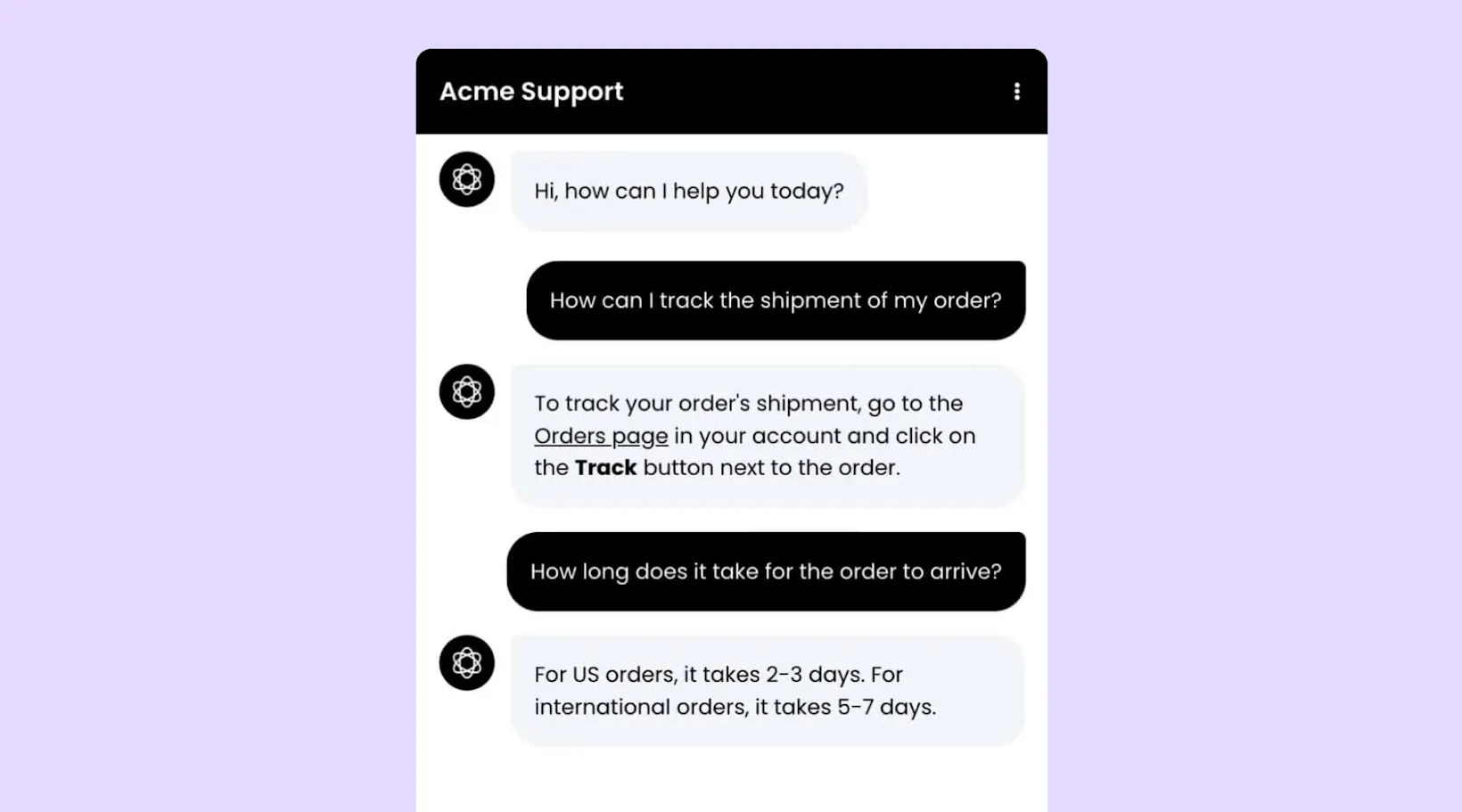
A chatbot is software that interacts with people through text or voice conversations. Businesses use chatbots on their websites, apps, and messaging channels to answer questions, provide information, guide customers, and automate tasks.
Not all chatbots work the same way. Rule-based chatbots follow predefined conversation flows, while AI chatbots use artificial intelligence to understand customer questions and generate relevant responses.
Rule-based chatbots
Rule-based chatbots follow predefined instructions and conversation paths. They usually present customers with buttons, options, or questions and respond based on the choices they make.
For example, an online store might use a rule-based chatbot to help customers check their order status. The chatbot asks for an order number, collects the required information, and guides the customer through the next steps.
These chatbots work well when conversations follow predictable paths. However, they can struggle when customers ask something outside the available options.
AI-powered chatbots
AI-powered chatbots use artificial intelligence to understand customer questions and respond based on their meaning rather than relying entirely on predefined conversation paths.
For example, a customer might ask, "Can I return a jacket if I've removed the tags?" Instead of requiring the customer to navigate a list of options, an AI chatbot can understand the question and retrieve the relevant information from the store's return policy.
Depending on how they're configured, AI-powered chatbots can also collect customer information, qualify leads, retrieve data, and perform tasks through integrations.
Pros of chatbots
- 24/7 availability: Chatbots can respond to supported customer questions outside business hours without requiring someone to monitor every conversation.
- Handle multiple conversations: A chatbot can respond to several customers simultaneously and round-the-clock, making it easier to manage high conversation volumes.
- Automate repetitive tasks: Chatbots can collect information, answer common questions, guide customers, and perform configured actions.
- Reduce support workload: By resolving routine questions automatically, chatbots leave human agents with more time for issues that need their attention.
- Consistent responses: Chatbots can provide answers based on the same business information and instructions across customer conversations.
Cons of chatbots
- Limited by their capabilities: Rule-based chatbots can struggle with questions outside their predefined flows. AI-powered chatbots also depend on the quality of their information, instructions, and integrations.
- Not suitable for every situation: Some customers need empathy, judgment, or personalized assistance that requires a human agent.
- Can frustrate customers when poorly configured: Irrelevant answers, repeated questions, and unclear escalation options can make conversations frustrating.
- Require ongoing improvement: Businesses need to review chatbot conversations, update information, and improve their configurations to maintain answer quality.
Read Next: What Is an AI Chatbot? How It Works, Types & Examples
What Is Live Chat?
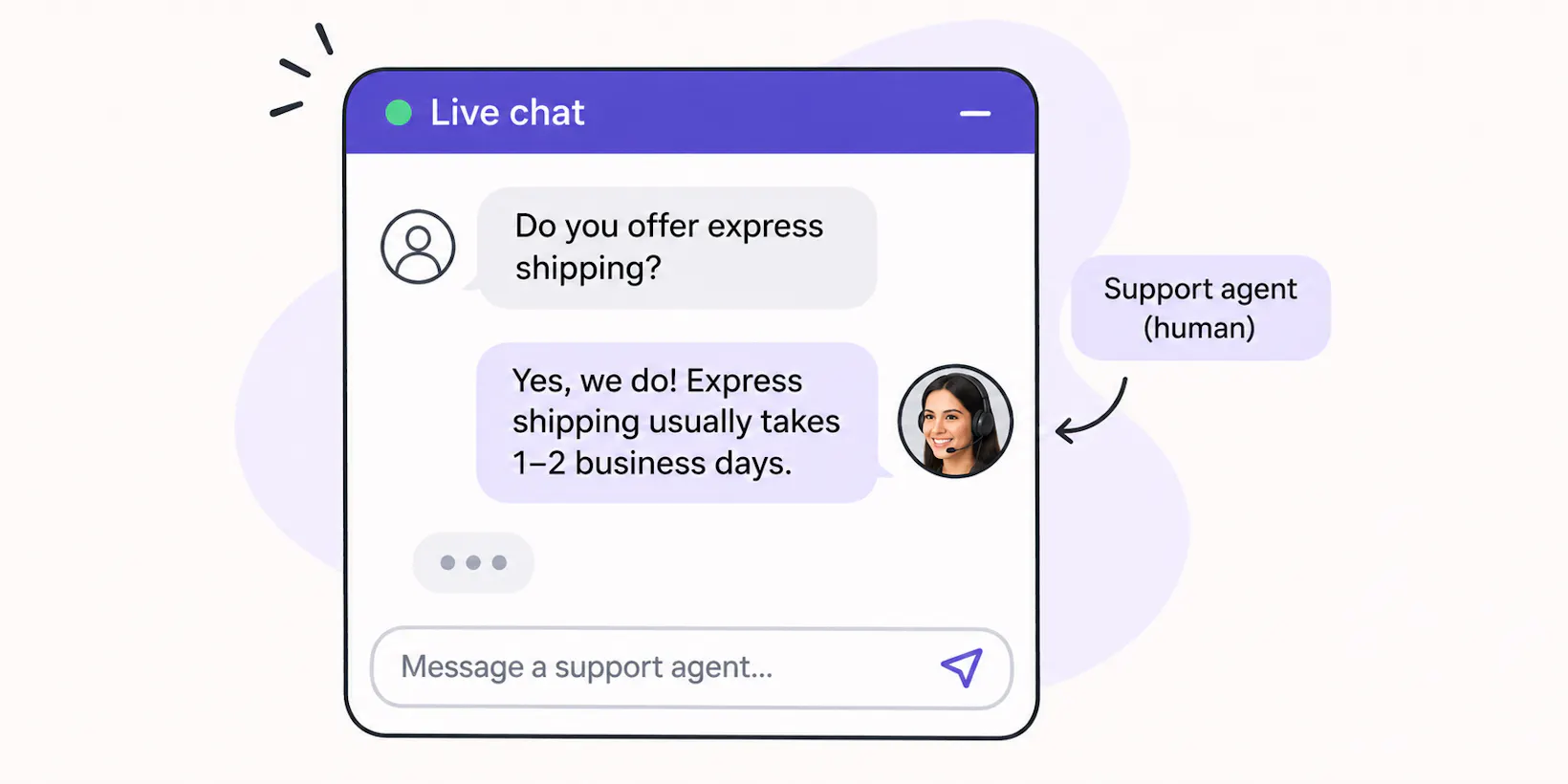
Live chat is a messaging tool that lets customers communicate with human support agents in real time through a website or app.
When a customer opens a live chat window and sends a message, it appears in the support team's inbox. An available agent can pick up the conversation, respond to questions, share information, and help resolve the customer's issue.
For example, imagine someone visiting a SaaS company's pricing page. They're interested in a particular plan but aren't sure whether it includes a feature they need. They open the live chat window, explain what they're looking for, and speak with a sales representative who can answer their questions and recommend the right plan.
Unlike automated chatbot responses, live chat gives customers access to someone who can understand their situation, ask follow-up questions, and adjust their responses based on the conversation.
Pros of live chat
- Personalized assistance: Human agents can understand individual customer needs and tailor their responses accordingly.
- Better handling of complex issues: Agents can investigate problems, ask follow-up questions, and use their judgment to find suitable solutions.
- Human interaction: Customers can speak with someone who understands their concerns, particularly when dealing with sensitive or frustrating situations.
- Sales assistance: Sales representatives can answer product questions, explain pricing, and help potential customers make purchasing decisions.
- Customer insights: Conversations help businesses understand customer concerns, common questions, and areas where their products or services need improvement.
Cons of live chat
- Requires available agents: Customers can only receive real-time responses when someone from the support team is available.
- Limited scalability: As conversation volumes increase, businesses may need to hire more agents to maintain response times.
- Higher operating costs: Maintaining live chat support requires staff, training, and ongoing management.
- Potential wait times: During busy periods, agents may struggle to respond to everyone quickly.
- Limited after-hours support: Unless businesses have agents working around the clock, customers may have to wait until the next business day.
Chatbot vs. Live Chat: Key Differences
Chatbots and live chat differ in how they handle customer conversations, their availability, and the resources they require. Here's a side-by-side comparison of the two.
Factor | Chatbot | Live chat |
|---|---|---|
Who responds? | Automated software (rule-based or AI-powered) | Human support agents |
Availability | Can operate 24/7 | Depends on agent availability |
Response time | Usually responds immediately | Depends on agent workload and availability |
Complex questions | Depends on AI capabilities, information, and configured actions | Human agents can investigate and handle nuanced issues |
Scalability | Handles multiple conversations simultaneously | Limited by the number of available agents |
Personalization | Uses conversation context and customer data | Agents adapt responses through human interaction |
Cost | Software and potentially usage-based costs | Software and human staffing |
Best for | Routine questions, self-service, and automated tasks | Complex issues, personalized support, and sales conversations |
How to Choose Between Chatbots and Live Chat
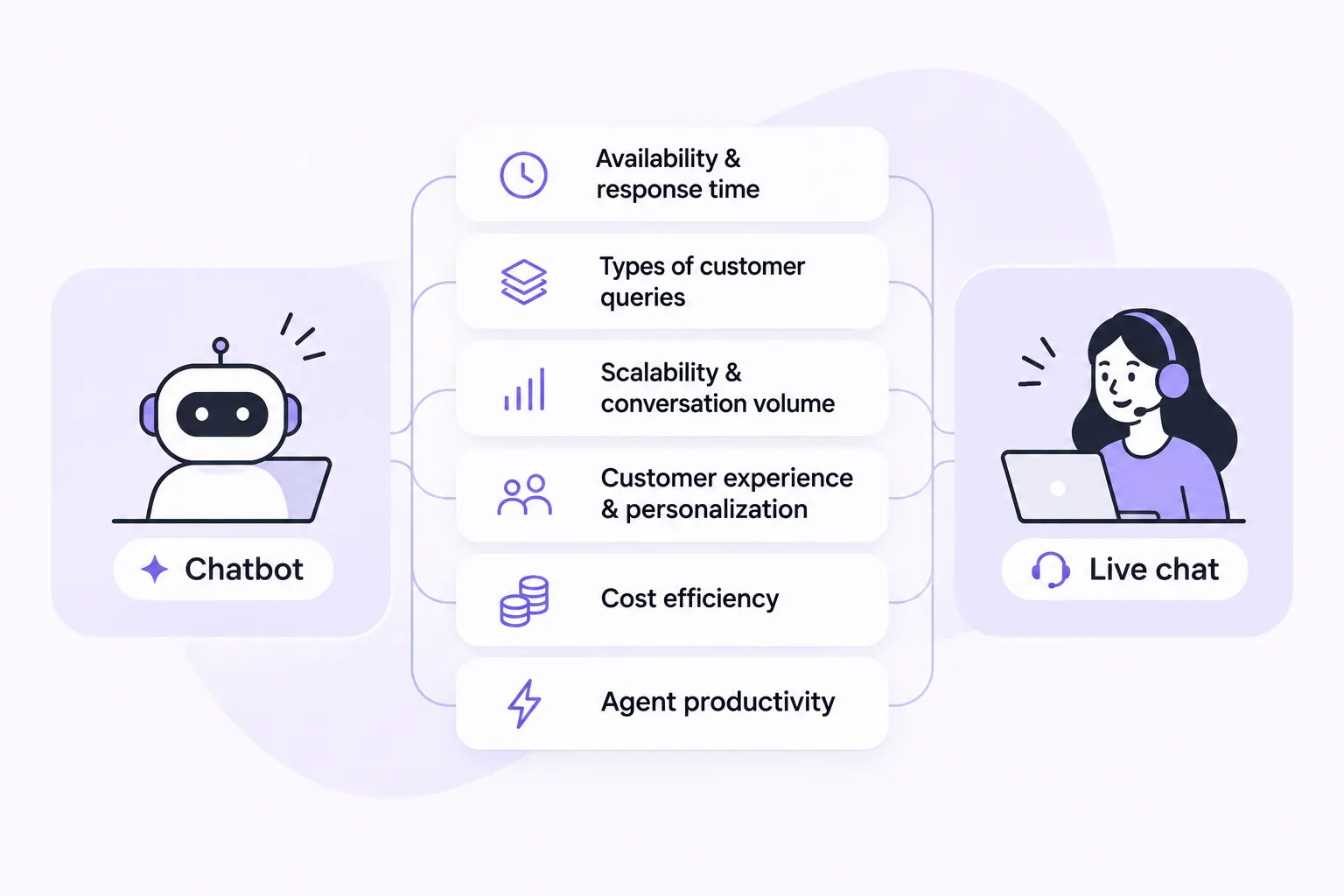
Choosing between a chatbot and live chat comes down to what your customers need and what your support team can realistically provide. A chatbot may be a better investment if you handle hundreds of routine questions, while live chat makes more sense when customers regularly need individual attention.
Here are the key areas to compare before deciding.
1. Availability and response time
Chatbots can respond to customers at any time, including nights, weekends, and holidays. They don't need to wait for an agent to become available, making them useful for businesses that receive questions outside regular working hours.
Live chat depends on your support team's availability. Even if your chat widget is accessible around the clock, customers may not get an immediate response when agents are offline or busy with other conversations.
If customers expect support beyond your team's working hours, a chatbot can fill the gap. If you have agents available throughout the day, live chat can provide direct assistance during those hours.
Winner: Chatbots
2. Handling different types of customer queries
The right option depends on the questions customers ask and how much help they need to resolve them. Chatbots work well for routine questions about business hours, shipping policies, product details, and account setup. AI-powered chatbots can understand different ways of asking the same question, retrieve relevant information, and perform configured tasks.
Human agents are better suited to unusual problems, technical issues, billing disputes, and requests that require investigation or judgment. They can ask follow-up questions, understand the full situation, and coordinate with other teams when needed.
For example, a chatbot can explain your refund policy and collect the details of a customer's request. If the customer has an unusual refund dispute, a human agent can review the case and decide how to resolve it.
Winner: Live chat
3. Scalability and conversation volume
As your business grows, the number of customer conversations can increase faster than your support team can handle them. Chatbots make it easier to manage higher volumes without increasing your headcount at the same rate.
A single chatbot can respond to multiple customers at once. Whether five people or 500 people ask about your shipping policy, it can handle those conversations without making them wait for an available agent.
Live chat capacity depends on the number of agents you have and how many conversations they can manage at once. If your team regularly receives more messages than it can handle, you'll need additional agents or accept longer response times.
If your support volume is relatively low, live chat may be enough. But when agents spend much of their day answering repetitive questions, a chatbot can help your team keep up as demand grows.
Winner: Chatbots
4. Customer experience and personalization
Chatbots offer convenience by giving customers quick answers without requiring them to wait for an agent or search through a help center. They can also use available customer information and previous interactions to provide more relevant responses.
Live chat offers something different: direct interaction with a person who can adjust their approach based on the customer's concerns, emotions, and individual circumstances. Agents can show empathy, ask follow-up questions, and handle conversations that don't follow a predictable path.
The better experience depends on what the customer needs. Someone checking a return policy may prefer an instant chatbot response, while someone dealing with a failed payment or delayed order may want to speak with an agent.
Consider what your customers expect at different stages of their journey. The best setup should let them get a quick answer when that's all they need and reach a person when the situation calls for it.
Winner: Both
5. Cost efficiency
The cost of each solution depends on the software you choose, your conversation volume, and the resources needed to manage support.
With live chat, the software subscription is only part of the expense. You also need to account for agent salaries, training, staffing hours, and the cost of providing adequate support coverage.
Chatbots require an investment in software, setup, integrations, and ongoing maintenance. AI platforms may also charge based on usage. However, automating routine conversations can reduce the need to hire more agents as your support volume grows.
If your team spends several hours every day answering the same questions, a chatbot may be a better use of your budget. If you receive fewer conversations that mostly require personal attention, live chat may be sufficient.
Winner: Chatbots
Read Next: Chatbot Pricing: How Much Do AI Chatbots Cost in 2026?
6. Agent productivity
When chatbots handle repetitive questions, agents have more time to focus on conversations that need their attention. Instead of answering the same questions throughout the day, they can spend more time troubleshooting, resolving complaints, and helping customers make decisions.
Live chat tools can also support agent productivity through features such as canned responses, conversation assignment, internal notes, and AI-generated summaries. These features help teams manage conversations, but agents still need to handle the customer interactions themselves.
A chatbot can take on part of that workload by resolving routine requests before they reach an agent. When a conversation needs human attention, it can be transferred to the support team so the agent can focus on resolving the issue.
Winner: Chatbots
Do You Need an AI Chatbot or Live Chat or Both?
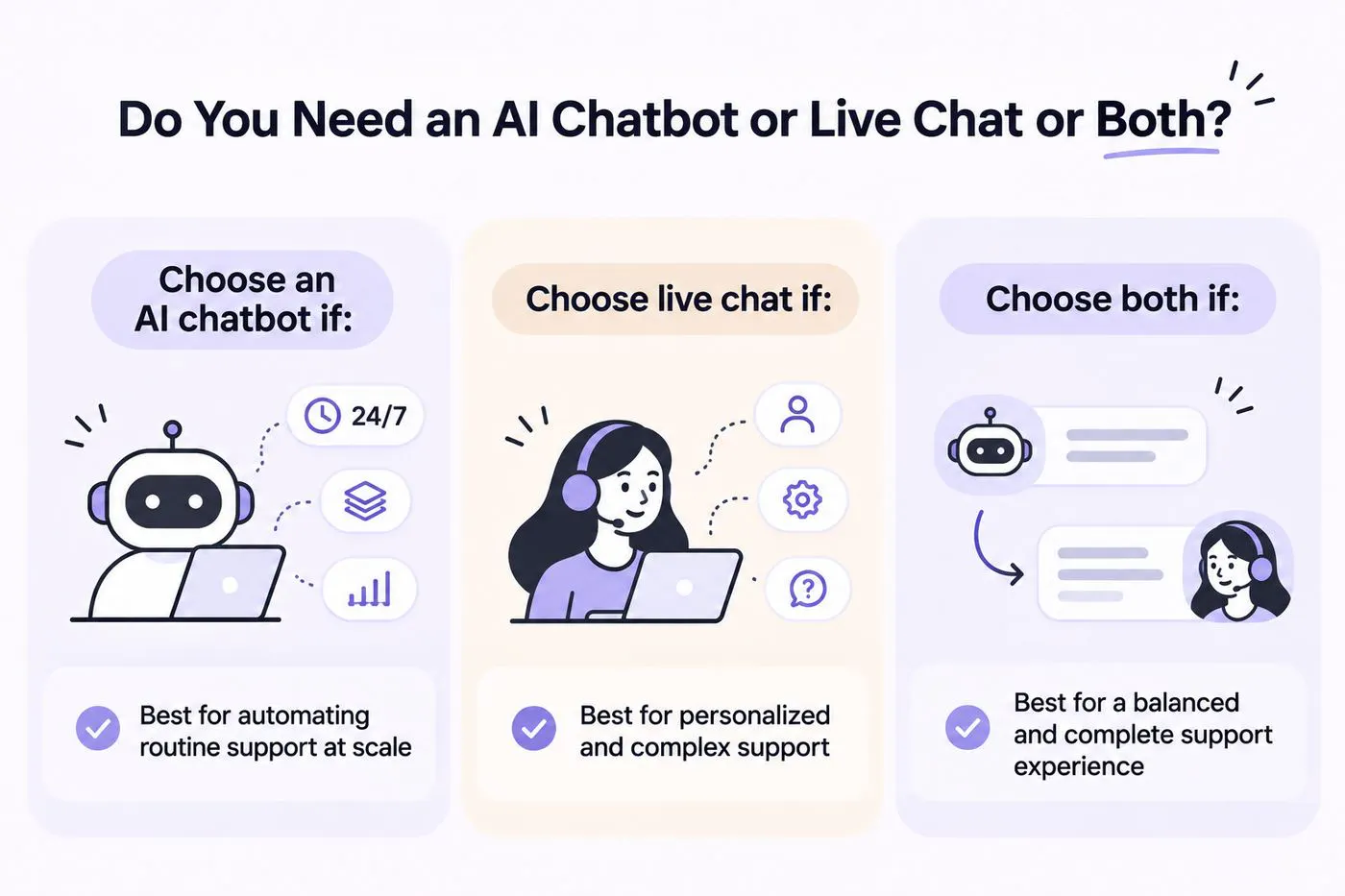
Chatbots and live chat can both work as standalone customer support solutions, but they serve different needs. The right choice depends on the kind of support your customers expect and how you want your team to manage incoming conversations.
Before choosing one, consider what you need the software to handle, where your current support process falls short, and which tasks you want to automate.
We’ll help you decide with the help of a few common scenarios.
Choose an AI chatbot if:
- You receive a high volume of repetitive customer questions.
- Your customers need answers outside your business hours.
- You want to automate tasks such as collecting customer information, qualifying leads, or answering product questions.
- You need to handle more conversations without increasing your support team's workload or your costs at the same rate.
Choose live chat if:
- Your customers frequently need personalized assistance.
- Your products or services require expert guidance before purchase.
- Most customer issues involve investigation, judgment, or complex troubleshooting.
- You already have agents available to handle incoming conversations.
- Human interaction is an important part of your customer experience.
Choose both if:
- You want to automate repetitive questions without removing access to human support.
- Your team receives more messages than it can comfortably handle.
- You want to provide assistance outside business hours and follow up on complex issues when agents are available.
- You want customers to get quick answers while keeping human agents available for situations that need them.
You don't have to choose one technology and completely rule out the other. In fact, combining them can give your customers a more complete support experience.
How to Use Live Chat and Chatbots Together
Chatbots and live chat don't have to operate separately. You can use an AI chatbot as the first point of contact and let human agents take over whenever a conversation needs their attention.
This approach helps you provide automated answers, manage higher conversation volumes, and keep human support available for customers who need it.
Here are five ways to make both work together.
1. Let chatbots handle routine questions
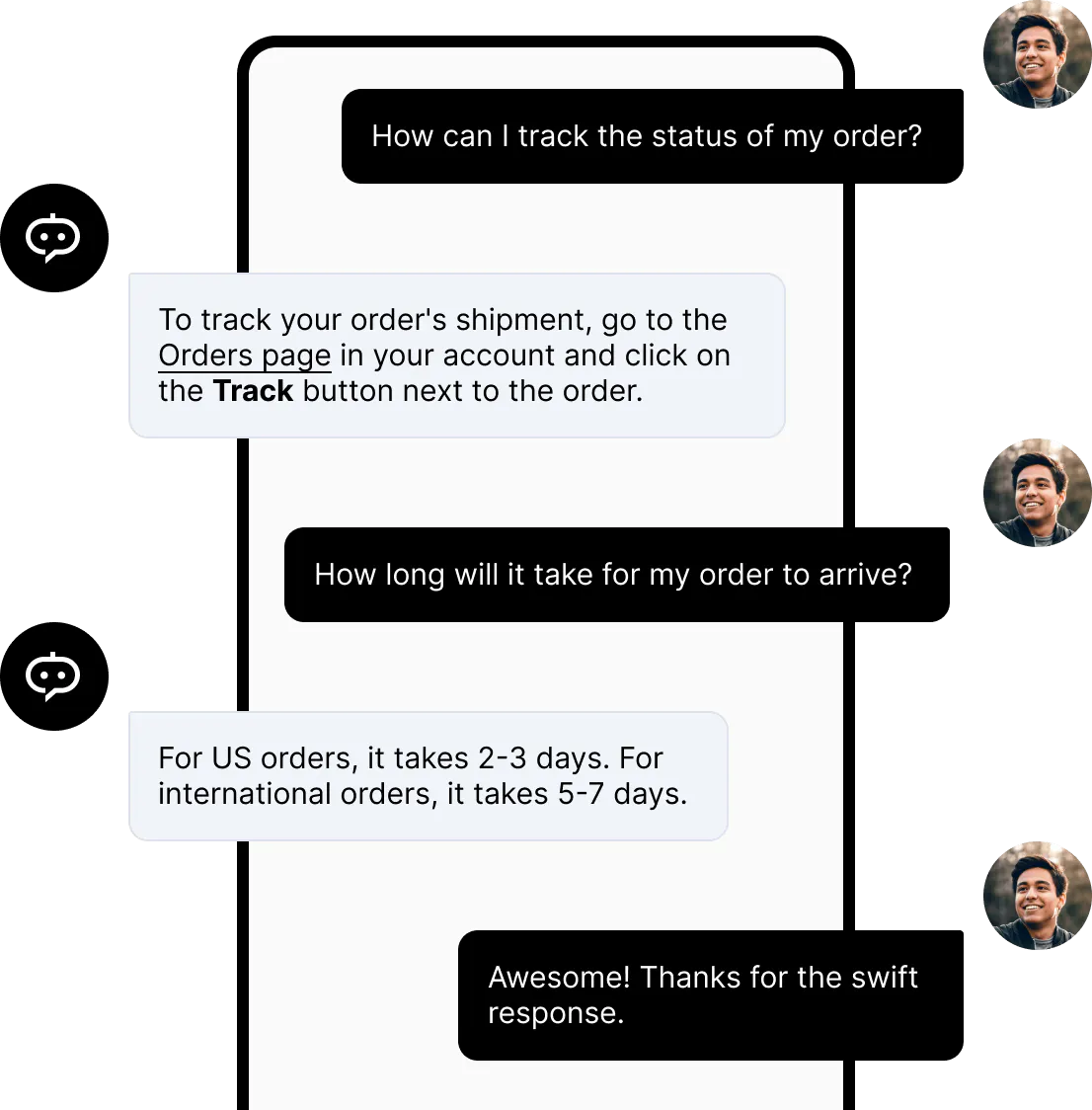
Start by identifying the questions your support team answers repeatedly. These might include questions about pricing, shipping, returns, product features, account access, or business hours.
You can train an AI chatbot on your business information so it can retrieve relevant answers whenever customers ask. This reduces the number of repetitive conversations your agents need to handle manually.
For example, an ecommerce customer asking about your return window can get an answer directly from the chatbot. Your support team doesn't need to step in unless the customer has a more specific issue.
Read Next: How to Implement a Knowledge Base Chatbot: Our Comprehensive Guide
2. Transfer complex conversations to human agents
Not every customer question can or should be handled automatically. Sometimes a customer needs someone to investigate an issue, review their account, or make a decision that requires human involvement.
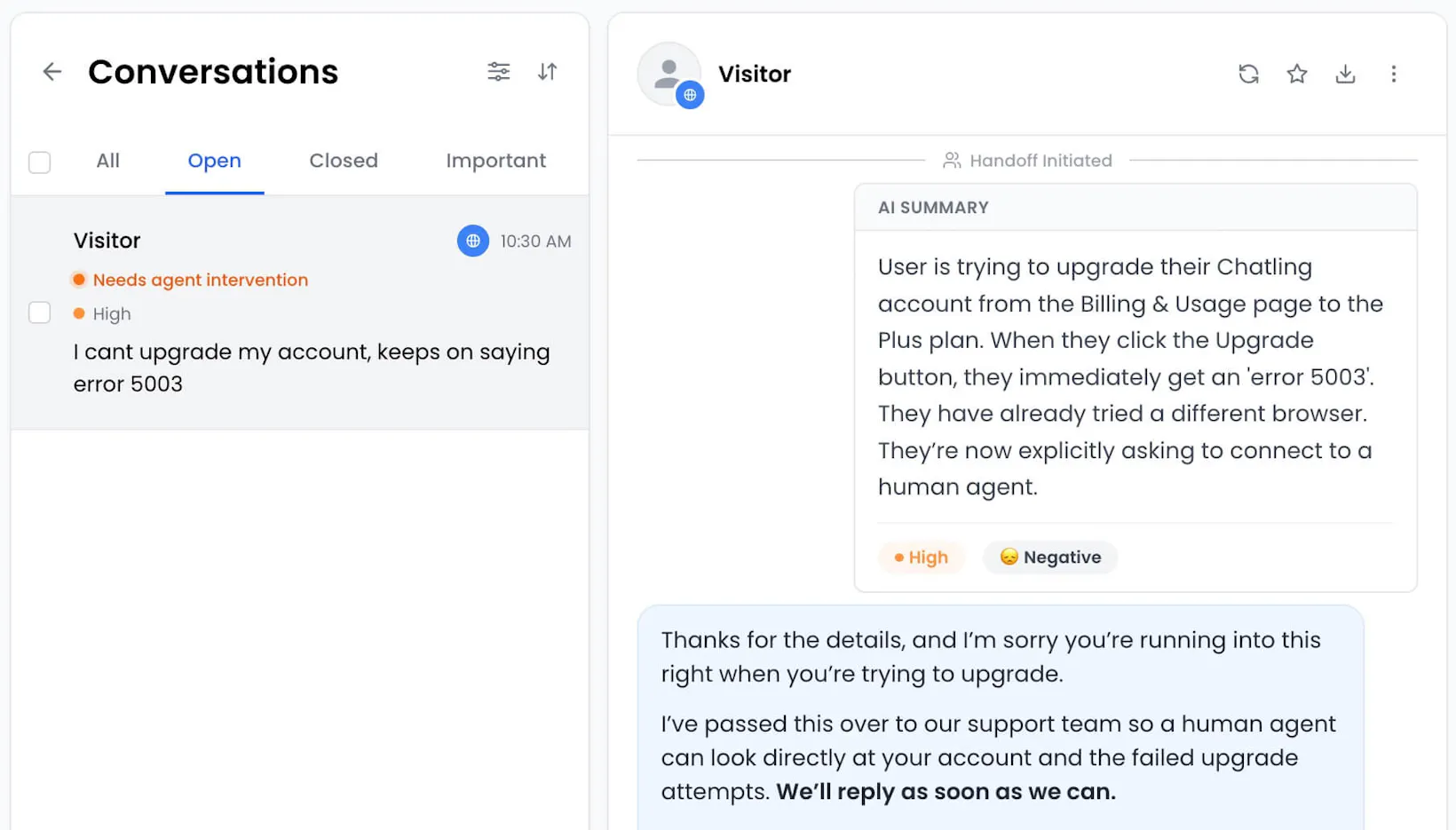
Configure your chatbot to recognize when a conversation needs additional support. It can then transfer the conversation to an available agent, along with its conversation history and relevant context.
This way, customers don't have to start over or explain the same issue again. Agents can review what has already happened and continue helping from there.
3. Provide support outside business hours
Your support team may not be available around the clock, but that doesn't mean customers should have to wait for every answer.
A chatbot can continue handling supported questions when your agents are offline. If someone needs human assistance, it can collect their details and preserve the conversation for your team to follow up when they're available.
For example, a customer might ask about a billing issue late at night. The chatbot can explain the relevant billing policy, collect additional information, and pass the conversation to your billing team for review.
4. Give agents more time for important conversations
When chatbots handle repetitive questions, your agents can spend more time on conversations that need their experience and attention.
Instead of answering the same questions throughout the day, they can focus on troubleshooting, resolving complaints, helping customers make decisions, and handling complex requests.
You can also use conversation summaries to help agents understand what happened before taking over. This makes it easier to continue the conversation without reading through every message.
5. Use customer conversations to improve support
Combining chatbots and live chat also gives you more opportunities to understand what customers need.
Review chatbot conversations to identify questions it couldn't answer, information customers frequently request, and issues that regularly require human intervention. You can use these insights to improve your chatbot's knowledge base and instructions.
Similarly, review live chat conversations to identify recurring problems and areas where your team needs better resources. Over time, you can automate more routine questions while improving the quality of human support.
Read Next: Deflection Rate 101: How to Improve it & Best Practices
How You Can Use Both Chatbots and Live Chat With Chatling
You don't need separate tools for automated conversations and human support. Chatling offers AI chatbots and live chat in one platform, so businesses can automate customer conversations while keeping their support teams involved when needed.
With Chatling, you can:
- Answer questions automatically: Build AI chatbots that use your website, help center, documents, and FAQs to answer customer questions.
- Automate customer tasks: Configure tasks to collect information, retrieve data, create support tickets, update CRM records, and book appointments.
- Bring in human agents: Use Human Handoff to transfer conversations when a customer requests a person or configured conditions require human support.
- Keep conversations organized: Manage customer conversations from a central inbox, assign them to agents or teams, set priorities, and add internal notes.
- Give agents the right context: AI-generated conversation summaries help agents understand what the customer asked, what the AI already did, and why the conversation was transferred.
You can also build flow-based AI Chatbots using Chatling's visual Builder when you want more control over how a conversation progresses.
This gives customers access to automated support, ensuring they don’t keep waiting long hours to hear back from you, without taking away the option to speak with a real person.
Chatbot vs. Live Chat: Key Takeaways
Choosing between a chatbot and live chat comes down to the kind of support your customers need and the resources available to your team.
- Choose chatbots if you want to automate repetitive questions, provide round-the-clock support, and handle more conversations without expanding your support team at the same rate.
- Choose live chat if your customers regularly need personalized assistance, complex troubleshooting, or direct access to a support agent.
- Use both if you want to automate routine interactions while giving customers an easy way to reach a human when necessary.
Get started with Chatling for free to set up your AI chatbot and live chat to manage customer conversations in one place.
Frequently Asked Questions
Is a chatbot better than live chat?
Neither is automatically better. Chatbots are useful for answering routine questions, providing automated responses, and handling repetitive tasks. Live chat is better suited to conversations that need human judgment, empathy, or personalized assistance.
Can chatbots replace live chat?
Chatbots can handle many customer conversations without human involvement, but they can't replace every part of live chat. Some situations require human judgment, investigation, or personal attention.
Can I use a chatbot and live chat together?
Yes. You can use a chatbot as the first point of contact and let human agents take over when a conversation needs additional attention.
Are AI chatbots better than rule-based chatbots?
AI chatbots are generally more flexible because they can understand natural-language questions and generate responses based on context and available information. Rule-based chatbots follow predefined conversation flows and work best when customers have predictable questions or need guided interactions.
Do chatbots work when human agents are offline?
Yes. Chatbots can continue responding to supported questions outside your team's working hours. This means customers can get answers without waiting for an agent to become available.
Does live chat require a dedicated support team?
Live chat requires someone to monitor and respond to incoming conversations. You don't necessarily need a large support department, but you do need enough available agents to manage your expected conversation volume.