
Chatbot Pricing: How Much Do AI Chatbots Cost in 2026?
Every customer support chatbot is built differently, in terms of features, capabilities, usage, and pricing models. Some charge for each AI reply, some for each conversation, some only when the AI resolves a conversation, and others add fees for team seats or channel messages. Plan limits, knowledge base size, integrations, and add-ons change the price further.
The same customer support workload can cost more on one chatbot than another, even when both plans start under $30 a month. The difference often comes down to how each tool bills for usage and what its plan includes, so look beyond the starting price when comparing options.
- AI chatbot plans range from free to hundreds of dollars a month. Paid subscriptions can start below $50, but your total depends on usage, features, and team size.
- Monthly conversation volume affects the price. A plan that works for a few hundred conversations may not cover thousands without additional usage charges or an upgrade.
- Check how the provider charges for AI usage. Pricing may be based on AI credits, messages, conversations, or successful resolutions. These billing models work differently.
- AI credits don't always equal AI replies. The model you choose can affect how many credits each reply consumes.
- Account for extra costs before choosing a plan. Additional credits, team seats, integrations, branding removal, and messaging fees can increase your monthly bill.
- Free plans are useful for testing. Before relying on one for customer support, check its usage limits and whether it supports your required features.
- Compare the cost with the support work the chatbot can handle. Estimate how many conversations it can resolve and whether the time saved justifies the monthly fee.
How Much Does a Customer Support Chatbot Cost in 2026?
Customer support chatbot pricing ranges from free plans to subscriptions costing several hundred dollars a month. Some businesses can manage with a free plan or an inexpensive subscription, while those handling large support volumes may need a higher-priced plan.
For a business handling around 1,000 customer conversations a month, chatbot costs range from $65 to $104 per month. At 5,000 conversations, costs can range from $215 to $499. At 20,000 conversations, they range from $745 to $1,999.
The starting price is only part of the picture. A plan might include a limited number of AI credits or conversations, charge extra when you exceed its usage, or require a higher tier for features such as human handoff and integrations.
Your total cost also depends on how many customer conversations the chatbot handles, how many AI replies those conversations require, and which AI model you use.
For example, a plan costing $25 per month might include a limited number of AI credits. If your chatbot uses more credits than the plan includes, you'll need to buy additional credits or upgrade to a plan with a larger allowance.
What Small, Growing, and Large Teams Typically Pay
Monthly conversation volume is one of the main factors that determines chatbot costs. A small business with a few hundred support requests has different needs from an ecommerce company handling thousands of questions about orders, returns, and products.
Monthly support volume | Typical business | Monthly cost on credit-based plans | Average cost per AI reply |
|---|---|---|---|
1,000 conversations (4,000 replies) | Small business or early-stage startup | $65–104 | $0.016–0.026 |
5,000 conversations (20,000 replies) | Growing ecommerce store or SaaS team | $215–499 | $0.011–0.025 |
20,000 conversations (80,000 replies) | Established support operation | $745–1,999 | $0.009–0.025 |
Remember: Cost per reply is calculated by dividing the monthly cost by the total number of AI replies, assuming four replies per conversation. It excludes conversations handled entirely by humans.
What a Free Chatbot Plan Covers and Where It Stops
A free plan lets you build a chatbot, train it on your content, and test it with real customer questions. The included AI usage varies by platform. Some free plans provide AI credits, while others offer a limited number of human-handled conversations without including AI credits.
Chatling’s free plan includes 200 AI credits. If each AI reply uses one credit and a customer conversation averages four replies, those credits cover about 50 conversations. A model that uses five credits per reply would cover far fewer conversations.
That can be enough to test your chatbot or handle occasional questions on a low-traffic website. A business with steady support volume will usually need a paid plan with more credits.
Read Next: How to Create a Chatbot for Free
Is It Cheaper to Build or Buy a Support Chatbot?
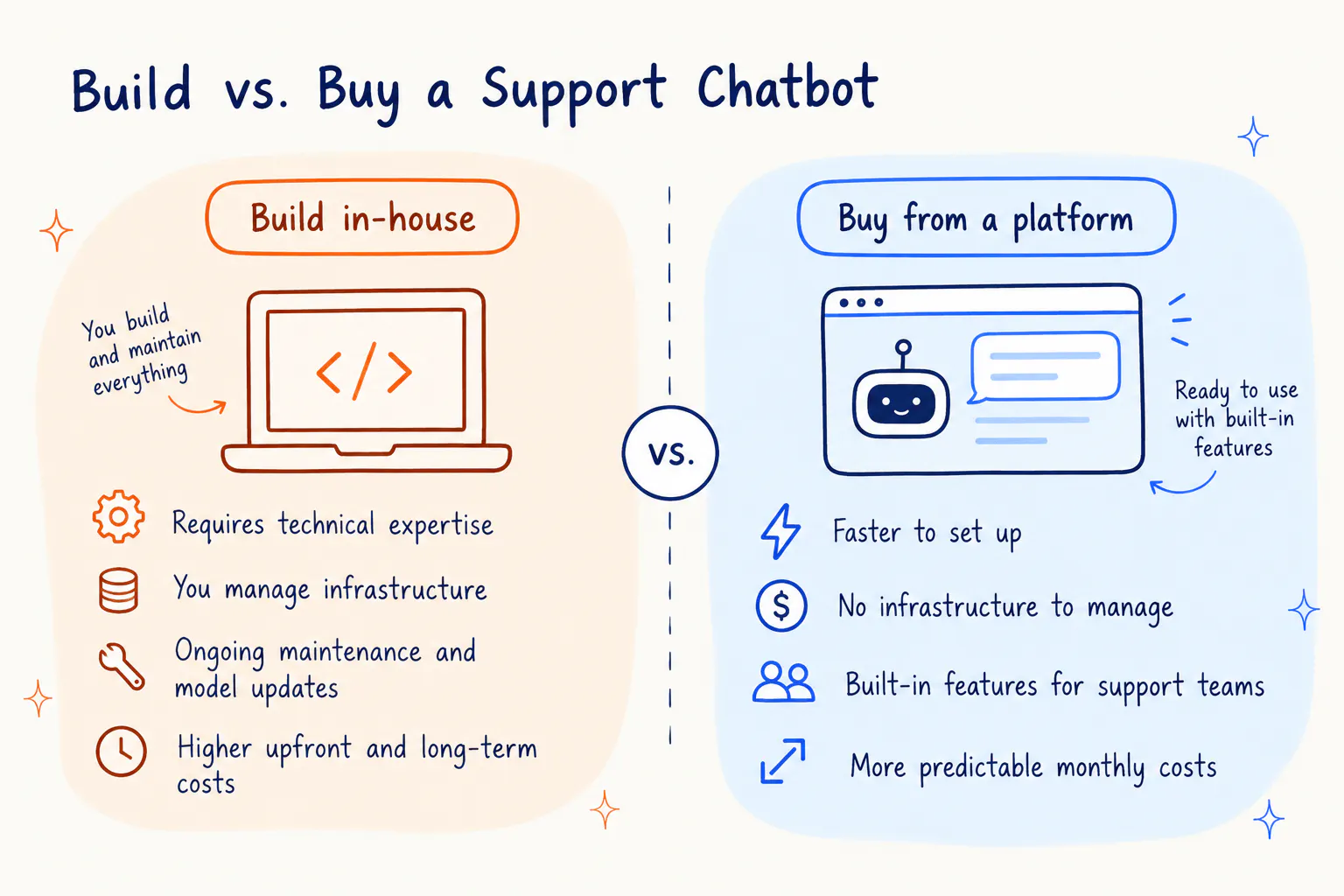
Buying a chatbot is usually cheaper for a support team that wants to automate answering common questions and customer support without maintaining its own AI infrastructure.
A subscription typically covers hosting, access to an AI model, a chat widget, integrations, AI actions, and product updates. Depending on the platform, it may also include a shared inbox, human handoff, reporting, and connections to messaging channels.
Building a chatbot means paying for AI model usage, hosting, development, integrations, monitoring, and ongoing maintenance. You also need people to update the system as your support workflows change.
Building can make sense when you have an in-house AI team, specialized security requirements, or workflows that existing platforms cannot support. For most small and mid-sized teams, buying is the more practical starting point.
How Is Chatbot Pricing Calculated?
Chatbot pricing depends on the unit a vendor bills for. Before comparing subscriptions, check whether the platform counts AI replies, conversations, resolutions, team seats, or messages sent through a channel.
Pricing model | What you pay for | How the bill changes | What to check |
|---|---|---|---|
Credit or message based | AI replies or messages used | Increases when you exceed the included credits | Credits per reply and overage rates |
Per conversation | Each billable conversation | Increases with the number of conversations | Whether AI and human conversations are billed separately |
Per resolution | Each conversation the AI resolves | Increases as more conversations are resolved | How the vendor defines a resolution |
Per seat or user | Each teammate with access | Increases as your team grows | Included seats and extra-seat fees |
Per channel message | Messages sent through channels such as WhatsApp | Changes with message volume and type | Channel-specific rates |
Flat per workspace | One monthly workspace fee | Stays fixed until you need more features or usage | Included seats, AI credits, and add-ons |
Credit-Based Pricing
Credit-based plans give you a monthly amount of AI credits. Each AI reply uses credits, and the amount can depend on the model.
For example, in Chatling, OpenAI’s GPT-6 Luna uses one credit per reply, and a more advanced model like GPT-6.1 Sol uses five. A plan with 5,000 credits covers 5,000 replies on the lightweight model but only 1,000 on the advanced model.
This pricing model works well when you know how many replies your chatbot handles and can forecast usage. Before choosing a plan, check the credit cost of your preferred model and what happens when you use all your credits.
Per-Conversation Pricing
Per-conversation pricing charges you for each billable AI conversation rather than each reply. A conversation may include several messages while counting as a single billable unit.
This can work well when customers need several exchanges to resolve a question. However, the bill grows with the number of conversations, even if each one contains only a few messages.
Some platforms separate AI conversations from conversations handled by human agents. In that case, the AI subscription or usage charge sits on top of the main customer support plan.
Per-Resolution Pricing
Per-resolution pricing charges you when the AI resolves a conversation without a human agent taking over. The vendor's definition of a resolution determines which conversations count toward your bill.
For example, if a vendor charges $1 per resolution and your chatbot resolves 800 conversations in a month, the usage charge is $800. If it resolves 1,400 conversations, the charge is $1,400.
This model ties costs directly to the number of conversations the AI resolves. Before signing up, check how the platform identifies a resolution, how it handles reopened conversations, and whether there is a minimum monthly commitment.
Per-Seat Pricing
A seat is a login for a member of your team. Many plans include a fixed number of seats and charge extra when more people need access.
You can add extra seats for $10 per seat in Chatling. A plan that costs $75 a month and includes five users would cost $105 a month if three additional seats are added. Another platform might charge higher, even $25 for every extra team member.
Seat limits matter when your support team includes agents, supervisors, and managers who all need access to the inbox. Check whether temporary users, administrators, and other collaborators count as seats.
Per-Message Channel Pricing
Some messaging channels have charges separate from the chatbot subscription. WhatsApp is a common example, where message costs depend on the applicable rate card and message type.
Your total bill may include the platform subscription, automation features, and charges for messages sent through the channel. A business that sends large numbers of outbound messages needs to account for those fees when budgeting.
Check the current channel rates, which messages are billable, and whether unused message credit carries over. This is particularly important if you plan to use the same platform for customer support and marketing campaigns.
Flat Pricing per Workspace
A flat workspace plan charges a monthly fee for a shared workspace rather than billing separately for every conversation. The subscription may include several team seats and a set amount of AI credit.
For example, a plan might cost $45 a month and include four seats and $5 in AI credits. A higher plan may cost $95 a month and include ten seats and $25 in AI credits.
Flat pricing makes the subscription easier to budget for, but it does not always mean unlimited AI usage. Check the included credits and the cost of extra usage before deciding whether the plan fits your support volume.
How Chatbot Features Influence Pricing Decisions?
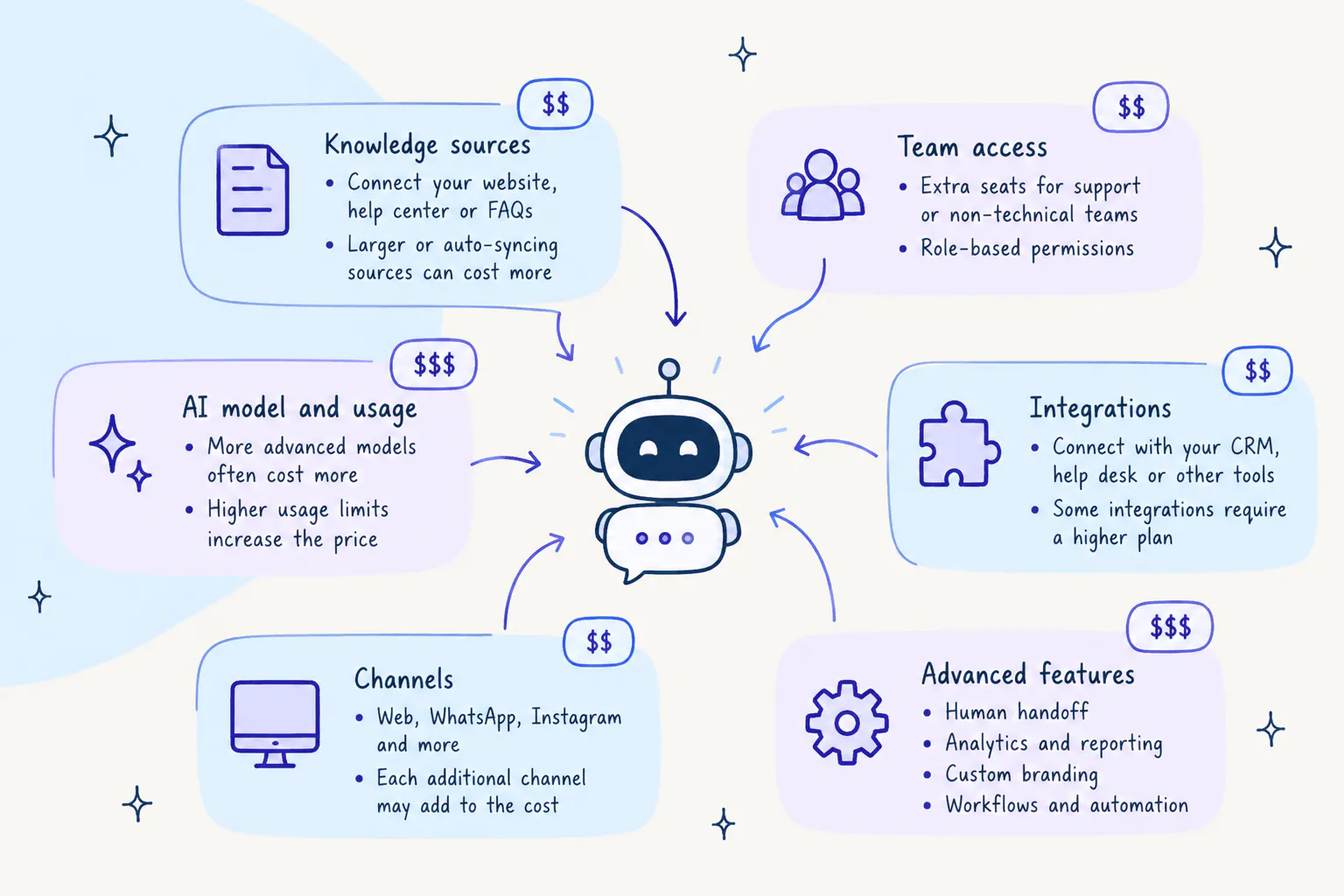
Apart from the pricing models, several factors influence which plan you might choose for your AI chatbot. These factors play a big role in how you prefer your customer support setup and the capabilities you want in it.
Knowledge Base Capacity
The knowledge base contains your business information that your chatbot uses to answer customer questions. Depending on the platform, limits may apply to characters, files, websites, training sources, or documents.
A small website with a few dozen help articles may fit within an entry plan. A large ecommerce catalog or extensive help center may need more capacity, particularly if the chatbot must learn from product pages, policies, manuals, and other content.
Check how much content the plan supports and how often it refreshes that content. If your prices, product details, or policies change regularly, automatic syncing can reduce the work needed to keep answers accurate.
Read Next: How to Implement a Knowledge Base Chatbot
Integrations and Channels
Some integrations are available only on higher plans. A chatbot may support your website on an entry plan but require a more expensive subscription for WhatsApp, Instagram, a CRM, or a help desk.
Check which integrations your team actually needs. If your agents work in Zendesk or HubSpot, for example, a plan without the required connection may force them to switch tools or copy information manually.
Messaging channels can also introduce separate fees. WhatsApp message charges, in particular, may sit outside the chatbot subscription.
Read Next: Chatbot Integration for E-Commerce: What You Need to Know
Automation Limits
Automation includes tasks beyond answering questions, such as collecting contact details, routing conversations, sending follow-ups, or updating information in another system.
Some platforms limit the number of automation triggers, workflow runs, or visitors covered by a plan. Others charge for advanced automation features separately.
Review these limits if you expect the chatbot to do more than answer FAQs. A plan that covers your AI replies may still fall short if your workflows exceed their monthly credits.
Human Handoff, Seats, and Routing
A chatbot should be able to pass a conversation to a person when it cannot answer a question or when a customer needs individual assistance. The cost of that process depends on the platform's handoff features and team limits.
Basic plans may include a simple handoff, while advanced routing, team assignments, ticket creation, and detailed AI summaries may require a higher plan or paid add-on.
Check how many team members need access and whether the plan supports the routing rules your team uses. Also, confirm whether a handoff integration is included or sold separately.
Branding, Analytics, and Other Plan-Gated Extras
Removing a vendor's branding from the chat widget can cost extra. Depending on the platform, branding removal may be included in a higher plan or sold as a separate add-on.
Other costs may include custom domains, advanced analytics, extra chatbots, API access, and additional knowledge base capacity. These features can be important for a production deployment, so include them in your budget instead of comparing subscription prices alone.
If you want to know more about how AI chatbots work or how you can improve your customer support, start with our guide to AI chatbots.
Chatbot Pricing Compared: 6 Customer Support Chatbots Side by Side
Every AI chatbot software offers different features and benefits, which significantly affect the true value of a certain pricing plan. A closer look at these platforms helps you judge which of them offers the best value for your support team's needs.
1) Chatling
Best for: Businesses that want a no-code AI chatbot to handle customer support, capture leads, and book appointments.
Chatling lets you build a chatbot in a visual builder and train it on your website, documents, and help center. It answers customer questions from that content, collects visitor details, and executes predefined actions such as tracking orders, booking appointments, or creating tickets.
Chatling also offers a live chat feature. When a customer needs a person, the AI hands off the conversation to your team with an AI summary and customer sentiment.
Key Features
- Visual builder: Connect blocks to send messages, capture responses, generate AI replies, branch on conditions, and respond to visitor behavior.
- AI responses: Train the chatbot on websites, documents, text, and FAQs. Paid plans support automatic source syncing.
- Intents: Route similar requests to the same flow even when customers phrase them differently.
- Lead capture: Collect names, email addresses, and form answers during conversations.
- Bookings and tickets: Use built-in blocks to book appointments and create tickets.
- Human handoff: Pass conversations to your team with an AI summary, priority, routing, and internal notes.
- Channels: Deploy on websites and messaging channels, including WhatsApp, Instagram, Messenger, and Telegram.
- Integrations: Connect tools such as Zapier, Google Sheets, HubSpot, Zendesk, Slack, Airtable, and Zoho.
- AI models and languages: Choose from supported AI models and serve customers in more than 80 languages.
- Analytics and CSAT: Review various analytics like escalation and deflection rates, wait time, reply time, and conversation trends, and collect satisfaction ratings.
Pricing
- Free: 200 AI credits, 1 AI agent, 1 seat, 500,000 knowledge base characters, 2 actions per agent, and workflows available
- Starter ($25/mo): 1,750 AI credits, 2 AI agents, 2 seats, 10 million knowledge base characters, weekly knowledge base auto-sync, 4 actions per agent, and workflows available
- Growth ($75/mo): 6,000 AI credits, 5 AI agents, 5 seats, 30 million knowledge base characters, hourly knowledge base auto-sync, 7 actions per agent, and workflows available
- Scale ($295/mo): 35,000 AI credits, 7 AI agents, 10 seats, 100 million knowledge base characters, hourly knowledge base auto-sync, 12 actions per agent, and workflows available
See Chatling pricing plans here.
Pros
- Guided flows and AI answers can work together, keeping routine paths consistent while handling open-ended questions.
- Intents route similar requests to the right flow, even when customers phrase them differently.
- Human handoff gives agents an AI summary and conversation context.
- Automatic knowledge base syncing helps keep chatbot answers aligned with updated source content.
- You can add credits, knowledge capacity, chatbots, or seats separately instead of upgrading every feature at once.
Cons
- Monthly reply capacity depends on the AI model. Starter's 1,750 credits cover 1,750 replies on a one-credit model but 350 replies on a five-credit model.
- Guided flows require setup and testing to make sure every path works as intended.
2) Botsonic
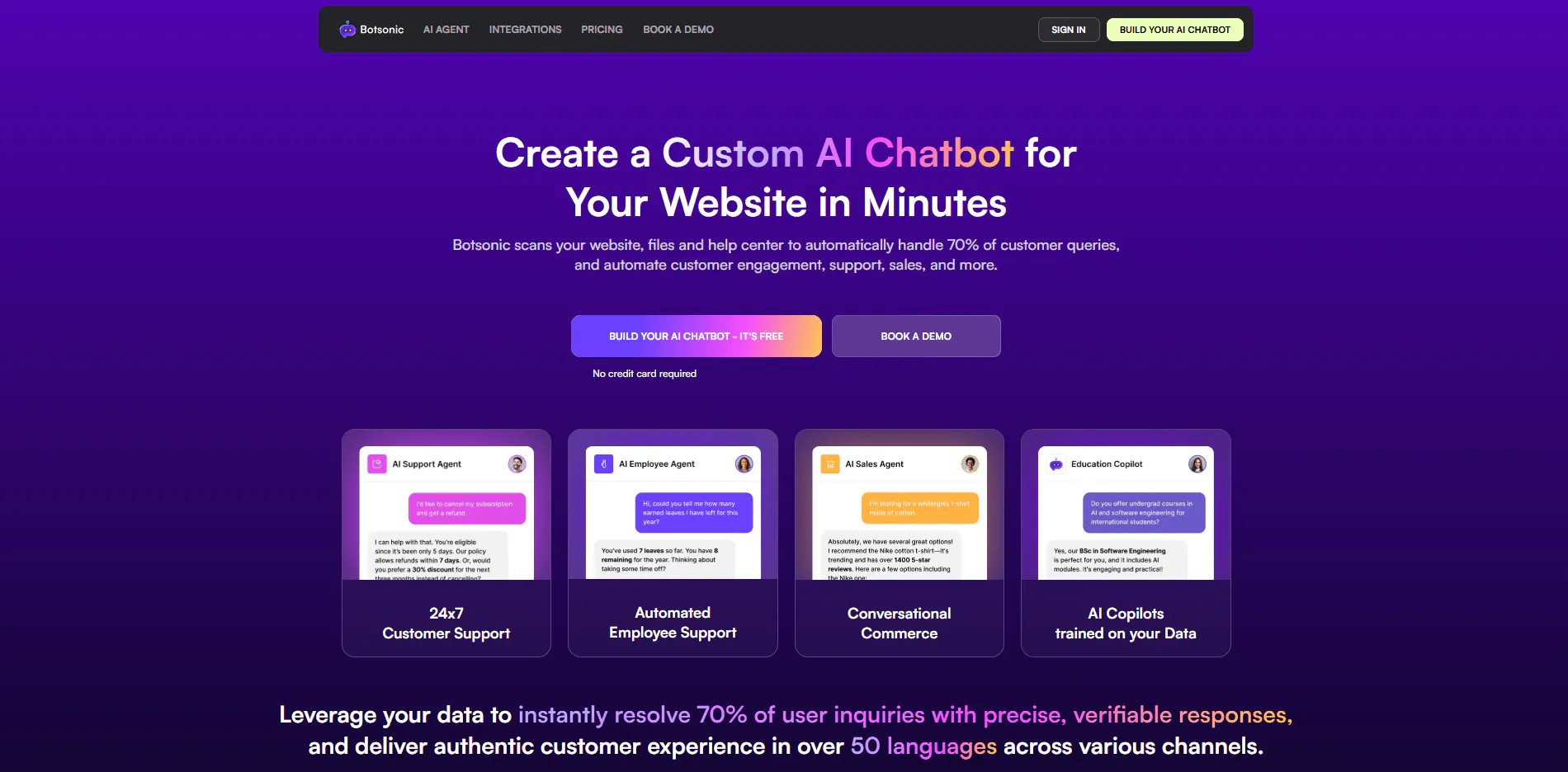
Best for: Teams that want an affordable website chatbot with content syncing from Google Drive, Confluence, and Notion.
Botsonic is Writesonic’s AI chatbot platform, designed for businesses that want to turn their existing content into a customer-facing AI assistant. It is a natural fit for teams already using Writesonic or looking for a straightforward way to deploy AI-powered support without building a custom solution.
Key Features
- No-code builder: Train and launch a chatbot without writing code.
- Training sources: Add files, websites, and sitemaps or sync content from supported services.
- Lead capture forms: Collect visitor details during conversations.
- Live agent handoff: Escalate complex questions, with help desk handoff available through supported plans or add-ons.
- Integrations: Connect tools such as Zapier, WordPress, Google Tag Manager, Google Drive, Calendly, and Notion.
- Customization: Match the chatbot to your brand's logo, colors, and tone.
Pricing
- Starter: $19/month. 1,000 messages, one chatbot, one seat, 10 million characters of training data, lead capture forms, and selected integrations.
- Professional: $49/month. 3,000 messages, two chatbots, two seats, 50 million characters, automated email transcripts, a callback button, and additional integrations.
- Advanced: $299/month. 12,000 messages, five seats, 100 million characters, larger sitemap support, automatic syncing, and API access.
- Enterprise: Custom pricing, with advanced handoff, security, and analytics options.
- Add-ons: $25 per 2,000 extra messages, $49/month for branding removal, $199/month for Zendesk ticket and live agent handoff, $10/month per 20 million extra characters, $25/month per extra team member, and additional charges for API access and extra chatbots.
Pros
- Connections to existing content sources reduce manual work when updating chatbot training data.
- Email transcripts and callback options give customers another way to follow up.
- Analytics help teams review resolutions and customer satisfaction.
- The $19 Starter plan has the lowest entry price in this comparison.
Cons
- Branding removal costs extra on self-serve plans.
- Zendesk ticket and live agent handoff can add $199 a month.
- Starter includes one seat, and additional team members cost $25 a month each.
3) SiteSpeakAI
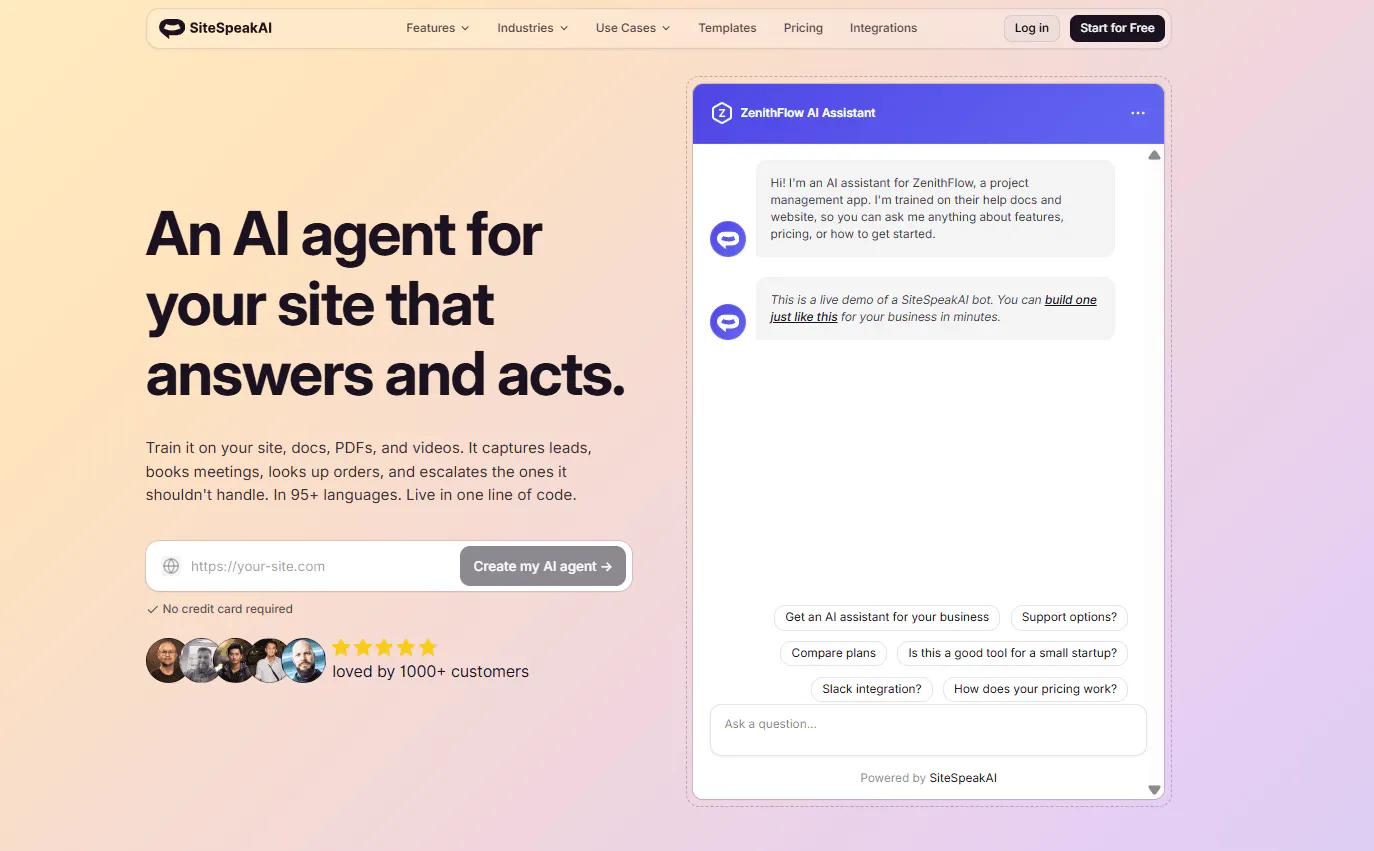
Best for: Businesses that want a website chatbot with AI-powered search, page context awareness, and broad knowledge-source support.
SiteSpeakAI stands out for connecting a chatbot to live business systems, not just using stored content to answer questions. It can work with APIs and databases, connect to tools through MCP, and use external services to retrieve current information or carry out tasks.
Key Features
- Training sources: Train the chatbot on websites, help docs, PDFs, and videos.
- AI search and page context: Help visitors find information related to the page they are viewing.
- Lead capture: Collect contact details during chats.
- Human escalation: Pass conversations to your team with context.
- Inbox and conversation history: Save conversations for review and follow-up.
- Analytics: Review visitor questions and identify missing answers.
Pricing
- Free: $0/month. 30 message credits, one chatbot, ten training sources, and basic AI models.
- Starter: $29/month. 1,000 message credits, one chatbot, 200 training sources, lead capture, branding removal, and monthly auto-sync.
- Pro: $79/month. 3,000 message credits, five chatbots, 2,500 training sources, all AI models with bring-your-own-key, additional integrations, API and MCP server access, and weekly auto-sync.
- Growth: $249/month. 10,000 message credits, 15 chatbots, 8,000 training sources, a custom domain, and daily auto-sync.
- Business: $499/month. 20,000 message credits, unlimited chatbots, 20,000 training sources, dedicated onboarding, and priority support.
- Extra message credits: $25 per 1,000.
Pros
- The AI search bar and page context help visitors find relevant information.
- Multilingual responses support customers in different markets.
- Analytics help teams identify unanswered questions and improve source content.
- Branding removal is included from the $29 Starter plan.
Cons
- Additional message credits cost $25 per 1,000, which can add up quickly as support volume grows.
- Free and Starter plans use basic AI models, while access to additional models starts at a higher tier.
Read Next: 7 SiteSpeakAI Alternatives for AI Agents, Support, and Automation
4) Tidio
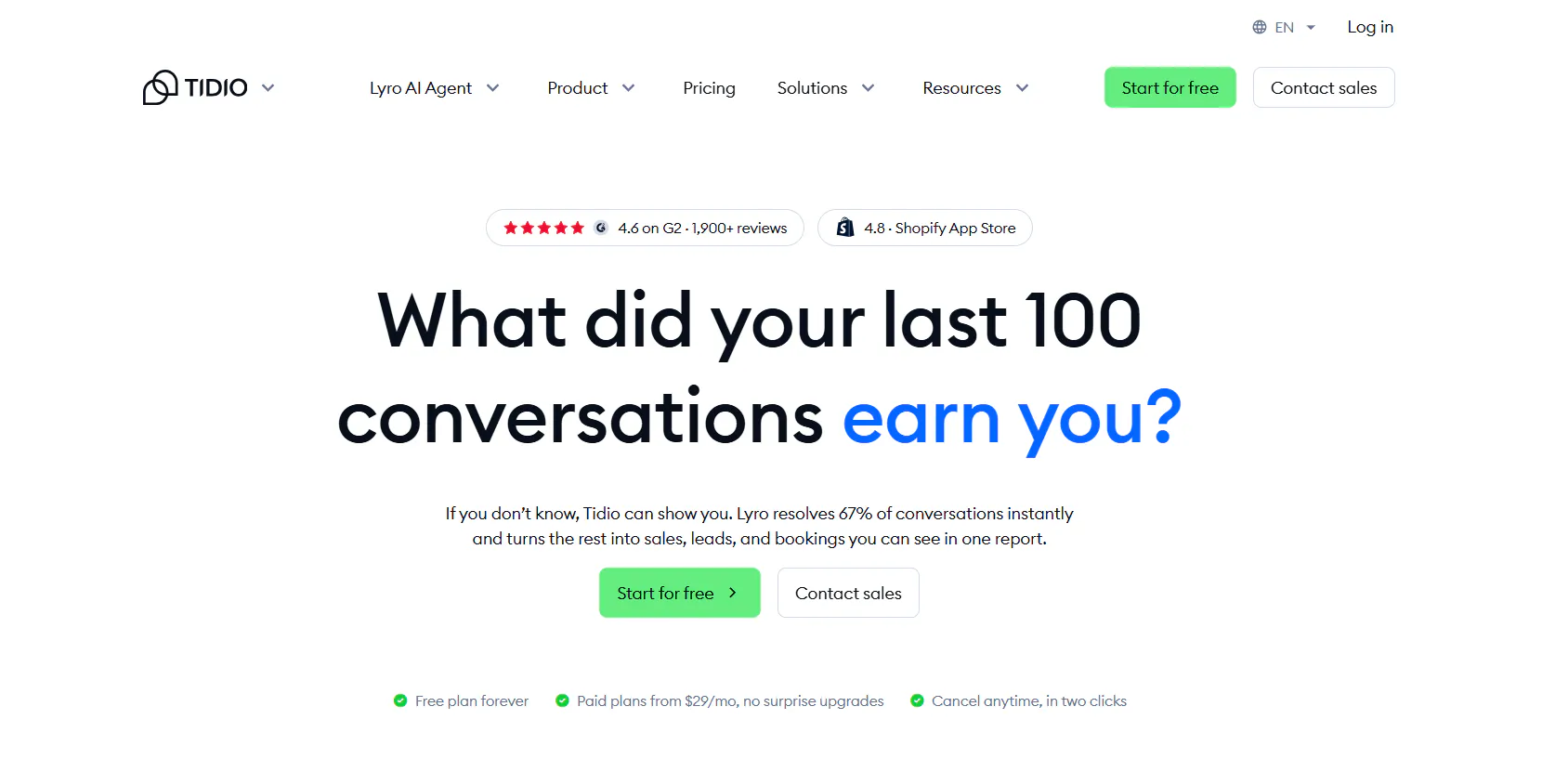
Best for: Ecommerce stores, especially Shopify businesses, that want AI to handle order questions, product recommendations, and common support requests.
Tidio combines live chat, help desk features, automation, and an AI add-on called Lyro. The main subscription covers human-handled conversations and support features, while Lyro has its own conversation credits and price.
Key Features
- Lyro AI: Answer questions from support content, handle supported order-related tasks, and hand off conversations when needed.
- Product recommendations: Use store catalog information to recommend products.
- Flows: Build automations with templates for abandoned cart recovery, lead capture, and other ecommerce workflows.
- Help desk and ticketing: Manage live chat, tickets, and email, with an AI assistant to help agents draft replies.
- Shopify actions: Work with supported Shopify store data through Tidio.
Pricing
- Free: $0/month. 50 billable conversations, a one-time usage limit of 50 Lyro conversations, and 100 Flows visitors.
- Starter: $29/month. 100 billable conversations, a one-time usage limit of 50 Lyro conversations, and 100 Flows visitors.
- Growth: From $59/month. 250 to 2,000 billable conversations, with advanced analytics, automatic chat assignment, and macros.
- Plus: From $300/month plus usage. AI and human conversations are billed separately at discounted rates, with custom seats, departments, and OpenAPI.
- Premium: Custom pricing, with pay-per-resolution billing and a guaranteed Lyro resolution rate.
- Lyro AI add-on: From $39/month for 50 conversations, with self-serve plans offering up to 1,000 conversations a month.
- Flows add-on: From $29/month for 2,000 visitors.
- Branding removal: $20/month.
Pros
- Product recommendations can use live catalog information.
- Ecommerce templates help teams launch common workflows without building them from scratch.
- Lyro can be added to supported external help desks.
- Lyro and Flows usage is billed separately from human-handled conversations.
Cons
- Lyro is priced separately from the main subscription.
- Self-serve Lyro plans cap usage at 1,000 conversations a month.
- Self-serve plans limit the team to ten seats.
Read Next: Best Tidio Alternatives for Customer Support in 2026
5) Crisp
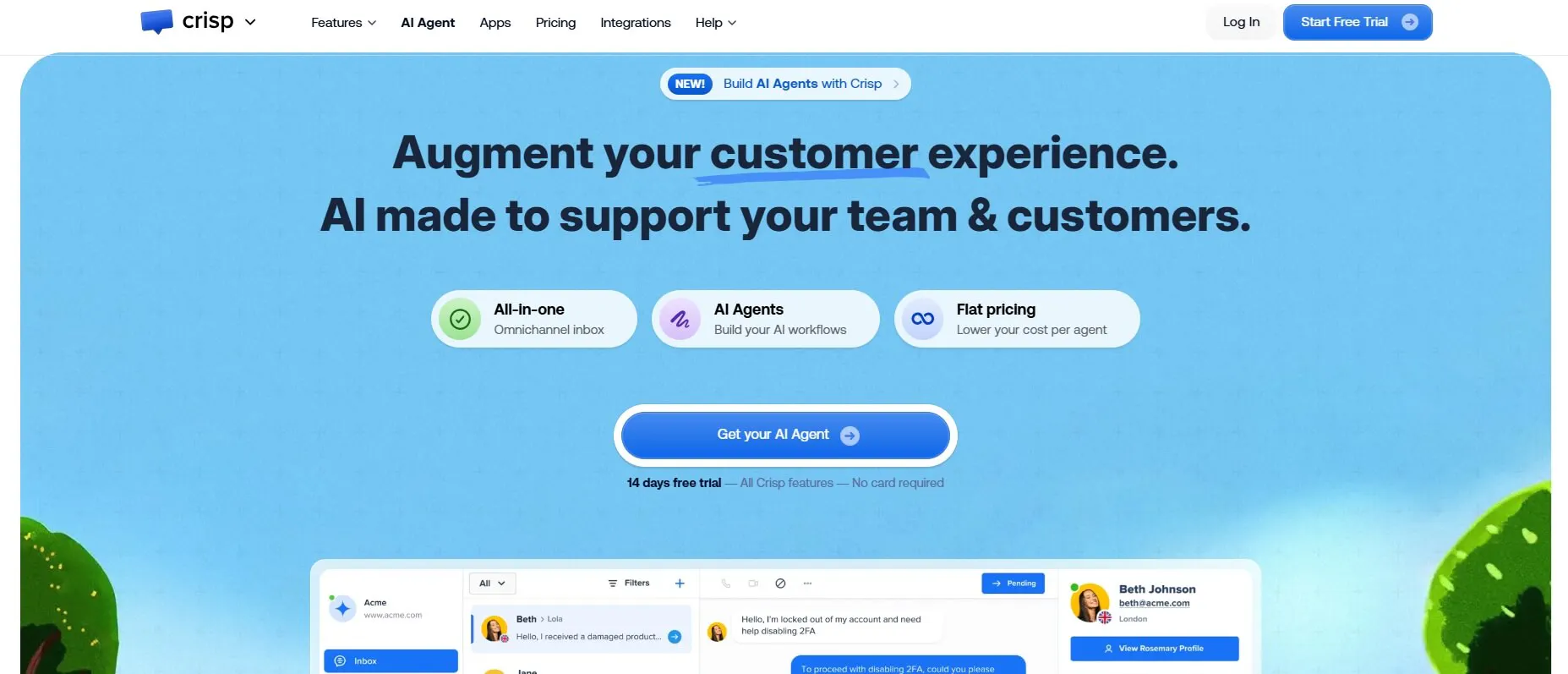
Best for: Customer support, marketing, and sales teams that want a shared inbox, CRM, and AI chatbot in one workspace.
Crisp combines a shared inbox with customer communication tools and an AI chatbot. Its paid plans charge a flat monthly price per workspace, with a set number of seats and a fixed amount of AI credit.
Key Features
- AI chatbot: Train a chatbot on your website and documents, then refine it as you review its answers.
- Shared inbox: Bring conversations from supported channels into one collaborative inbox.
- Channels: Support web chat, WhatsApp, Messenger, Instagram, email, SMS, Line, Viber, and other channels.
- Built-in CRM: Keep customer information and interaction history alongside conversations.
- Ticketing and integrations: Use ticketing features and connect to services such as Shopify, WooCommerce, and PrestaShop.
Pricing
- Free: $0/month. Two seats, no AI credits, website chat, shared inbox, and mobile apps.
- Mini: $45/month per workspace. Four seats, $5 in AI credits (around 90 automated conversations), a shared email inbox, and chat triggers.
- Essentials: $95/month per workspace. Ten seats, $25 in AI credits (around 450 automated conversations), omnichannel inbox, AI chatbot, knowledge base, and analytics.
- Plus: $295/month per workspace. Twenty or more seats, $75 in AI credits (around 1,350 automated conversations), task automations, ticketing, integrations, and white labelling.
- Enterprise: Custom pricing, with dedicated onboarding and a personalized service-level agreement.
Pros
- The built-in CRM keeps customer history alongside conversations.
- One inbox supports multiple communication channels.
- A branded help center lets customers find answers independently.
- The workspace subscription stays fixed as conversation volume grows, within the plan's feature and usage limits.
Cons
- AI credits are limited even on the top self-serve plan.
- Paid integrations, additional contacts, and more than 20 agents can increase the bill.
6) Wati
Best for: Businesses that run customer support and sales through WhatsApp, with shared inboxes and broadcast campaigns.
Wati combines a no-code chatbot builder, a shared inbox, and broadcast campaigns around the WhatsApp Business API. The subscription covers platform features and users, while WhatsApp message charges are billed separately.
Key Features
- No-code chatbot builder: Build drag-and-drop flows without technical skills.
- Team inbox: Manage WhatsApp conversations and supported channels in a shared workspace, with assignment, tags, and follow-ups.
- Broadcasts and campaigns: Send personalized campaigns to customers who have opted in.
- Ecommerce tools: Use WhatsApp catalog features and supported Shopify order and abandoned-cart templates.
- WhatsApp setup: Get access to the official WhatsApp API with setup support.
- Integrations: Connect to tools such as HubSpot, Salesforce, Shopify, Zoho CRM, WooCommerce, Zapier, and Klaviyo.
Pricing
- Growth: $49/month. One channel, three users with no extra users available, 15,000 broadcasts a month, 1,000 automation triggers, two commerce or CRM integrations, and 250 AI Co-pilot credits.
- Pro: $99/month. Five users, additional users at $24/month each, advanced chatbots and forms, Instagram automation, team inbox routing, unlimited broadcasts, 2,000 automation triggers, five integrations including HubSpot, and 500 AI Co-pilot credits.
- Business: $249/month. Five users, additional users at $69/month each, unlimited integrations, 5,000 automation triggers, 1,500 AI Co-pilot credits, and volume discounts on broadcasts.
- WhatsApp message charges: Billed separately according to Wati's rate card, with rates that vary by message type.
- Add-ons: Shopify integration at $4.99/month, extra WhatsApp numbers, and dedicated onboarding for a one-time fee.
Pros
- Official WhatsApp API support includes setup assistance.
- A shared inbox brings supported messaging channels into one place.
- Shopify templates support order updates and abandoned-cart workflows.
- Unused message credit carries over.
Cons
- WhatsApp message charges sit on top of the subscription and vary by message type.
- Growth limits the team to three users, with no option to add more.
- Setup requires a Facebook Business account, a phone number, and business verification documents.
Which Pricing Models Stay Predictable and Which Spike With Volume
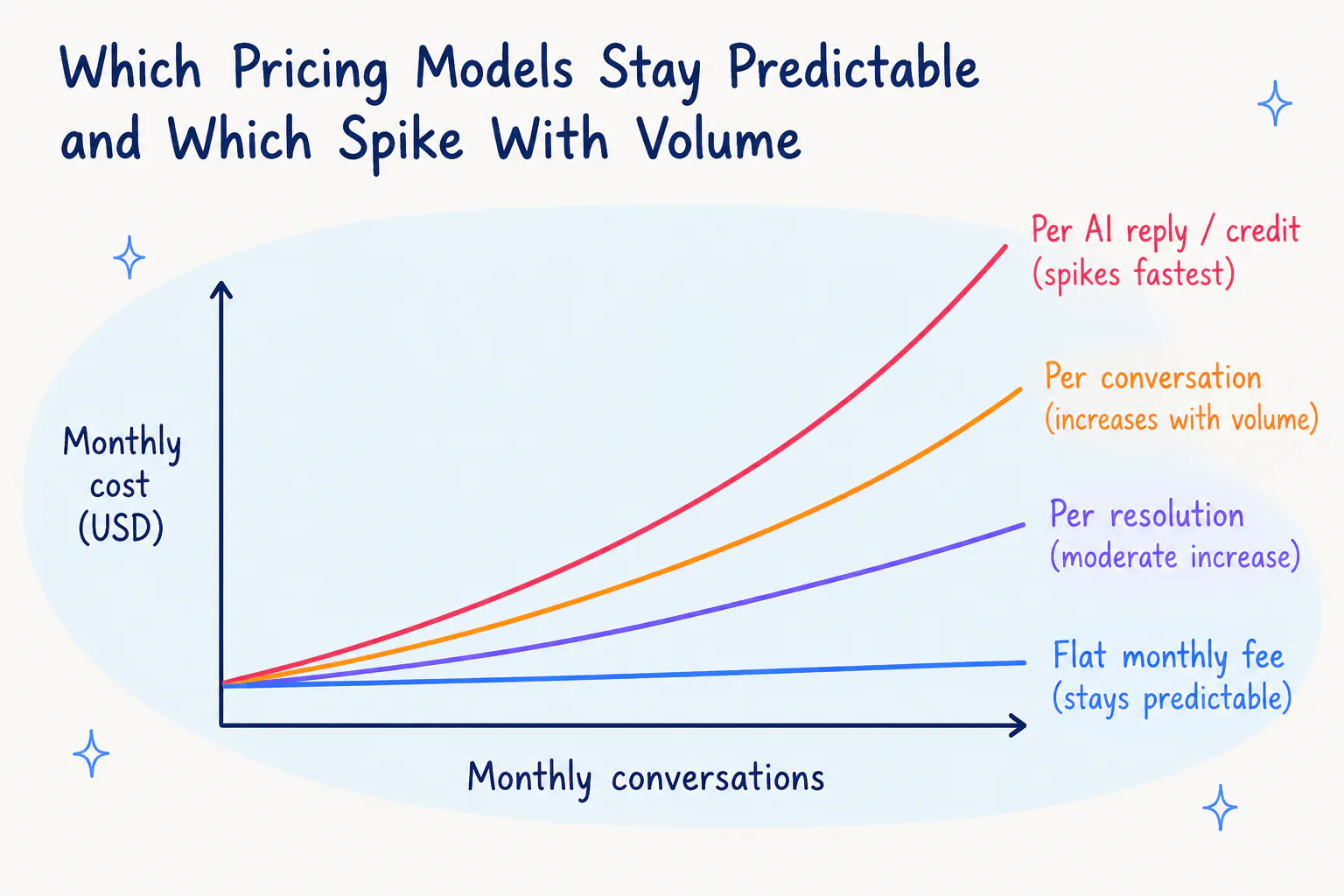
Credit-based and flat workspace plans make it easier to forecast the subscription bill. You pay for the included credits or AI usage and move to a higher plan or buy additional credits when usage exceeds it.
Per-conversation and per-resolution plans change with customer activity. Per-message channel fees can also rise quickly during a busy period. A product launch, shipping delay, or seasonal sales spike can increase the number of questions customers ask, so include peak months in your budget.
How Resolution Rate Changes Your Bill and Your Cost per Resolved Conversation
Resolution rate affects each pricing model differently. With per-resolution pricing at $1 per resolution, 5,000 conversations cost $2,000 at a 40% resolution rate and $3,500 at a 70% resolution rate.
On a credit-based plan, the bill tracks AI usage rather than the number of resolved conversations. If a plan costs $215 at 5,000 conversations and the chatbot resolves 40% of them, the cost is about $0.11 per resolved conversation. If it resolves 70%, the cost falls to about $0.06 per resolved conversation.
A higher resolution rate can therefore reduce the cost per resolved conversation on a credit-based plan, as long as the additional resolutions do not require a substantial increase in AI usage.
What Are The Hidden Costs of a Support Chatbot?
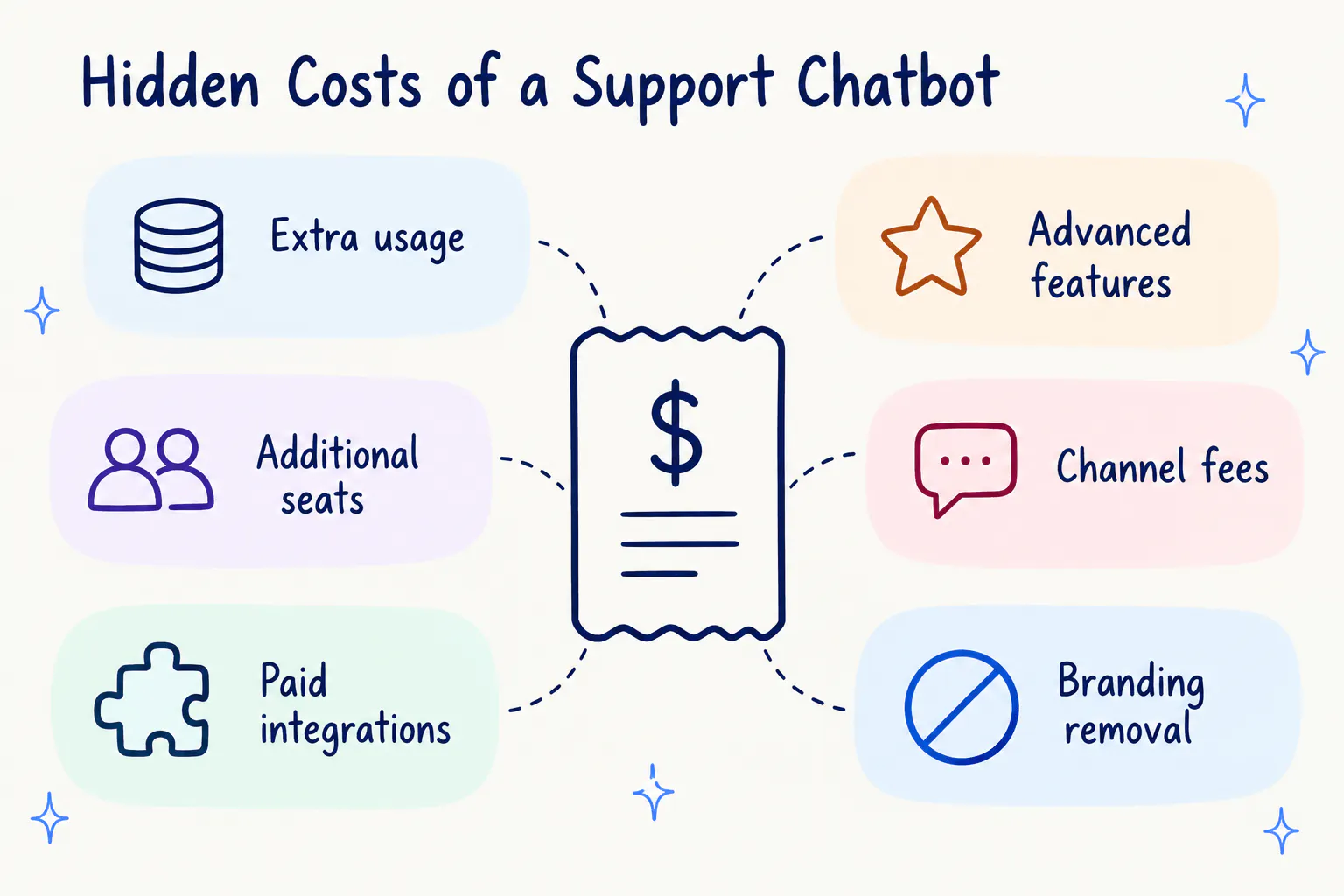
The price you see when subscribing to a chatbot isn't always what you'll end up paying. Unexpected charges can push your monthly bill beyond budget, making it harder to forecast support costs and calculate the tool's return on investment.
Understanding where these extra costs come from helps you with a more realistic monthly cost after you've signed up.
- Testing your chatbot: Test questions may count against your monthly AI credits. Check how testing affects usage before launching.
- Running out of credits: Some platforms stop providing AI answers when the credits run out. Additional credits or messages can cost $25 per 1,000 or more, depending on the vendor.
- Paid add-ons: Extra chatbots, seats, knowledge capacity, and branding removal can add to the monthly bill.
- Monthly versus annual billing: The price shown on a pricing page may reflect annual plans. Switch to monthly billing before comparing subscriptions.
- Channel fees: WhatsApp messages may be charged separately from the platform plan.
- Knowledge upkeep: If your plan does not automatically sync content, someone on your team must update the chatbot whenever your policies, products, or prices change.
Which Support Chatbot Fits Your Budget and Team?
The right platform depends on your support volume, the channels your customers use, and how much work you want the AI to handle.
Your requirement | Tool to consider | Why |
|---|---|---|
High support volume, lead capture, and easy setup | Chatling | Credit-based plans combine support answers, lead capture, and bookings. A no-code setup lets you easily build AI chatbots. |
A low-cost website chatbot | Botsonic | The $19 Starter plan includes 1,000 messages |
Website answers with search and page context | SiteSpeakAI | Its plans include an AI search bar and page context features |
An online store, especially on Shopify | Tidio | Lyro supports customer questions and product recommendations, while Flows offer ecommerce templates |
A shared inbox with CRM features | Crisp | A workspace subscription combines the inbox, CRM, and AI chatbot |
Sales and support on WhatsApp | Wati | WhatsApp-focused features include campaigns and a shared team inbox |
Pro tip: Before committing, run real customer questions through a free plan or trial. Test the chatbot with different scenarios, track how many billable units the platform uses, then calculate the monthly cost based on your expected volume.
The right customer support chatbot should fit your current support volume without making costs difficult to predict as your business grows. Look beyond the starting price, account for usage limits and additional fees, and compare what each plan includes before committing.
Chatling offers a free plan to help you get started, with paid plans for businesses that need more AI credits, team seats, and features. See Chatling’s pricing plans to find the right fit for your support needs.
FAQs
How Much Does a Chatbot Cost per Month?
A customer support chatbot costs $19 to $49 a month on an entry plan. Depending on several factors, like the pricing model, AI credit usage, conversations held, resolution rates, and add-ons, the cost per month can be much higher.
Is There a Free Customer Support Chatbot?
Yes. Some platforms, including Chatling, offer free plans with a limited number of AI credits, messages, or human-handled conversations. These plans are useful for building and testing a chatbot, but check the included usage before using one for ongoing support.
How Much Does It Cost to Build a Chatbot From Scratch?
Building a chatbot requires spending on AI model usage, hosting, development, integrations, monitoring, and maintenance. You also need people to maintain the system and update it as your support workflows change. For most teams that need standard customer support automation, a subscription is cheaper and easier to maintain.
What Is Per-Resolution Chatbot Pricing?
Per-resolution pricing charges you when the AI resolves a conversation without a human agent stepping in. At $1 per resolution, a chatbot that resolves 800 conversations costs $800 in usage charges.
How Much Does a Chatbot Cost per Conversation?
The cost depends on the billing model and how many AI replies a conversation contains. On a credit-based plan, a conversation with four replies uses four times the credits required for one reply. On a per-conversation plan, the vendor charges for each billable AI conversation, regardless of how many replies it contains. Some platforms also sell AI credits separately from their main subscription.
Do Chatbots Charge per Seat?
Many chatbot plans include a fixed number of seats and charge extra for additional team members. Extra seats cost $24 to $25 a month on some platforms. Other plans have strict seat limits, so check how many agents, supervisors, and administrators need access before choosing a plan.
What Are AI Credits, and Are They the Same as Messages?
AI credits measure usage, and each AI reply consumes one or more credits depending on the model. A lightweight model might use one credit per reply, while a more advanced model might use five or more. Messages and credits are equal only when the platform charges one credit per reply.
How Much Does a Chatbot Cost for a Small Business?
A small business can start with an entry plan costing $19 to $49 a month. If it handles around 1,000 customer conversations monthly, a credit-based plan can cost $65 to $104 when additional usage and team seats are included. The total depends on how many AI replies each conversation requires and which features the business needs.
Is It Cheaper to Build or Buy a Chatbot?
Buying is cheaper for most businesses that need standard customer support automation. A subscription typically covers hosting, AI access, channels, integrations, and product updates. Building requires ongoing spending on developers, infrastructure, and maintenance, so it makes more sense when your requirements cannot be met by an existing platform.