The best omnichannel software helps support teams manage customer conversations across chat, email, social, messaging apps, phone, and CRM connected channels without losing context.
Chatling is best for teams that want AI support across website chat, WhatsApp, Instagram, Telegram, and Messenger from one inbox. Gladly, Dixa, Kustomer, Sprinklr Service, Zoho Desk, and HubSpot Service Hub are stronger for larger support teams, ecommerce, customer timelines, enterprise social care, and CRM connected service.
Visit the Chatling blog for more guides.
Looking for the right omnichannel software for your team?
Customers rarely stick to one support channel. They can ask a product question on Instagram, follow up through website chat, send order details by email, then expect your team to know the full story when they finally speak to a human agent.
That is where omnichannel software helps. It brings customer conversations, history, and support workflows into one place, so teams can answer faster without making customers repeat themselves.
In this guide, we compare the best omnichannel software platforms for customer support teams, from AI first tools like Chatling to enterprise contact center platforms like Sprinklr Service.
What is an omnichannel software platform?
The best omnichannel software helps businesses manage customer conversations across channels from one workspace.
For support teams, that can include website chat, WhatsApp, Instagram, Messenger, email, SMS, phone, and social media. The point is not just to collect messages from different places. It is to keep the full customer journey connected.
A real omnichannel setup shows agents who the customer is, what they asked before, which channel they used, and whether AI already tried to answer. That context helps customers avoid repeating themselves and helps agents reply faster.
Omnichannel software vs. multichannel software
Multichannel software gives customers several ways to contact your business. Omnichannel software connects those channels into one support experience.
For example, a customer may ask about a delayed order on Instagram, follow up through live chat, then ask for a human by email. In a multichannel setup, those can become separate threads.
In an omnichannel setup, the agent sees the Instagram message, chat history, email, and AI summary in one inbox before replying.
7 best omnichannel software platforms to consider
Tool | Best for | Main channels | AI support | Human handoff | Starting price |
|---|---|---|---|---|---|
Chatling | AI support across website chat, WhatsApp, Instagram, and one inbox | Website chat, WhatsApp, Instagram, Telegram, Messenger | Yes | Yes | Free plan available. Paid plans start at $40 per month |
Gladly | Customer centered omnichannel support | Voice, chat, email, SMS, social | Yes | Yes | Contact sales for pricing |
Dixa | Ecommerce AI support across native channels | Phone, email, live chat, WhatsApp, Instagram, Facebook Messenger, SMS | Yes | Yes | Paid plans start at €109 per agent per month |
Kustomer | Customer timeline and CRM style support | Email, chat, messaging, voice, social | Yes | Yes | Contact sales for pricing |
Sprinklr Service | Enterprise social and digital customer service | Voice, social, and digital channels | Yes | Yes | Contact sales for pricing |
HubSpot Service Hub | Support tied to sales and marketing data | Email, chat, phone, SMS, WhatsApp, CRM connected support | Yes | Yes | Free plan available. Paid plans start at $10 per seat per month |
Zoho Desk | Affordable omnichannel helpdesk software | Email, social media, web forms, instant messaging, telephony, live chat | Yes | Yes | Free plan available. Paid plans start at $9 per user per month |
1. Chatling
Chatling is the strongest fit for teams that want omnichannel AI support without the weight of an enterprise contact center. It lets you deploy AI agents across websites, WhatsApp, Instagram, Telegram, and Messenger, then manage conversations from one inbox with human handoff when needed.
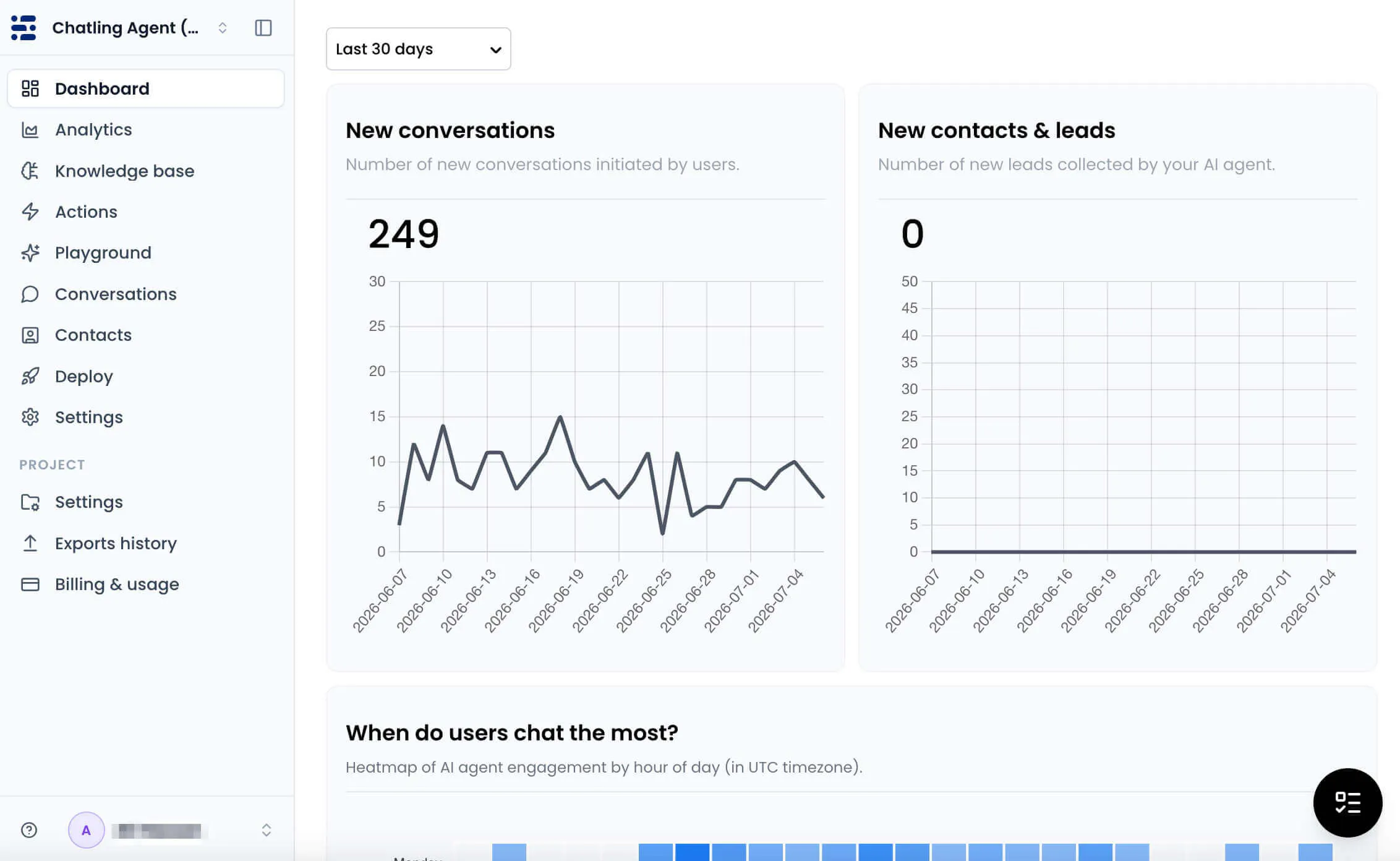
It works well for small teams, ecommerce brands, SaaS companies, agencies, and support teams that need fast answers without hiring more staff. Chatling answers repetitive questions, captures leads, qualifies prospects, and sends complex conversations to a human agent with full context already included.
The biggest value is how much support work sits in one flow. AI handles common questions. Live chat keeps humans close. The knowledge base can resync so answers stay current. CSAT surveys and analytics help customer service teams see what customers ask and where support can improve.
Key features
- AI answers: Answers repetitive customer questions using your business knowledge.
- Human handoff: Moves complex conversations to agents with full context.
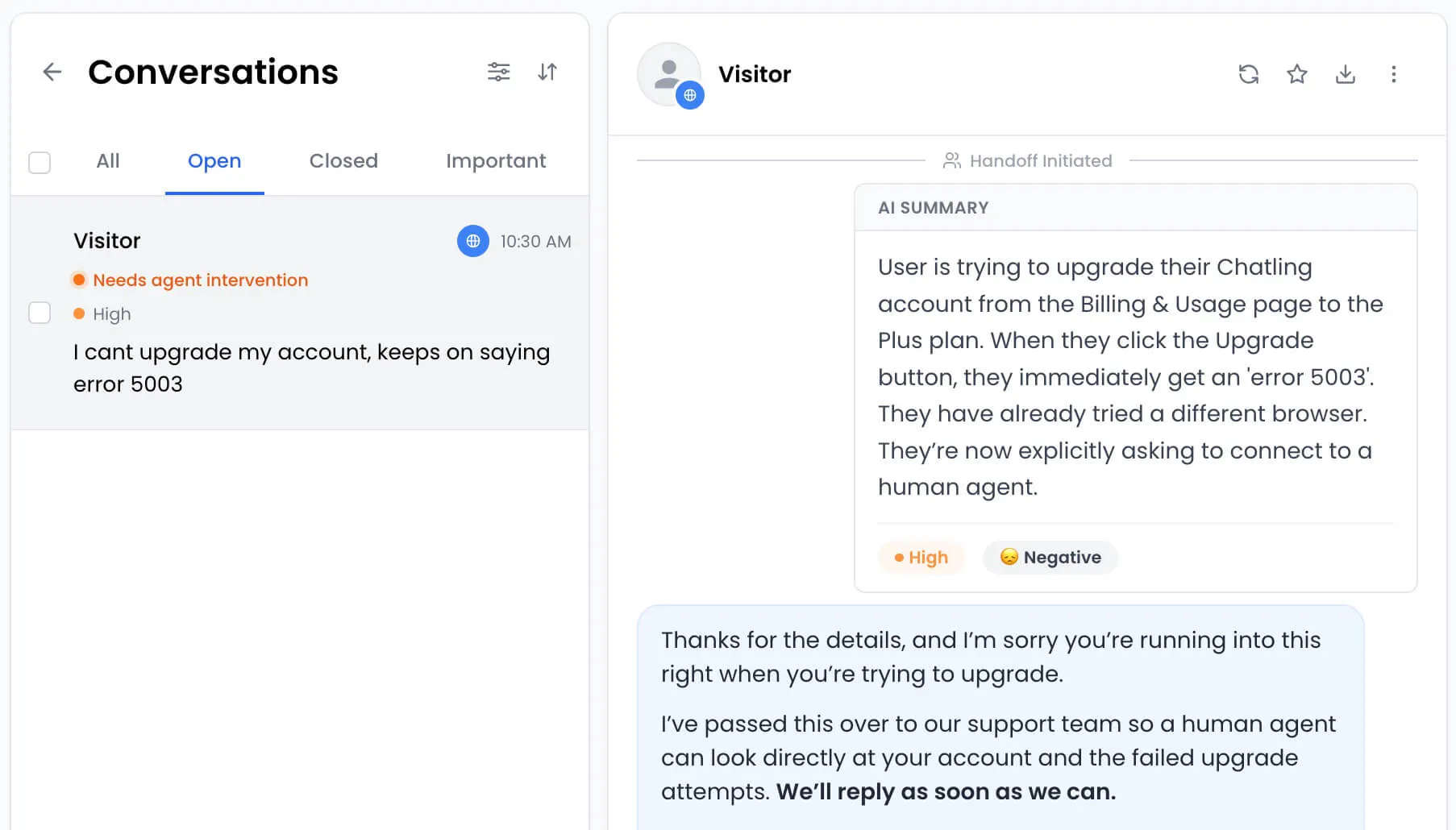
- Omnichannel inbox: Manages web, WhatsApp, Instagram, Telegram, and Messenger chats.
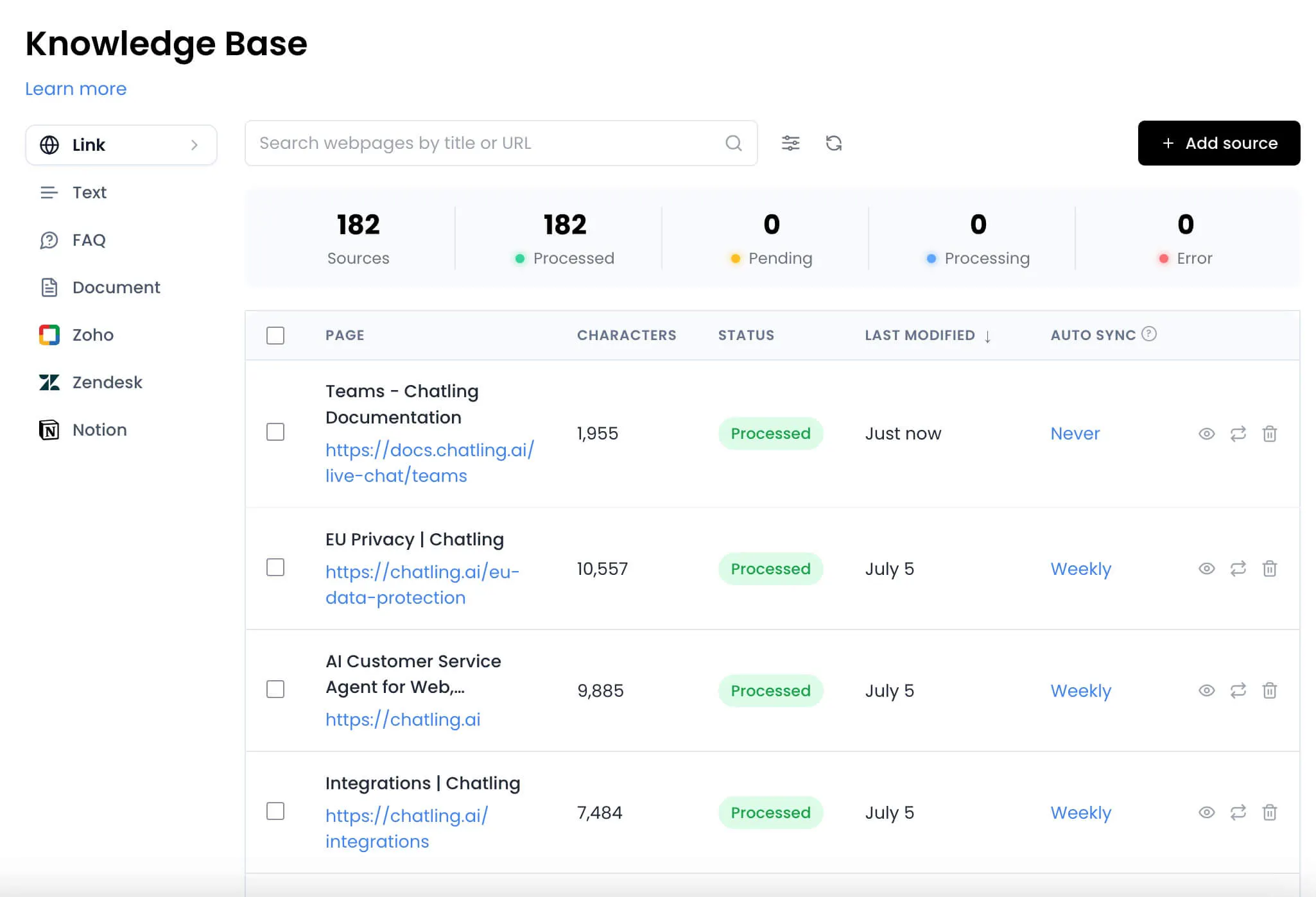
- Knowledge syncing: Keeps AI answers closer to current support content.
- Multilingual support: Communicates in 80+ languages for global coverage.
- Lead capture: Collects and qualifies leads when agents are offline.
- CSAT survey: Measure customer satisfaction and uncover issues post-chat.
- Extensive integrations: Connect with tools like Zapier, Slack, and more for a unified support experience.
Pricing
Chatling has a Free Plan with live chat, unlimited chats, 100 AI credits, 1 seat, 2 AI agents, and 500,000 knowledge base characters. Paid plans include:
- Standard - $40/month: Up to 3,000 AI credits, 3 AI Agents, API access, voice input, auto sync knowledge, analytics and 28 AI models.
- Plus - $140/month: Up to 15,000 AI credits, 5 AI Agents, and includes more advanced features.
- Annual billing saves 20%, bringing Standard to $32/month and Plus to $112/month.
Add-ons are available for extra AI credits, AI agents, seats, and more to customize your plans to meet your specific needs.
Pros
- Fast setup for nontechnical customer support teams
- Strong AI support across social messaging channels
- Handoff summaries help agents reply with context
- Forever free plan for testing AI support
- Supports multilingual communication
- Fully GDPR-compliant for personal information protection
Cons
- Advanced features require paid plans
2. Gladly
Gladly is built around customers rather than tickets. That makes it a strong option for retail, travel, and consumer brands where customers often return with several questions across different channels.
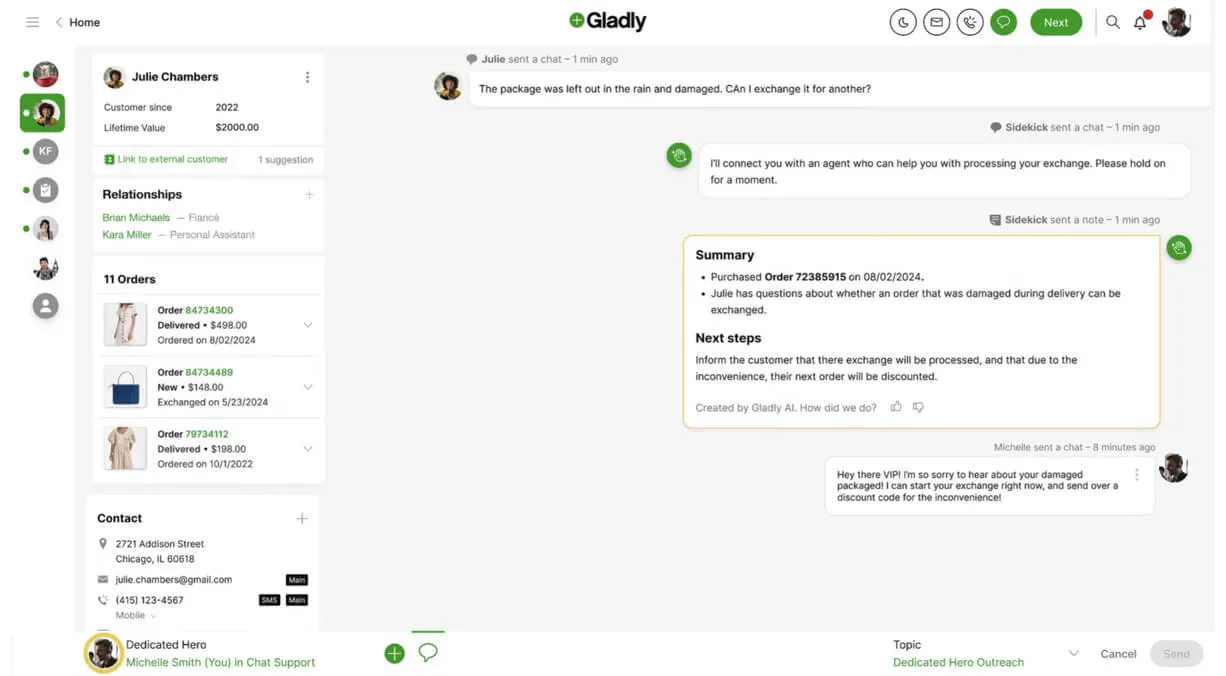
The platform keeps a lifelong conversation history across voice, chat, SMS, email, and social channels, so agents can see the full relationship instead of a pile of separate tickets. Gladly also offers AI that can connect conversations across channels and understand customer context before responding.
Key features
- Customer history: Shows conversations across channels in one record.
- AI support: Helps answer and route customer conversations.
- Voice and messaging: Covers voice, chat, SMS, email, and social.
- Agent workspace: Gives agents context before they reply.
- Routing: Sends conversations to available team members.
Pricing
Gladly does not offer public pricing plans. You can get a customized quote by contacting the sales team.
Pros
- Strong customer history across support channels
- Good fit for consumer service teams
- Agent workspace keeps replies more informed
Cons
- Public pricing is not shown upfront
- Rules can take time to configure
- Reporting may need manual workarounds
3. Dixa
Dixa is a strong omnichannel option for ecommerce teams that want voice, email, chat, WhatsApp, Instagram, Facebook Messenger, and SMS in one support workspace.
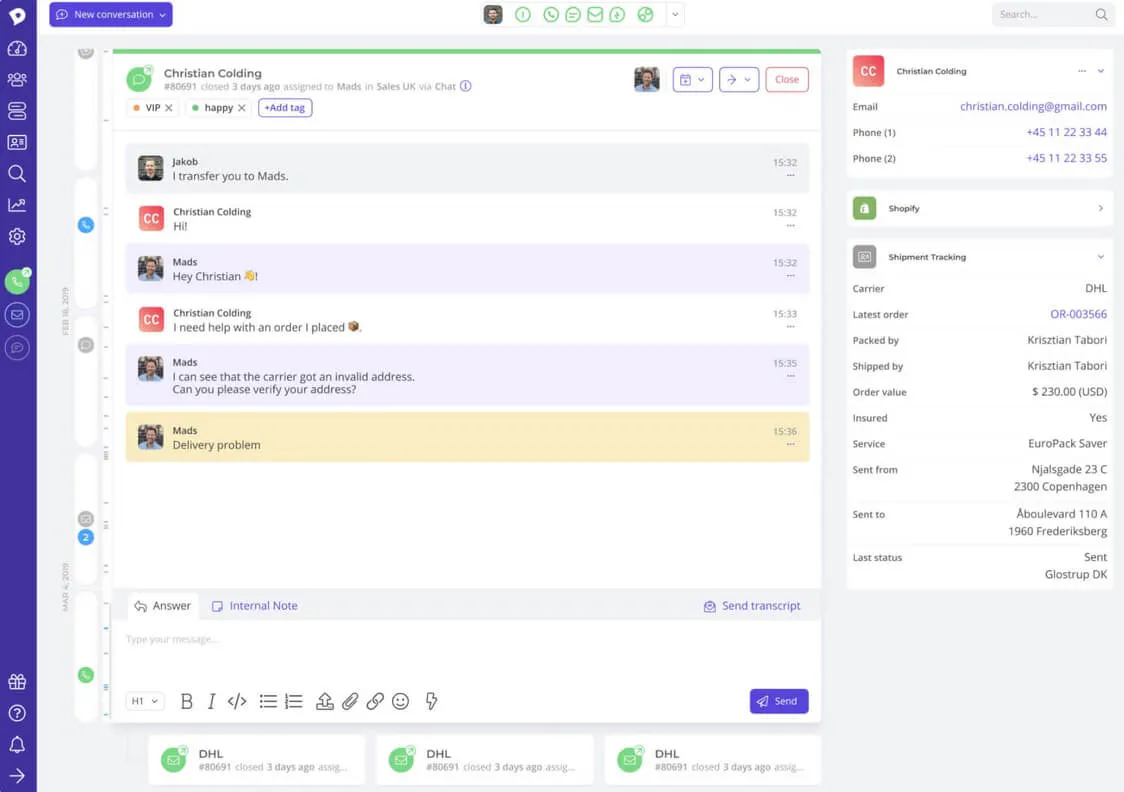
Its inbuilt Mim AI empowers it to handle tasks like refunds, tracking, order changes, and FAQs across chat, email, WhatsApp, Messenger, and SMS. When a human needs to step in, the handoff includes the full conversation and customer context.
Key features
- Native channels: Includes phone, email, chat, WhatsApp, and social.
- Mim AI: Handles ecommerce questions and order related tasks.
- Routing: Sends conversations to the right agent or team.
- Conversation history: Gives agents context before they answer.
- Analytics: Tracks performance across support channels.
Pricing
Dixa offers three paid plans:
- Growth at €109/agent/month, with Knowledge base, Mim AI, Intelligent Routing, etc.
- Ultimate at €169/agent/month, with 3rd party AI integrations, standard AI intent detection, etc.
- Prime at €215/agent/month, with advanced AI insights, SSO, custom user roles, etc.
Pros
- Strong ecommerce tasks through Mim AI
- Phone and messaging work together neatly
- Handoff includes full customer context
Cons
- No open self serve trial available
- Analytics depth may disappoint some teams
- Smaller teams may find it heavy
4. Kustomer
Next on our list of the best omnichannel software is Kustomer.
Kustomer is a good fit for teams that want a full customer record inside support. Instead of treating each ticket as a separate case, Kustomer ties interactions to a complete customer profile so AI and human agents know who they are helping.
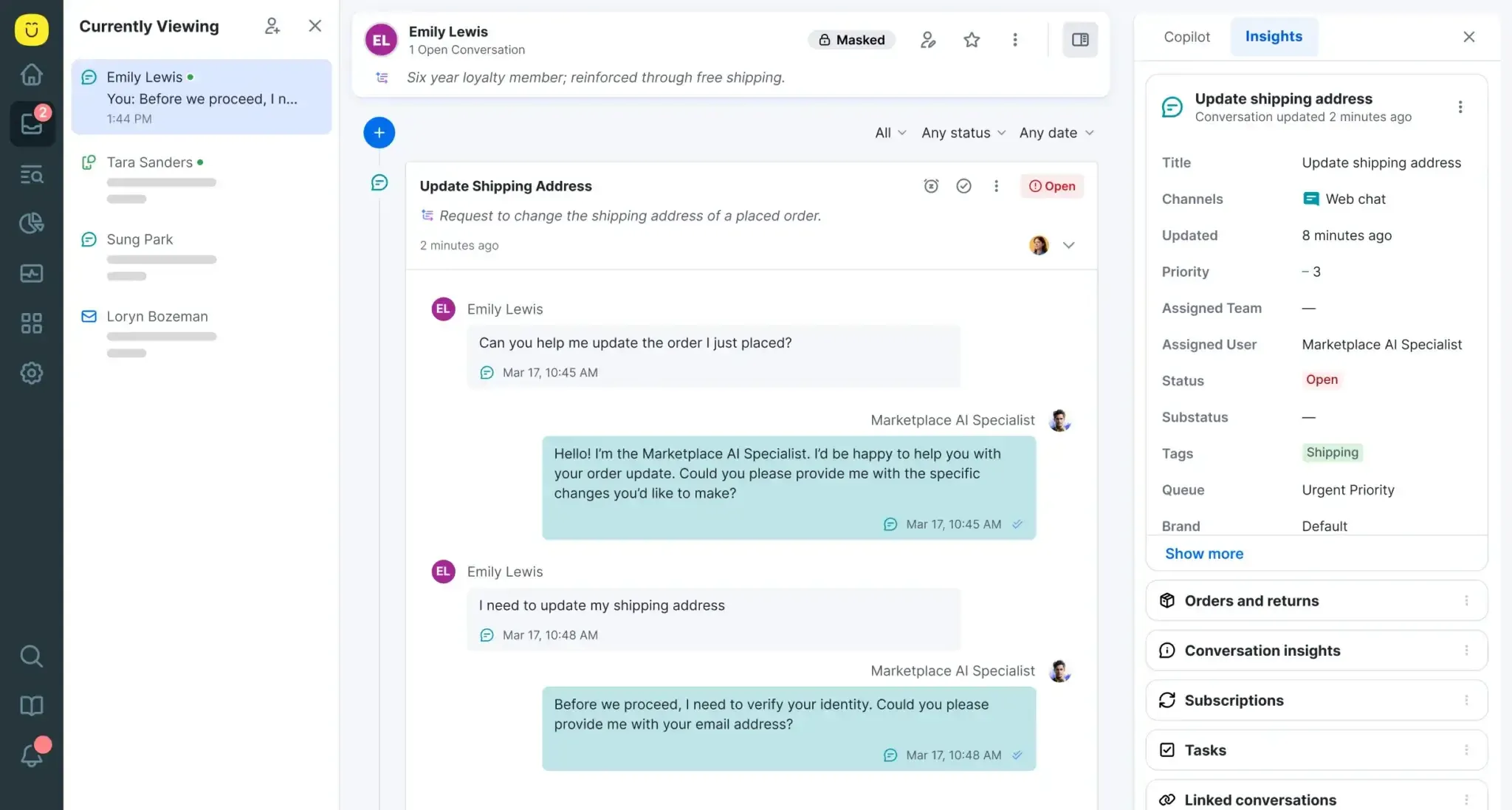
Its timeline is the main reason it belongs in an omnichannel software list. Kustomer can show email and chat conversations, order history, appointments, purchase history, notes, and other data from apps and integrations.
Key features
- Customer timeline: Shows customer data and past conversations together.
- Omnichannel support: Connects conversations across channels and teams.
- Native AI: Supports agents and customer service automation.
- Custom objects: Adds business data to the customer record.
- Search and tags: Helps agents find past issues faster.
Pricing
Kustomer offers a flexible pricing system to suit the specific needs of the business. You can schedule a demo with the sales team.
Pros
- Useful search across older customer conversations
- Tags help agents manage customer context
- Good fit for CRM style support
Cons
- Some users report slower load times
- Survey data can lag for teams
- Public pricing is not shown upfront
5. Sprinklr Service
Sprinklr Service is built for large brands that need customer service across many digital, social, and voice channels. It supports customers across more than 30 voice, social, and digital channels with AI routing, real time agent assistance, and unified customer context.
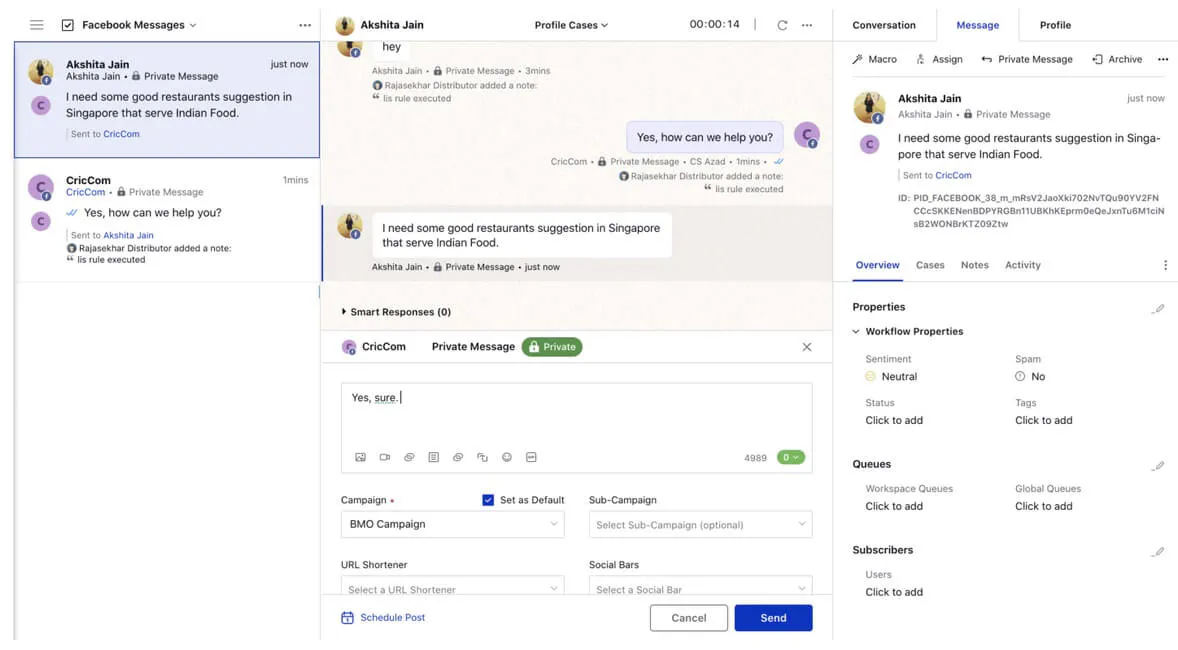
This is not a lightweight inbox for small support teams. Sprinklr is better for enterprises with large social care teams, strict brand rules, several regions, and a need to monitor customer conversations across public and private channels.
Key features
- Social care: Manages large social support operations.
- Digital channels: Covers many voice, social, and digital channels.
- AI routing: Sends customer requests to the right resource.
- Agent assistance: Helps agents respond with more context.
- Analytics: Tracks service performance across large teams.
Pricing
Sprinklr Service pricing is not publicly available. You can contact Sprinklr for a custom quote.
Pros
- Handles many digital and voice channels
- Inbuilt scoring system for continuous improvement
- Integrates with many other contact center solutions
Cons
- Can overwhelm new support users
- Best suited to enterprise teams
- Public pricing is not available
- Setup may need dedicated owners
6. HubSpot Service Hub
HubSpot Service Hub is a strong choice for teams that want customer support connected to sales, marketing, and CRM data. It is AI-powered, omnichannel, and connected to marketing and sales data on a unified customer platform.
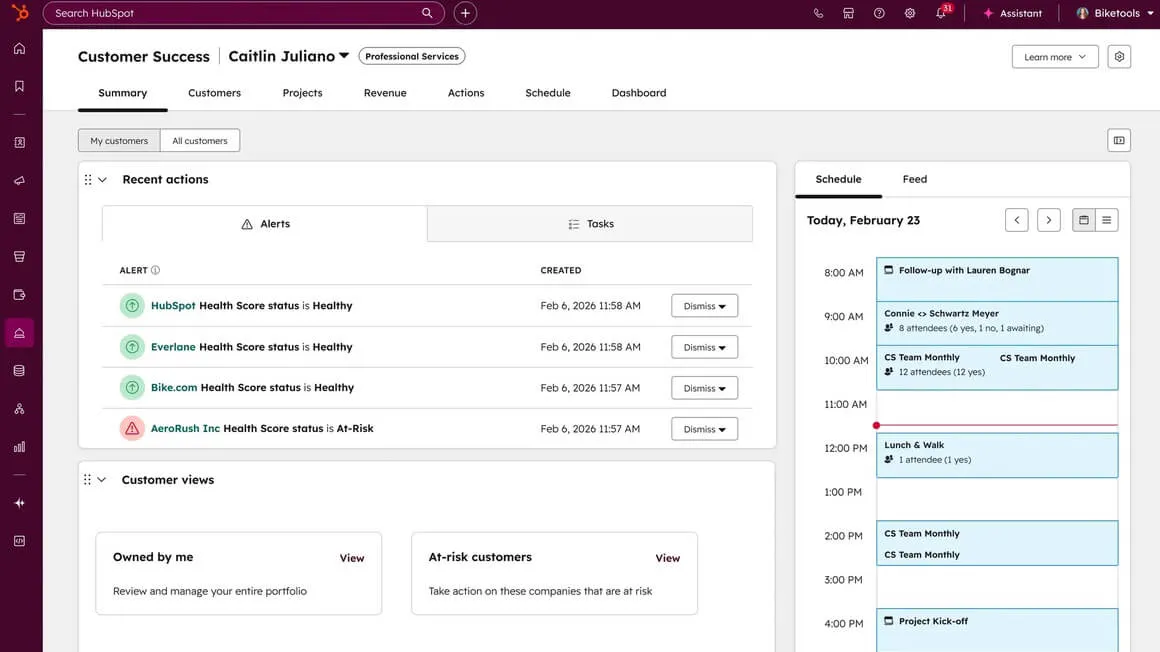
This makes it a good option for growing companies that want support conversations to connect with the rest of the customer journey. Teams can manage tickets, customer communication, call tracking, service analytics, automation, and CRM records in one system.
Key features
- Helpdesk: Manages tickets and customer requests.
- CRM records: Connects support to sales and marketing data.
- Live chat: Lets teams answer website visitors faster.
- Customer portal: Gives customers a place to track requests.
- Service analytics: Shows support performance and customer trends.
Pricing
HubSpot Service Hub has a Free plan. Paid plans include:
- Starter starts at $10/month/seat, with higher limits, live chat branding removal, ticket pipelines, and reporting.
- Professional starts at $100/month/seat, plus $1,500 onboarding, adding AI agents, helpdesk, knowledge base, portal, and surveys..
- Enterprise starts at $150/month/seat, plus $3,500 onboarding, with SLAs, analytics, skill based routing, and advanced controls.
Pros
- Strong CRM context for support teams
- Good for sales and support alignment
- Useful automation inside one platform
Cons
- Advanced plans get expensive quickly
- Customization has limits for complex teams
- Onboarding fees affect real startup cost
7. Zoho Desk
Zoho Desk is a practical option for teams that want omnichannel helpdesk software without enterprise pricing. Its omnichannel page covers email, telephony, instant messaging, social media, live chat, and web forms in a unified interface.
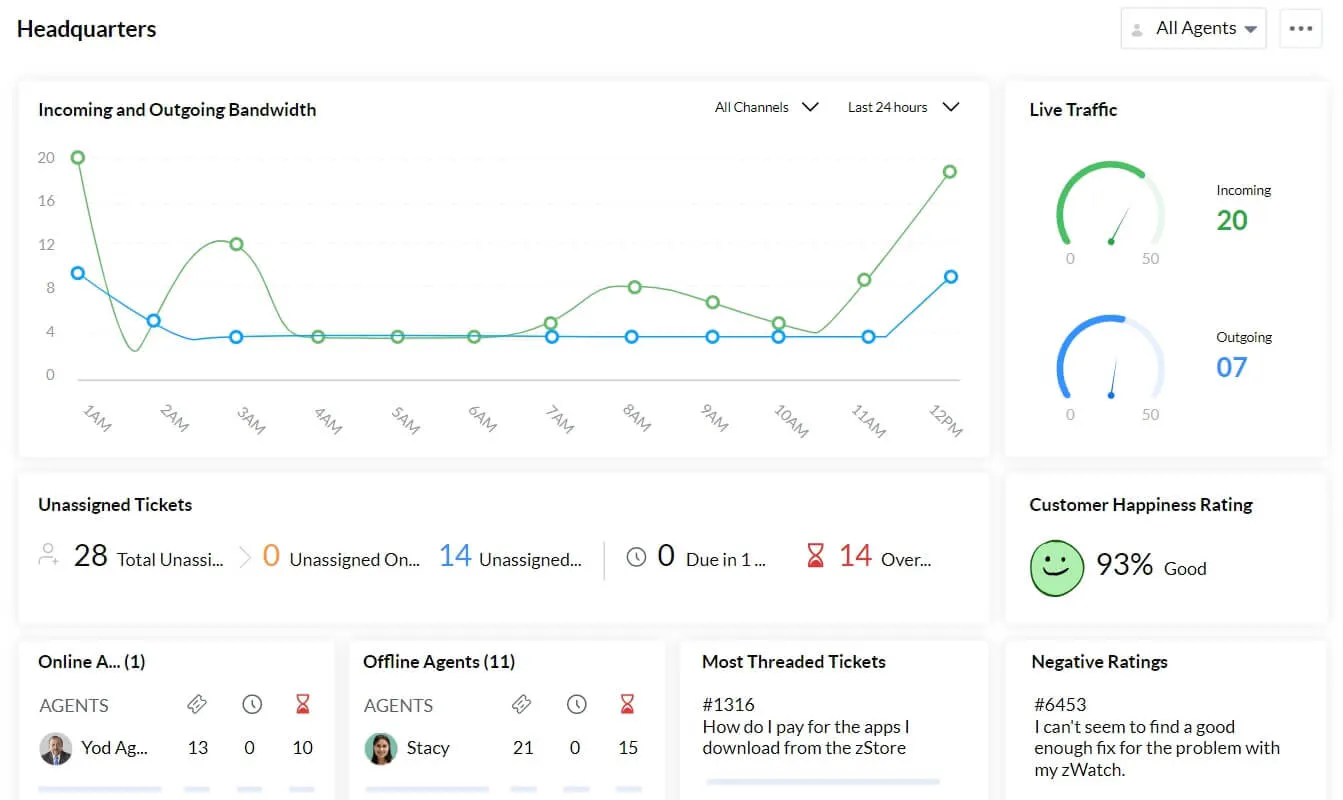
Zoho Desk works well when your team needs tickets, automation, knowledge base content, customer ratings, reports, and several channels in one system. It is also a natural choice for companies already using Zoho apps.
Key Features
- AI support: Automates routine replies and helps agents answer faster.
- Ticketing: Turns customer messages into organized, trackable tickets.
- Deep integrations: Connects with over 360 apps, including the Zoho ecosystem.
- Automation: Routes tickets and reduces repetitive support work.
- Knowledge base: Gives customers and agents approved answers to common questions.
Pricing
Zoho Desk has a free plan for up to 3 users covering basic email ticketing. Paid plans include:
- Express at $9/user/month for email, social media, AI agents, workflows, and ticket history.
- Standard at $20/user/month adds messaging, forums, generative AI, knowledge base, ratings and reports.
- Professional at $35/user/month adds telephony, departments, ticketing and webhooks.
- Enterprise at $50/user/month adds answer bot, AI assistant, live chat, IVR and sandbox.
Pros
- Affordable entry into omnichannel helpdesk
- Strong ticketing for growing support teams
- Works well inside Zoho ecosystem
Cons
- Setup can feel front loaded
- Advanced customization needs ongoing care
- Best AI features sit higher up
How to choose the best omnichannel software
The best omnichannel software depends on how customers contact you, how your team works, and how much support you want AI to handle. Use these points to compare your options.
Start with your busiest channels
Do not choose a tool just because it supports many channels. Choose one that covers the channels your customers already use most.
If most customers contact you through website chat, WhatsApp, and Instagram, look for strong messaging support and fast human handoff. If phone support matters, choose a platform with call routing, IVR, and agent performance reports.
Check how it keeps customer context
Omnichannel support only works when agents can see the full story. Look for past messages, customer details, order history, previous tickets, and AI summaries in one place. Without that context, your team still ends up searching across inboxes, tickets, chat logs, and social tools.
Review the AI support quality
A good AI agent should answer from your website, help center, docs, or knowledge base. It should handle repetitive questions, qualify leads, suggest replies, and summarize conversations. It should also know when to pass a conversation to a human instead of giving weak answers.
Look at human handoff
The best tools do not just move a chat to an agent. They give the agent the full thread, customer details, and a short summary, so the customer does not repeat the issue.
Check reporting and cost
Useful reports should show common questions, response times, resolution trends, channel volume, and CSAT. Also check seats, AI usage, message limits, onboarding fees, add ons, and channel costs before choosing.
Choose omnichannel support that keeps context connected
The best omnichannel software helps customers move across chat, email, social, messaging apps, and phone without starting over. The right choice depends on your channels, support volume, AI needs, and handoff process. For teams that want AI support without enterprise complexity, Chatling is a strong place to start.
Chatling connects AI answers, live chat, lead capture, social messaging, and human handoff in one inbox, so teams can resolve more questions while keeping agents close for complex issues.