In this guide, we review 10 AI chatbot tools built for modern customer service. Our top picks:
- Chatling: Best for fast, omnichannel support automation.
- Fin AI: Best for outcome-based AI resolutions.
- Gorgias AI Agent: Best for e-commerce order support.
Visit the Chatling blog for more guides and comparisons like this.
Looking for the right AI chatbots for customer service?
Customer service teams are under pressure to answer faster without adding more headcount. AI chatbots for customer service help by resolving repetitive questions, pulling from company knowledge, routing complex issues, and handing off to humans when needed.
But not every chatbot is built for modern support. Some still rely on fixed flows, while AI-native tools use generative AI to understand intent and improve over time.
In this Chatling guide, we review the 10 best AI chatbots for customer service for startups, ecommerce platforms, and enterprises looking to improve customer experience and satisfaction.
What are AI chatbots for customer service?
AI chatbots for customer service use artificial intelligence to answer customer questions, automate routine support tasks, and assist human agents. Unlike traditional chatbots that rely on fixed scripts, AI-native chatbots understand natural language, search approved knowledge sources, and respond conversationally.
Most AI chatbots train on your existing content, such as help center articles, website pages, FAQs, product docs, PDFs, and internal support notes. When a customer asks a question, the chatbot uses that knowledge to generate a relevant answer.
The best tools go beyond Q&A. They can collect customer details, qualify leads, summarize conversations, route issues, trigger workflows, and hand off complex cases to agents with context.
AI customer service chatbots vs. traditional chatbots
Traditional chatbots follow predefined flows, buttons, and scripts. They work well for basic FAQs, but struggle when customers ask questions outside the expected path.
AI customer service chatbots are more flexible. They understand intent, pull from approved knowledge sources, and let customers ask questions naturally.
Category | Traditional chatbots | AI customer service chatbots |
Setup | Requires manual flow building | Trains on websites, docs, FAQs, and help centers |
Customer experience | Often feels scripted and limited | Feels more conversational and flexible |
Best for | Basic FAQs and simple routing | Support service automation, resolutions, and handoff |
Maintenance | Needs frequent manual updates | Can sync with updated knowledge sources |
Escalation | Routes based on preset rules | Hands off with context and conversation history |
For a deeper comparison, check our guide on Chatbot vs Live Chat: Which Should You Use for Customer Support?
Top 10 AI chatbots for customer service
1. Chatling
Best for: Non-technical customer service teams resolving high volumes of repeat questions.
Chatling is an AI customer service platform built for teams that want to resolve customer questions, not just deflect them. You can build and deploy AI agents across your website, WhatsApp, Messenger, and Instagram, then manage every conversation from one unified inbox.
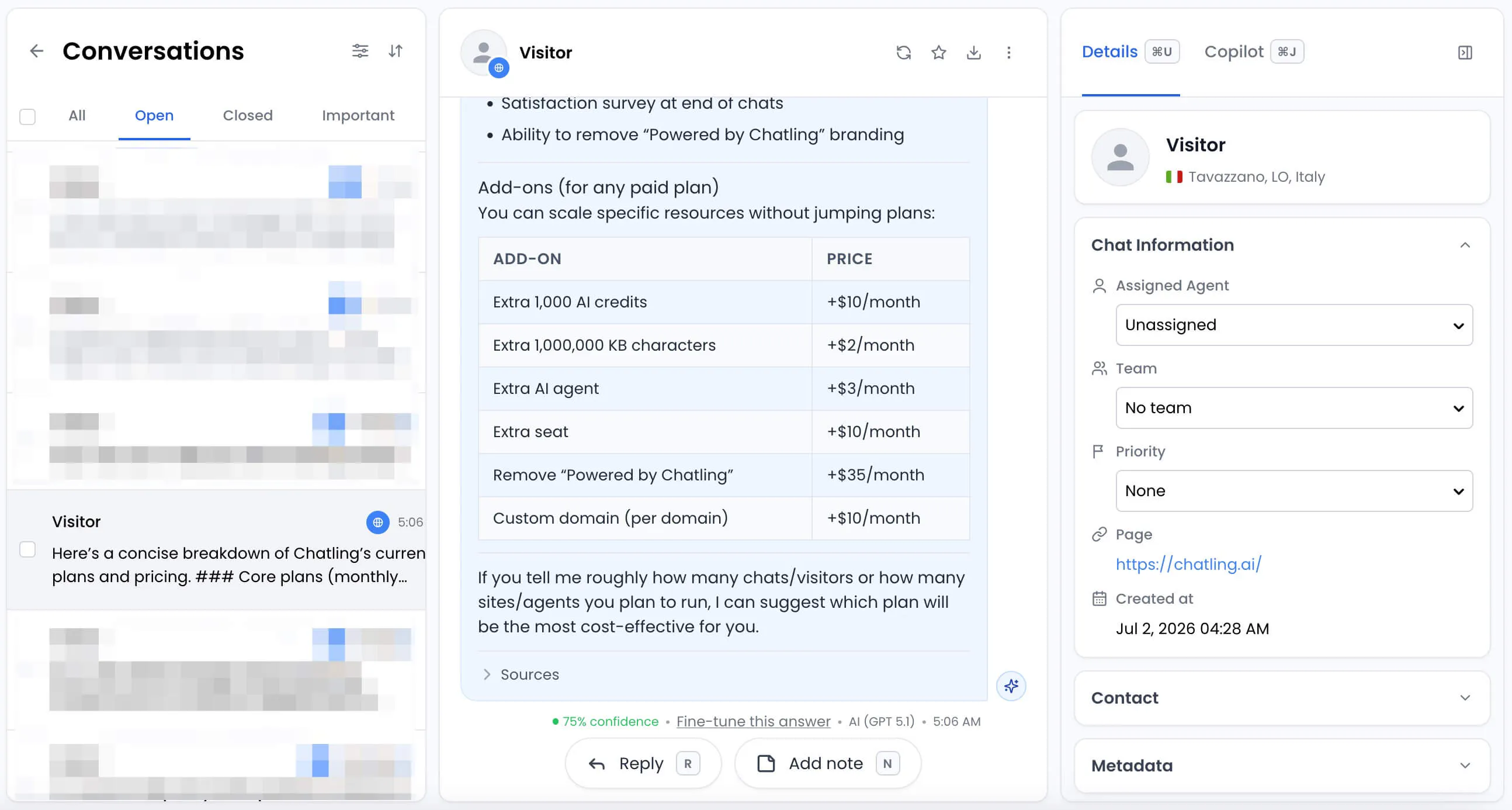
The AI agent trains on your existing support content, including websites, docs, help centers, and knowledge bases. It also auto-syncs with your content, so the AI can keep giving accurate answers as your information changes.
Chatling covers the full support flow for customer service teams, including answering repetitive questions, capturing leads, qualifying prospects, supporting customers in 80+ languages, and handing off complex conversations to live agents with an AI-generated summary.
Overall, it’s a strong fit for teams that want fast setup, affordable plans, lower ticket volume, and scalable support without adding headcount.
Key features
- Auto-syncing knowledge base: Pulls from your website, docs, and help center automatically.
- Model switching: Choose between leading AI providers to balance accuracy, speed, and cost.
- Multilingual support: Communicates with customers in 80+ languages without separate configurations.
- Human handoff: Transfers unresolved conversations to agents with AI-generated summaries.
- Omnichannel support: Deploys AI agents across your website, WhatsApp, Messenger, Instagram, and more.
- Live chat: Lets support teams join conversations and resolve issues directly.
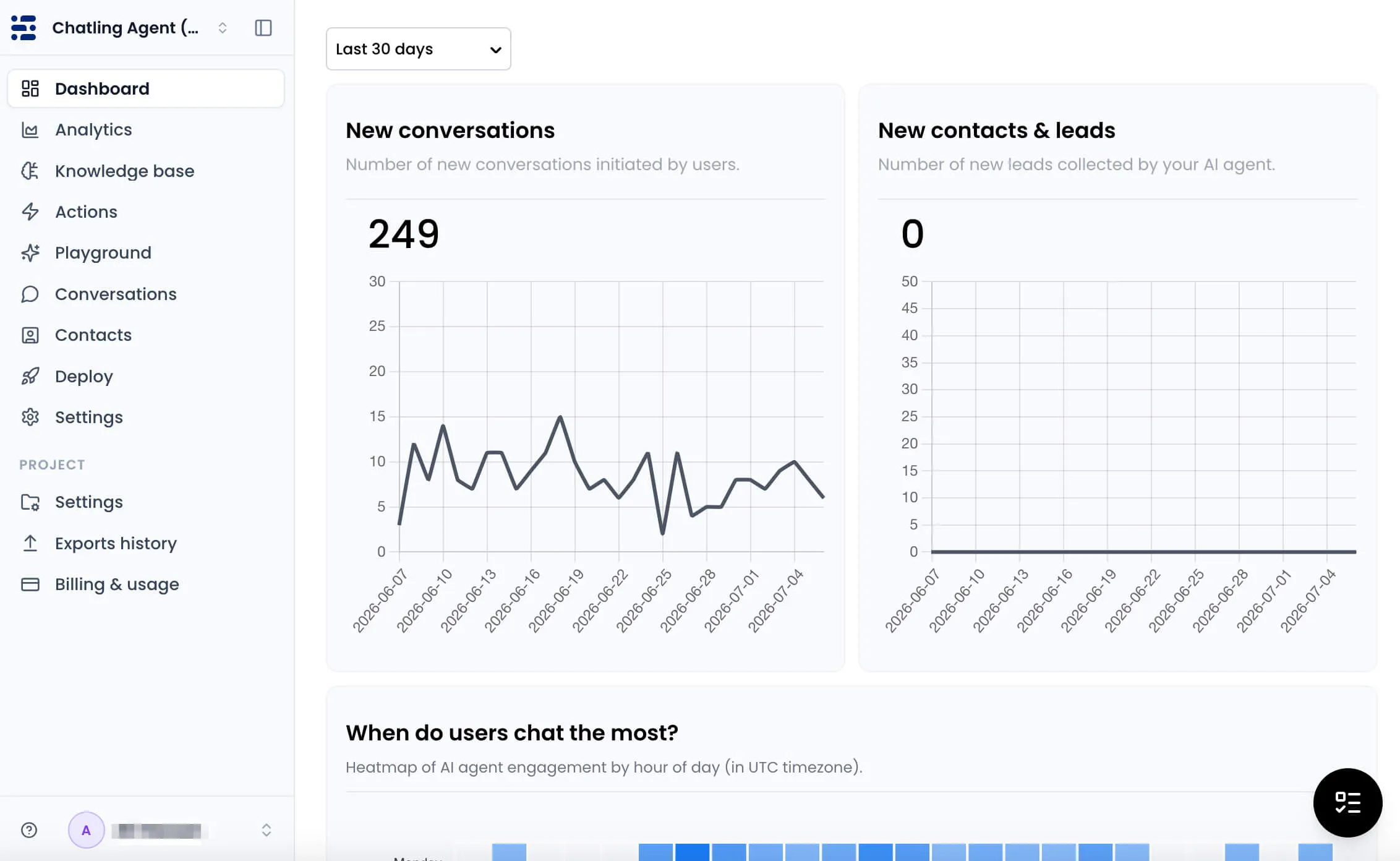
- Reports and CSAT: Built-in chatbot analytics tracks performance, trends, satisfaction, and support improvement opportunities.
Pros
- Free plan with no credit card needed
- Trusted by 1,000+ teams globally
- Easy setup with no-code deployment
- Strong knowledge syncing keeps answers current
- Supports live chat and human handoff
- Fully GDPR compliant
Cons
- Advanced features require paid plans
2. Fin AI
Best for: Teams wanting outcome-based pricing across multiple helpdesk platforms.
Fin is Intercom’s AI Customer Agent built to handle customer conversations across service, sales, and ecommerce.
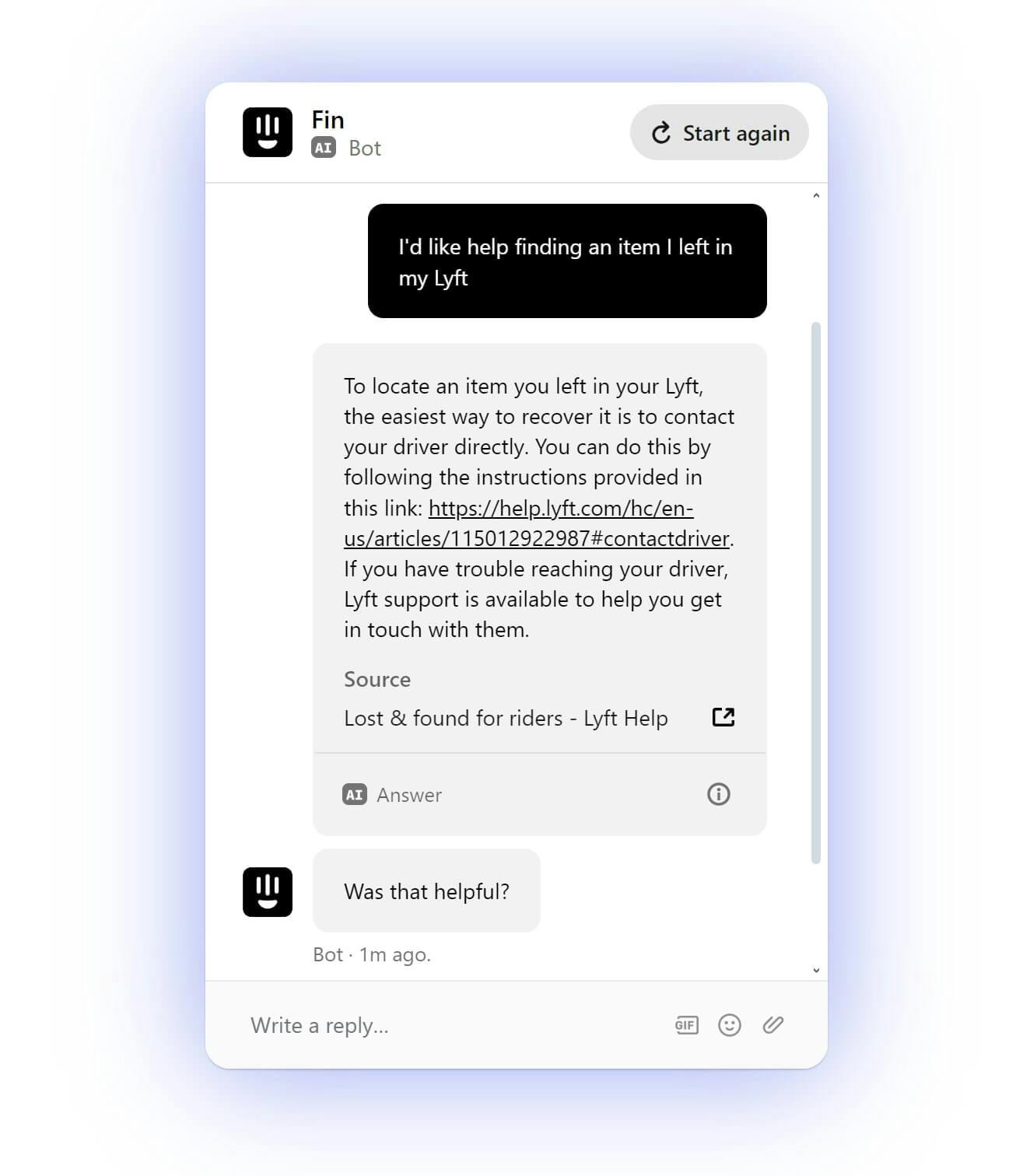
Fin AI can resolve complex support queries for customer service teams across live chat, email, phone, Slack, WhatsApp, and SMS, and transfer conversations to agents when needed. It connects to business tools, can take action on behalf of customers, and is powered by Intercom’s purpose-built Fin model suite.
Key features
- Customer service resolution: Resolves complex support queries accurately across connected customer channels.
- Business tool actions: Connects to tools and takes action for customers.
- Agent handoff: Transfers conversations to agents inside the team’s preferred inbox.
- Customizable responses: Lets teams adjust tone and answer length for conversations.
- Purpose-built AI models: Uses Fin Apex 1.0 for customer experience responses.
Pricing
Fin can work with your current helpdesk for $0.99 per outcome, with a 50-outcome monthly minimum. It also works with Intercom’s Helpdesk from $0.99 per outcome plus $19 per helpdesk seat per month, with a 14-day free trial. Add-ons include Pro at $99/month for analysis of 1,000 conversations/month and Copilot at $35/month per agent.
Pros
- Supports current helpdesk or Intercom Helpdesk
- Built for support, sales, and ecommerce
- Includes agent handoff and inbox transfer
Cons
- Minimum 50 outcomes required each month
- Best value when paired with Intercom
- Premium pricing for high-volume teams
3. Forethought
Best for: Mid-market and enterprise teams wanting multi-agent support automation.
Forethought is a generative AI customer service platform built around multiple AI agents, including Solve, Discover, Triage, Assist, and Agent QA. Its Solve agent acts as an omnichannel AI agent that resolves customer issues from the first message to final resolution.
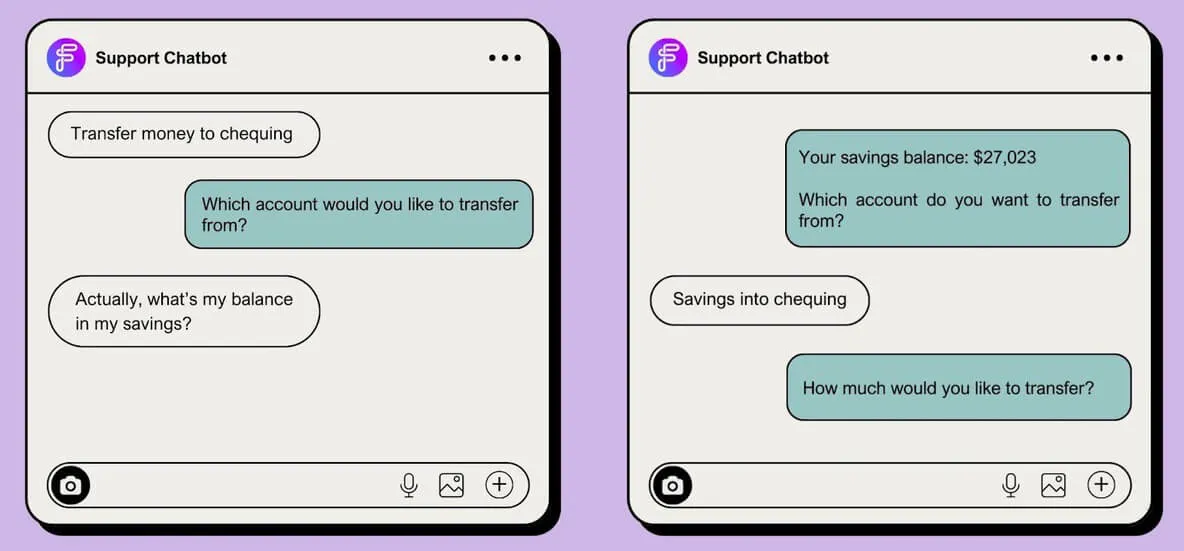
It trains on your helpdesk, knowledge base, CRM, API platform, and historical support data, then uses Autoflows, custom actions, and handoffs to automate support across channels.
Key features
- Omnichannel AI agent: Delivers customer support across chat, email, voice, Slack, and more.
- Autoflows: Creates AI workflows from natural language without manual decision trees.
- Custom actions: Connect APIs to process refunds, update accounts, and more.
- Seamless handoffs: Transfers inquiries to human agents with full conversation context.
Pricing
Forethought offers three quote-based plans:
- Team Plan covers chat and mobile AI agents, Autoflows, custom actions, CSAT, triage, multilingual support, and AI QA.
- Professional Plan adds email, voice, Slack, insights, and custom handoff models.
- Enterprise Plan adds APIs, knowledge gap detection, Autoflow generation, and security controls.
Pros
- Supports multiple AI agents across support workflows
- Uses Autoflows instead of rigid decision trees
- Can take action through connected API endpoints
Cons
- All pricing requires contacting sales
- Built for enterprise teams, not SMB
- Setup is more involved than plug-and-play tools
4. HubSpot Breeze Customer Agent
Best for: Teams already running HubSpot Service Hub Professional or Enterprise.
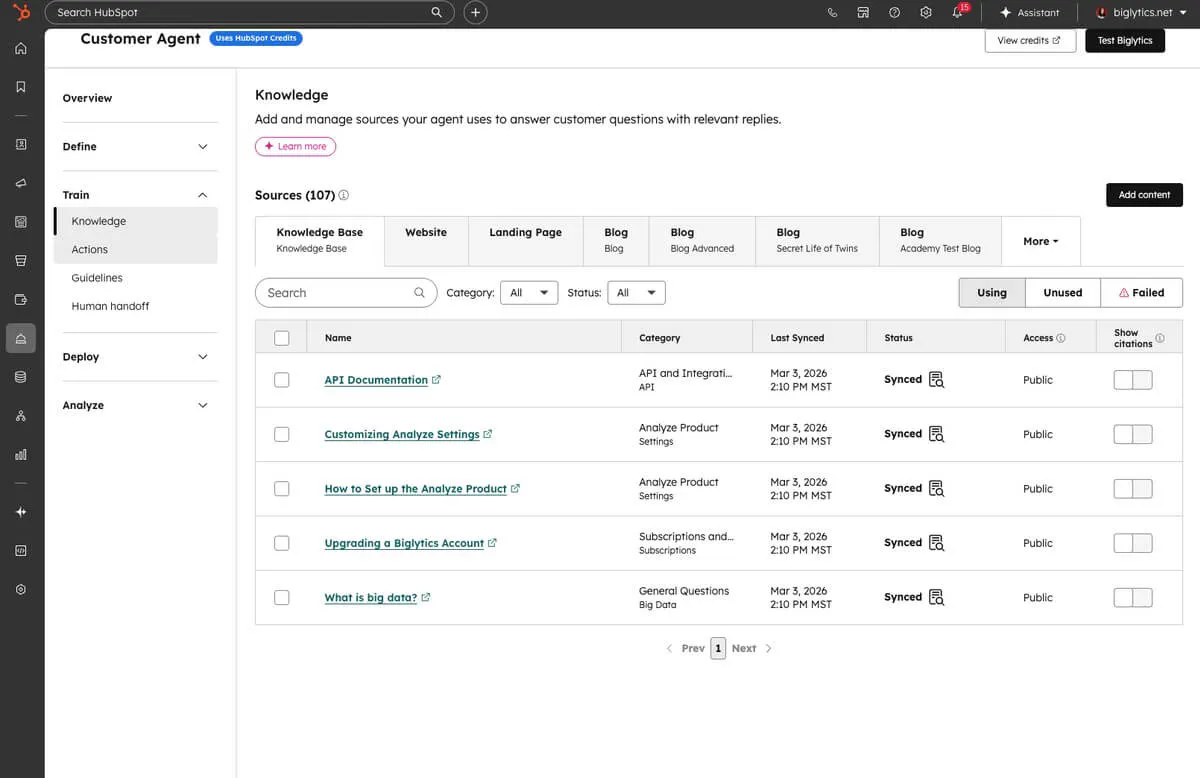
HubSpot Breeze Customer Agent is a 24/7 AI customer service agent that answers questions, qualifies leads, books meetings, and resolves tickets automatically. It uses approved company content, customer history, and past conversations to respond in your company’s voice.
Key features
- 24/7 support: Responds instantly with answers drawn from customer history.
- Verifiable answers: Uses approved content and cites sources in responses.
- Human handoff: Recognizes when conversations need a team member’s help.
- No-code setup: Answers questions from synced content, URLs, and uploaded files.
Pricing
Breeze Customer Agent is priced at $0.50 per resolution. A resolution happens when the agent provides support, and the conversation is not handed to a human rep for 72 hours or when the agent qualifies a lead. It is included in Professional and Enterprise subscriptions and runs on HubSpot Credits.
Pros
- Native HubSpot CRM integration
- No coding or third-party setup needed
- Supports support, sales, and lead qualification
Cons
- Pricing depends on resolved conversation volume
- Best suited for HubSpot ecosystem users
- Advanced actions require extra setup.
5. Zoho Zia
Best for: SMBs already running on Zoho's ecosystem for support operations.
Zia is Zoho Desk’s AI for customer service. It helps customers get 24/7 support through Answer Bot, which uses your knowledge base to provide quick responses across your website and messaging channels.
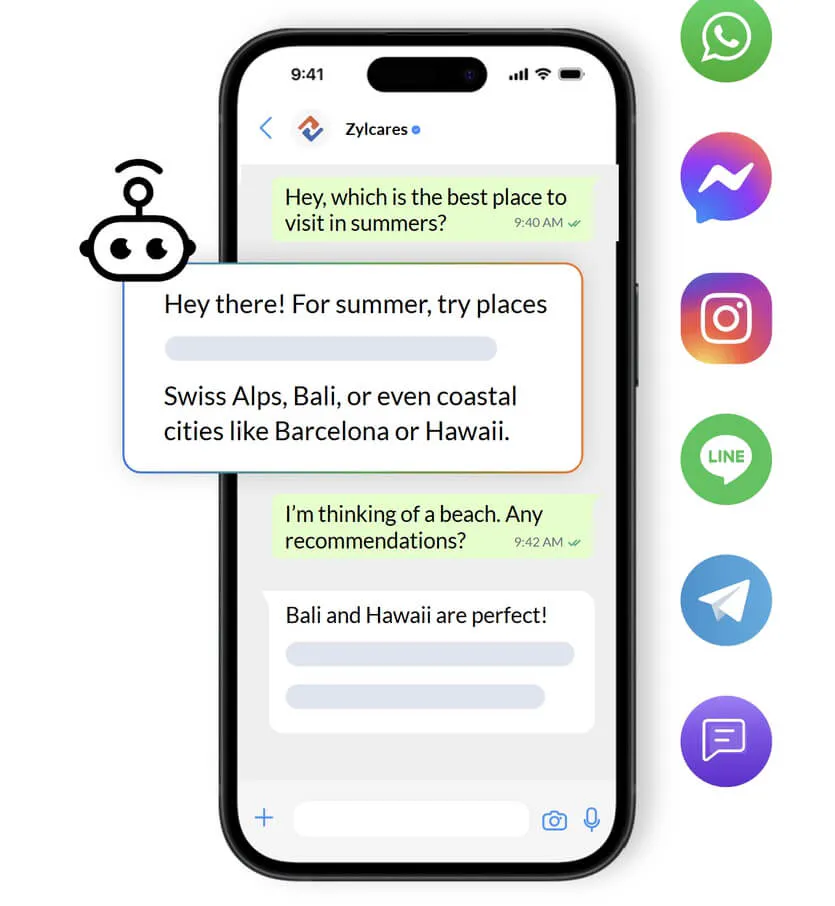
Zia can also surface similar tickets, suggest relevant articles, help agents write replies, summarize tickets, analyze tone, update ticket fields, and power AI agents for different support needs.
Key features
- Answer Bot: Uses your knowledge base to answer customer questions across channels.
- Generative AI: Supports chat summaries, tone analysis, reply assistance, and content generation.
- Guided Conversations: Adds AI blocks to low-code self-service chatbot flows.
- Zia dashboards: Tracks AI support insights and unusual ticket activity.
Pricing
Zoho Desk includes a free plan for up to three agents. Paid plans include:
- Express ($9/user/month): Covers microbusiness essentials.
- Standard ($20/user/month): Adds business messaging, knowledge base, self-service widget, reports, and generative AI.
- Professional ($35/user/month): Adds telephony, multilingual help center, custom actions, and webhooks.
- Enterprise ( $50/user/month): Adds Answer Bot, AI support assistant, live chat, and Guided Conversations.
Pros
- Strong ticket automation and field updates
- Built directly into Zoho Desk
- Supports both customer-facing and agent-facing AI
Cons
- Best fit for Zoho Desk users
- Answer Bot and Advanced AI support require Enterprise plan
6. Crisp
Best for: European SMBs wanting privacy-focused, no-code multichannel AI support.
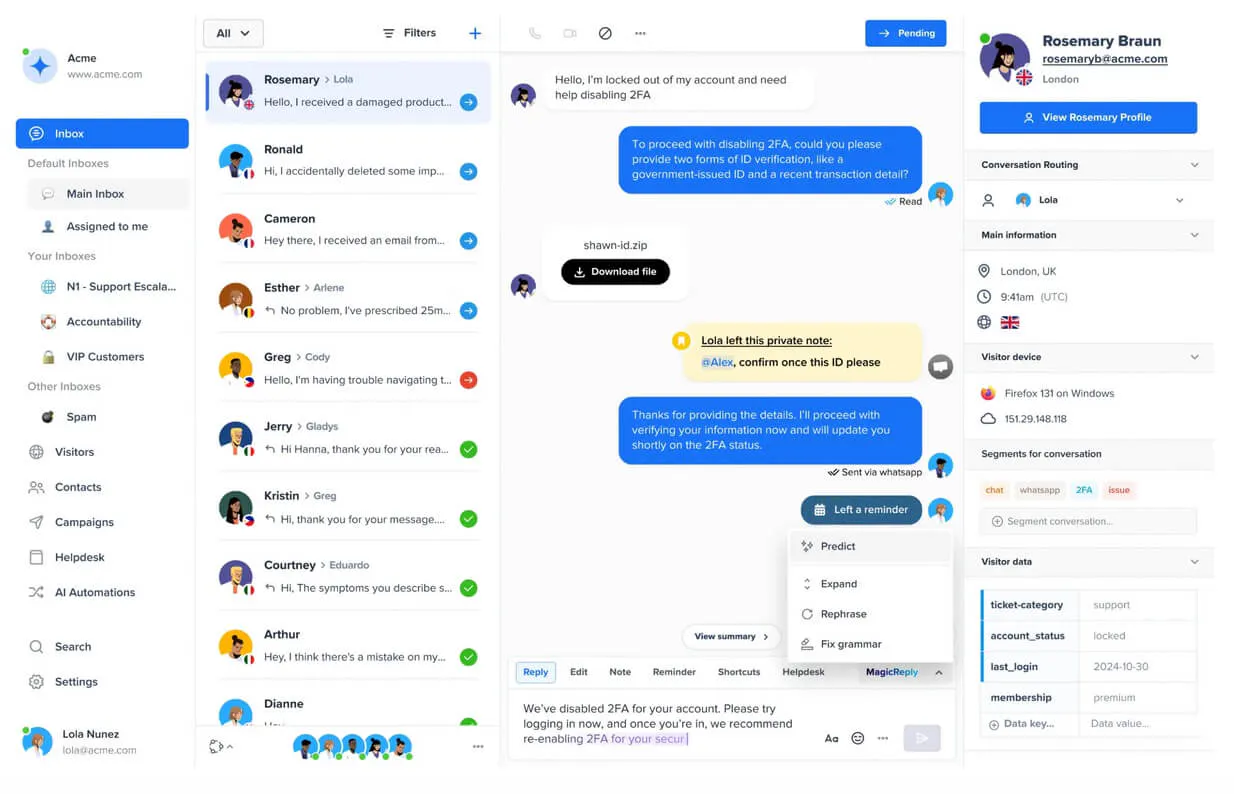
Crisp is an omnichannel customer support platform that combines AI chatbots, live chat, and support teams in one workspace. Its AI assistant, Hugo, helps resolve tickets, reduce workload, automate repetitive tasks, and serve customers around the clock.
Key features
- Multiple training sources: Website content, knowledge base articles, current conversation context, Q&A snippets, and file imports.
- No-code chatbot builder: Drag-and-drop scenarios with workflow templates for teams.
- Hugo AI assistant: Resolves tickets, reduces workload, and automates repetitive support tasks.
- Chatbot API: Connect external LLMs like OpenAI, Anthropic, Llama, or Dialogflow.
Pricing
Crisp offers a limited free plan, alongside three paid plans:
- Mini ($45/month/workspace) with four seats and $5 in AI credits.
- Essentials ($95/month/workspace) with omnichannel inbox, AI chatbot, and $25 in AI credits.
- Plus ($295/month/workspace) with AI support suite, 20+ seats, ticketing, 100+ integrations, and $75 in AI credits
Pros
- Trains AI from several content sources
- Includes no-code chatbot workflow builder
- Offers full-featured 14-day free trial
Cons
- Omnichannel AI chatbot starts on Essentials
- Plus plan needed for AI-first support suite
- Pricing is per workspace, not per seat
Looking for the best Crisp alternatives? We covered the top options in this guide.
7. ChatBot by Text
Best for: Ecommerce and SMB teams wanting predictable per-seat AI pricing.
ChatBot by Text is a data-driven AI chatbot for customer service, sales, and ecommerce support. It helps customers with AI-generated replies, 24/7 support, product recommendations, abandoned cart recovery, and multichannel communication.
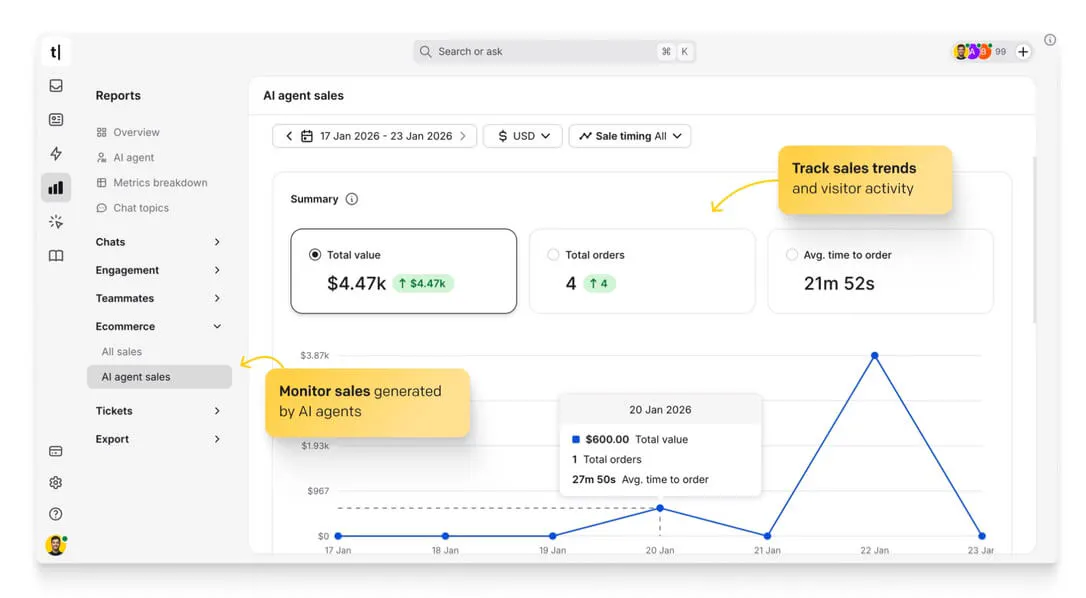
The AI agent trains on your website and other knowledge sources, then lets teams tune answers, build flows, analyze chats, and hand conversations to human agents when needed.
Key features
- AI-generated replies: Instantly answers customer questions using your business knowledge sources.
- Multichannel support: Supports website, Messenger, SMS (Twilio), Shopify, Slack, and more.
- Sales automation: Recommends products, resolves doubts, and recovers abandoned carts.
- Human handover: Transfers routine-to-complex conversations to agents with full context.
Pricing
ChatBot by Text offers three plans:
- Essential ($25/user/month): Includes one AI agent, 10 AI resolutions, AI Copilot, inbox, ticketing, workflow automation, and Shopify selling.
- Growth ($99/user/month): Offers 10 AI agents, 200 AI resolutions, summaries, chat supervision, team reports, and unlimited chat history.
- Enterprise is custom with tailored AI agents, workflow automation, engineering support, etc.
Pros
- Includes visual chatbot flow customization
- 14-day free trial on all paid plans
- Strong Shopify and ecommerce automation features
Cons
- AI resolutions are capped per plan
- Chat supervision and team takeover require higher plans
8. Gorgias AI Agent
Best for: Ecommerce brands on Shopify needing AI-powered order management.
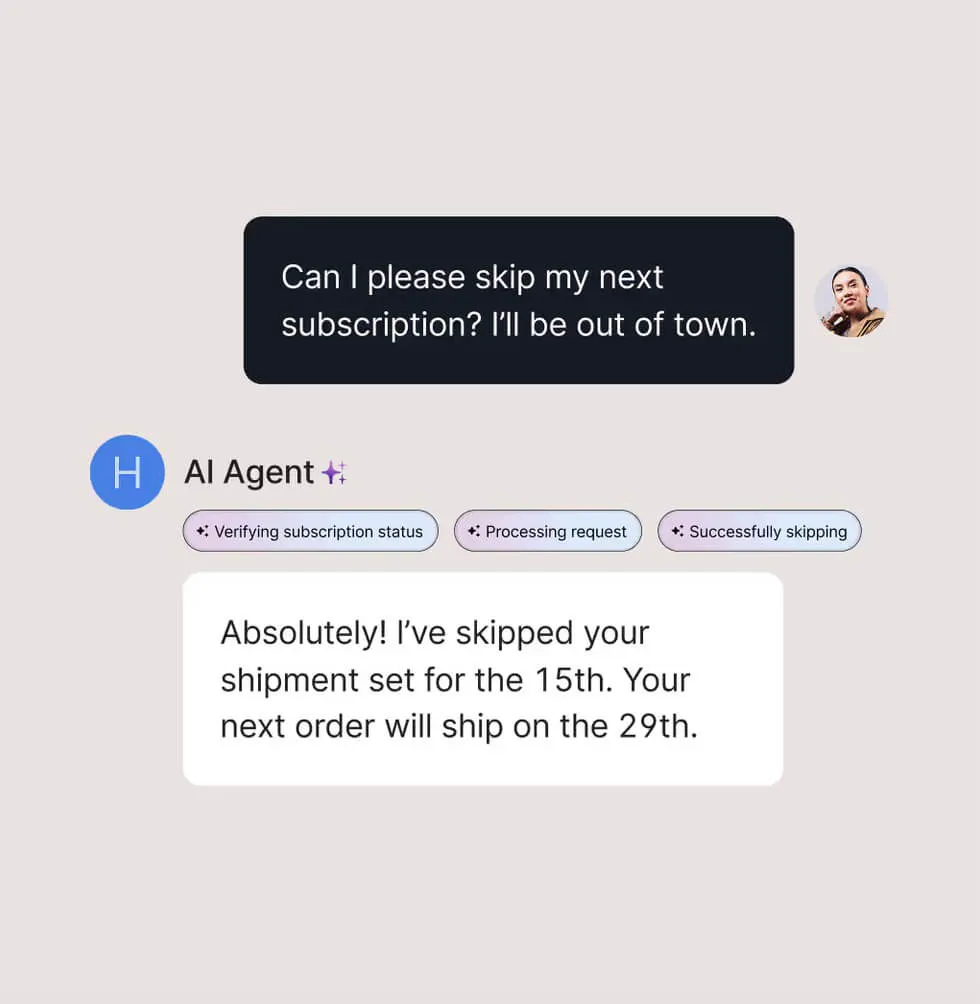
Gorgias is the AI-powered conversational platform built specifically for ecommerce, especially Shopify brands. Its AI Agent has two skills: Support Agent for service inquiries and Shopping Assistant for sales conversations. The AI is trained on your store catalog, inventory, policies, and brand voice from day one.
Key features
- Context-aware triage: Classifies ticket intent, urgency, permissions, and escalation needs.
- Brand voice control: Uses customizable tone settings to stay on-brand.
- Order management: Handles tracking, cancellations, returns, refunds, and order edits.
- Sensitive issue escalation: Escalates sensitive requests based on configured guidance.
Pricing
Gorgias Helpdesk is available on four paid plans:
- Starter: From $10/month for 50 tickets.
- Basic: From $50/month for 300 tickets.
- Pro: From $300/month for 2,000 tickets.
- Advanced: From $750/month for 5,000 tickets.
AI Agent is available via email and chat at $1 per resolved conversation, charged only for fully automated interactions.
Pros
- Real-time order modification capabilities
- Native ecommerce platform integrations
- Charges only for fully automated resolutions
Cons
- AI Agent is limited to email and chat
- AI Agent is priced separately from standard plan
- Limited fit for non-ecommerce businesses
9. LivePerson
Best for: Large enterprises in finance, retail, healthcare, and telco verticals.
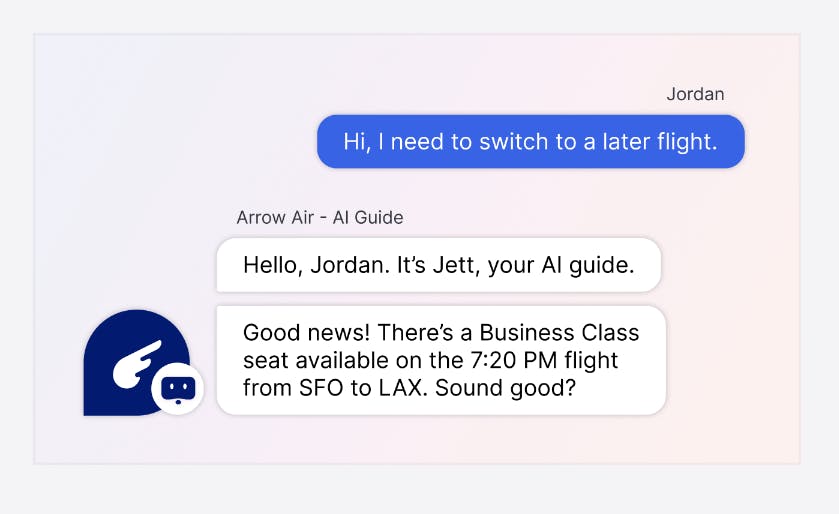
LivePerson is a conversational AI platform that enables businesses to engage customers through messaging, voice, and chatbots across various channels. Their Conversational Cloud integrates AI and human agents to deliver personalized, real-time interactions at scale.
Key Features
- Intent Manager: Real-time analytics on customer intent and conversation patterns.
- Conversation Builder: No-code chatbot builder for tailored conversational journeys.
- Generative AI enhancements: Convert webpages, PDFs, and FAQs into dynamic interactions.
- Bot Human Tango: Seamless handoff between AI and human agents in one workspace.
- Integration Hub: Connects CRM, scheduling, orders, inventory, payments, and telephony systems.
Pricing
LivePerson offers custom pricing across three plans: Bronze, Silver, and Gold. Exact quotes depend on business needs. You can request a demo to receive tailored pricing information.
Pros
- Strong focus on conversational AI workflows
- Supports human and bot collaboration
- Includes intent analytics and bot optimization
Cons
- Limited flexibility for non-technical users
- Can be resource-intensive to set up initially
- Best suited for messaging-heavy support teams
10. EverHelp
Best for: Teams that want AI and outsourced human support combined.
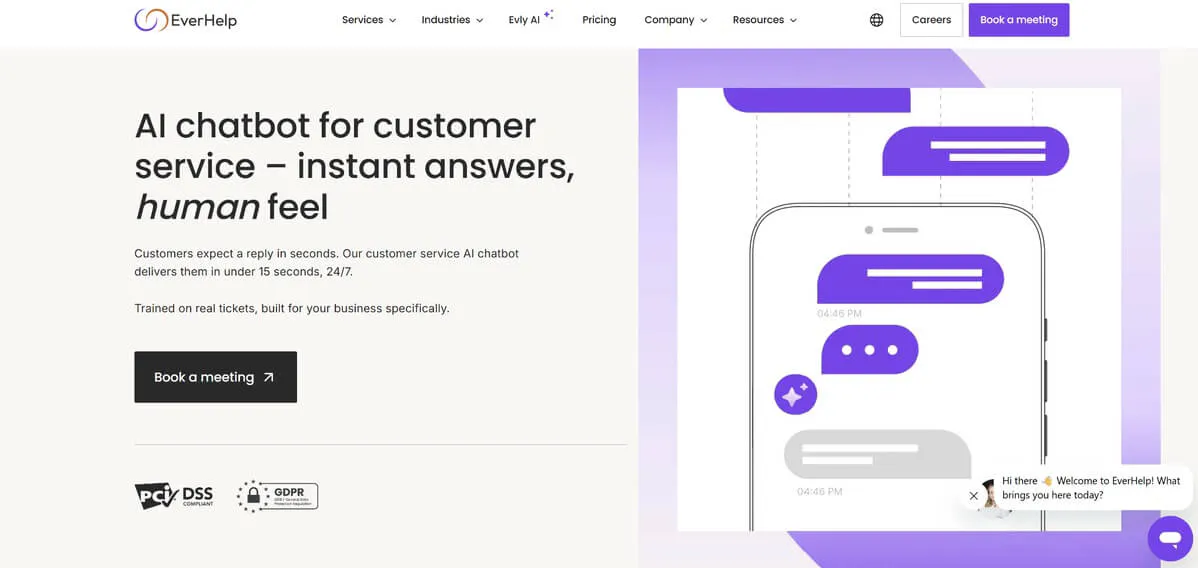
EverHelp offers an AI chatbot for customer service that delivers instant, natural support across channels. It is trained on real tickets and built around each business’s support needs, helping teams automate routine requests, answer customers instantly, and escalate complex issues with full chat summaries attached.
Key features
- Ticket-trained chatbot: Trains on real tickets and your business support data.
- Smart escalation: Routes complex conversations to agents with full chat summaries.
- Omnichannel support: Covers web chat, email, WhatsApp, Messenger, and Instagram.
- Multilingual support: Responds in 95+ languages without separate bot setups.
Pricing
EverHelp uses quote-based pricing across three support models:
- Shared Team for early-stage companies.
- Dedicated Team for ongoing, brand-specific support with AI integration as an add-on.
- Talent Only for businesses with existing support infrastructure that need extra agents.
Pros
- 15-second first response time
- Supports smart handoff with summaries
- Covers common support and account requests
Cons
- Pricing is available only by quote
- AI integration is only available as an add-on
- Setup requires more scoping and tool integration.
Criteria for choosing the right AI chatbot for customer service
The right AI chatbot should fit your support workflow, answer accurately, and make it easy for customers to get help without creating more work for your team. Here’s a list of what to look out for:
- AI answer quality: The chatbot should understand customer intent, pull from approved knowledge sources, and give accurate, helpful answers. Look for tools that let you train and consistently update the AI on your website, help center, docs, FAQs, and support content.
- Channel coverage: Choose a chatbot that supports the channels your customers already use, like your website, email, WhatsApp, Instagram, Messenger, or live chat.
- Ease of Integration: Look for a chatbot that is easy to add to your website and connect to the channels your customers already use. With tools like Chatling, the setup can be as simple as adding a website widget and connecting the channels you need. See our guide on how to integrate a chatbot into your website.
- Human handoff: A strong AI chatbot should know when to escalate. It should transfer complex conversations to a live agent with the full chat history, customer details, and a clear summary.
- Security: For handling personal information or engaging with international customers, the chatbot needs to adhere to privacy regulations to ensure data security. Look for chatbots that are compliant with regulations like GDPR and CCPA.
Resolve more customer questions with Chatling
The best AI chatbot for customer service depends on your channels, ticket volume, team size, and how much control you need over automation. This guide covered tools built to answer questions, reduce repetitive work, support human agents, and improve customer experience at scale.
For teams wanting fast setup, a knowledge-base-driven AI agent, omnichannel reach, and a forever free plan to start with, Chatling fills a gap most enterprise platforms leave open. It trains on your docs and policies, deploys across your website, WhatsApp, and Instagram, and hands conversations to a human when the AI reaches its limit.
Sign up for free and start resolving more support questions with Chatling today.