This guide covers 13 practical strategies for reducing customer churn, along with churn rate benchmarks and a revenue-weighted churn formula many guides overlook. Read on for the full breakdown, and visit our blog for more practical guides like this.
Customer churn is costing you more than you think
Customers rarely leave all at once. Churn builds through slow onboarding, unanswered questions, poor support, or small frustrations left unresolved.
Benchmarkit’s 2025 report found that companies spent a median of $2 in sales and marketing to gain $1 of new customer ARR. That makes churn an expensive, preventable problem for subscription businesses.
In this Chatling guide, we’ll cover 13 strategies for reducing churn at the source, including onboarding, support quality, payment recovery, and early warning signs.
What is customer churn?
Customer churn is the rate at which customers stop doing business with you over a set period, usually shown as a percentage:
Churn rate = (Customers lost during a period ÷ Customers at the start of that period) x 100
If you start the month with 500 customers and lose 20, your churn rate is 4% (20 divided by 500, times 100).
This formula treats every customer equally, which can hide bigger losses. Revenue churn gives a clearer view:
Revenue churn = (Revenue lost to churn ÷ Total revenue at the start of the period) x 100
If your 20 lost customers include your three biggest accounts, revenue churn may be much higher than customer churn. That gap should drive urgency.
Types of customer churn
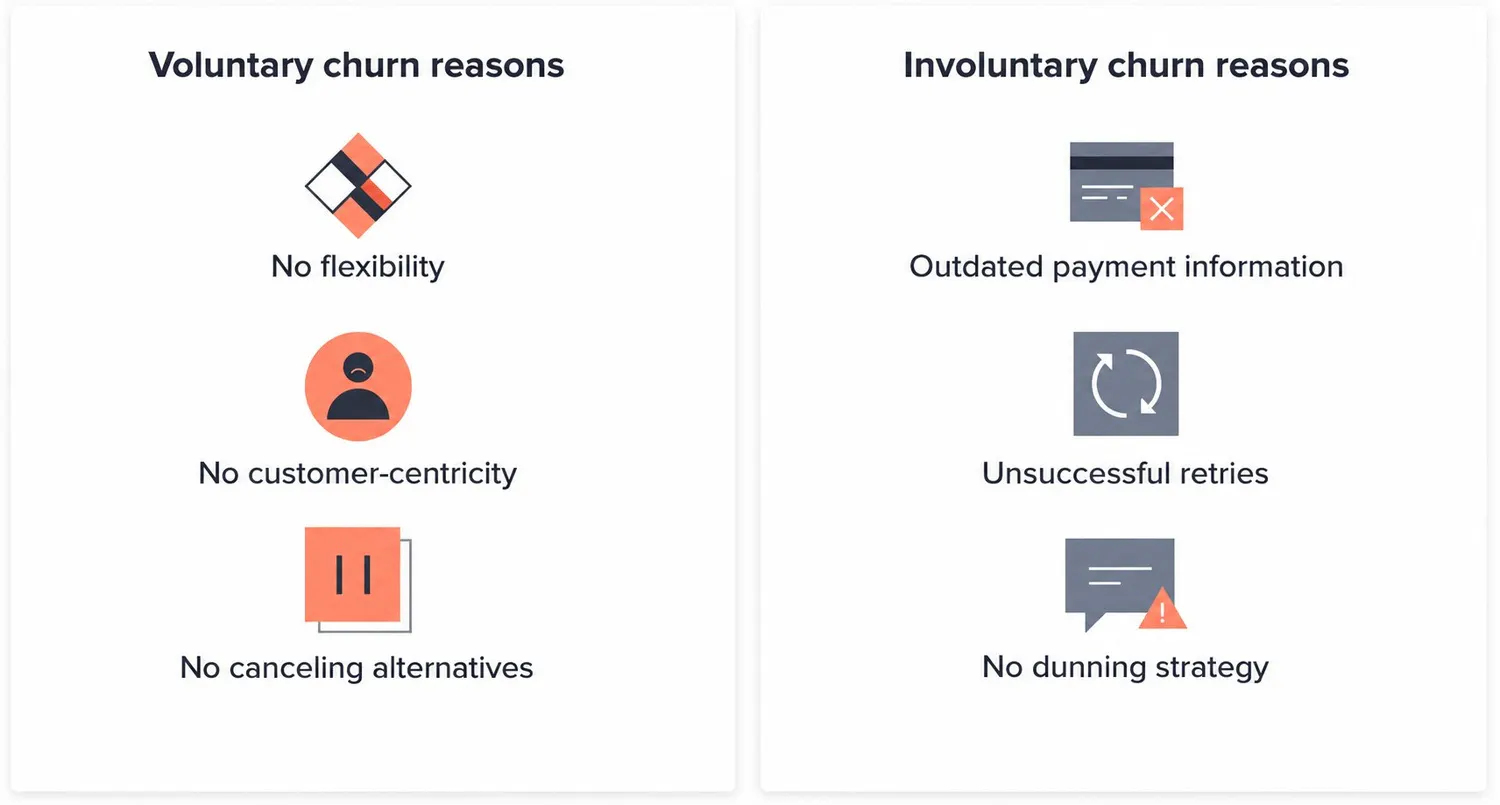
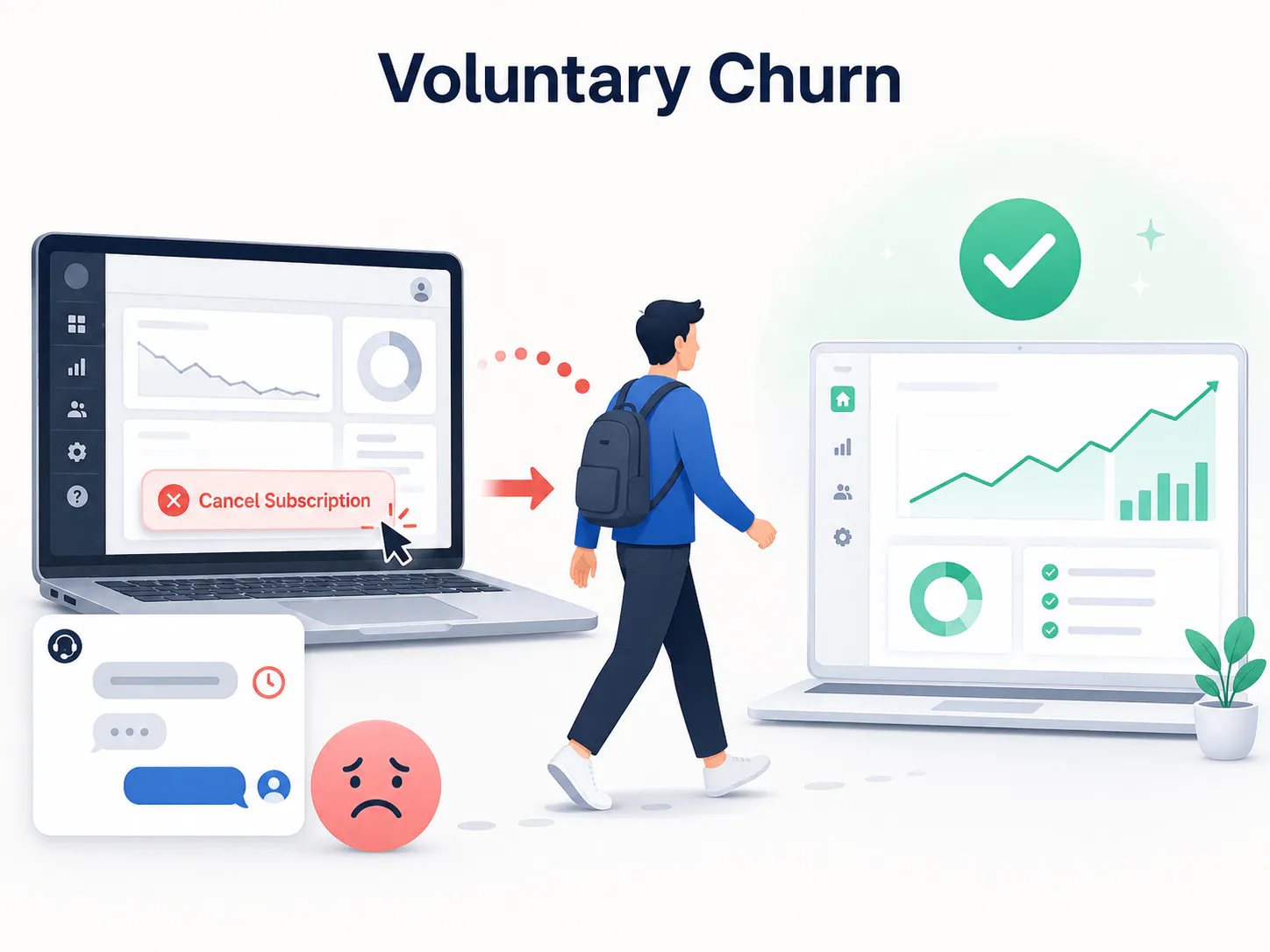
- Voluntary churn: This occurs when a customer chooses to cancel, often due to poor product fit, weak support, or a better competitor offer.
- Involuntary churn: Happens without an active decision, usually because of failed payments, expired cards, or billing errors.
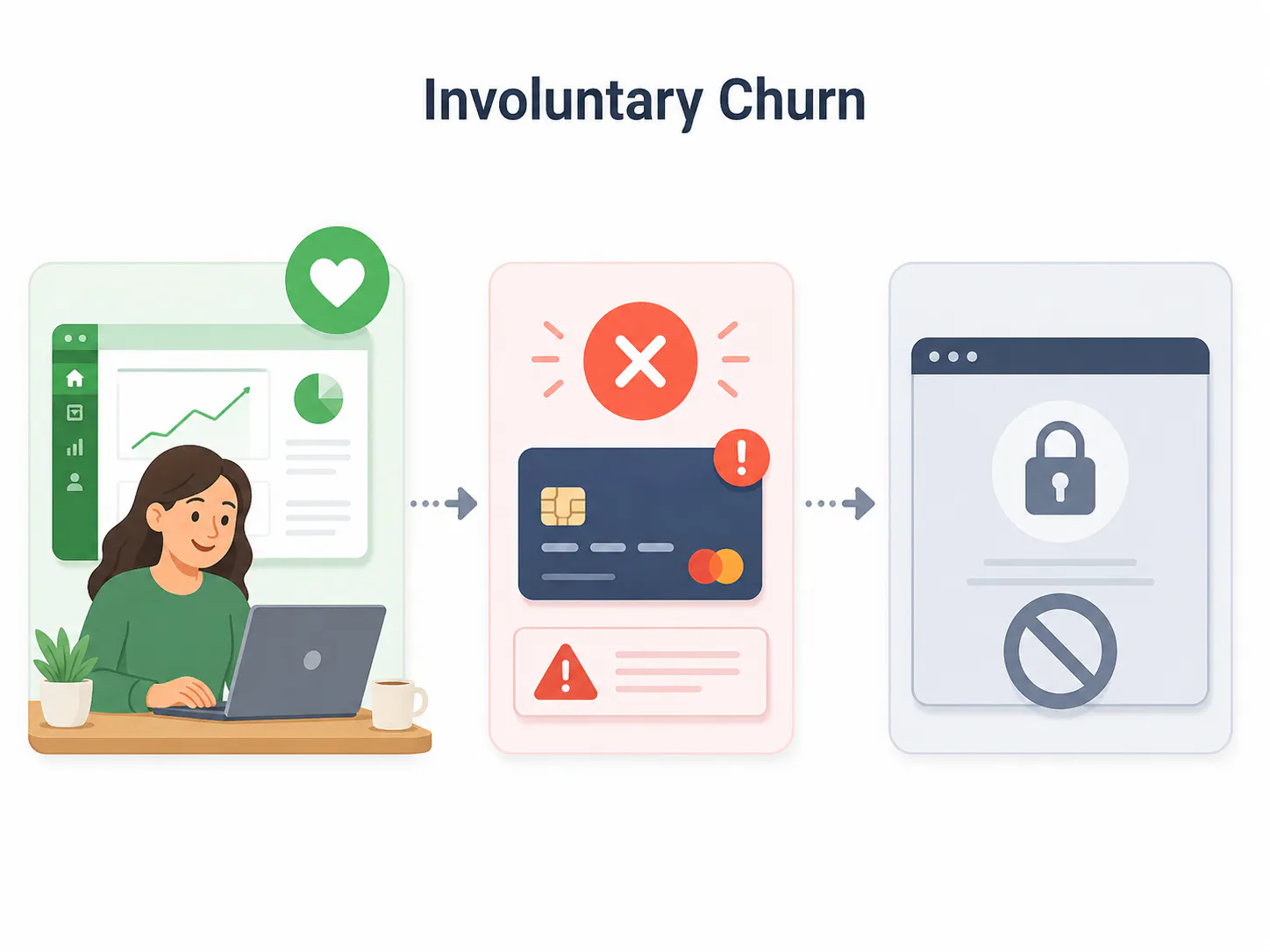
Some teams also track contractual churn, where a customer cancels a subscription, and non-contractual churn, where they stop buying, logging in, or using the product.
For most subscription SaaS businesses, voluntary and involuntary churn cover the main day-to-day issues. Non-contractual churn matters more for usage-based pricing.
Note: The churn type determines the fix. A card decline needs payment recovery. A bad support experience needs a service fix. Treating both the same wastes effort.
What's a good churn rate?
Generic "3 to 8 percent" benchmarks get repeated everywhere, but the healthy range shifts depending on company stage and plan price:
- Early-stage or low-ACV SaaS (plans under $50/month): Monthly churn in the 3 to 5 percent range is common and not immediately alarming.
- Mid-market SaaS: Annual churn between 5 and 7 percent is the widely cited healthy range.
- Enterprise or high-ACV SaaS: Annual churn under 3 percent is the target, since each account represents a much larger share of revenue.
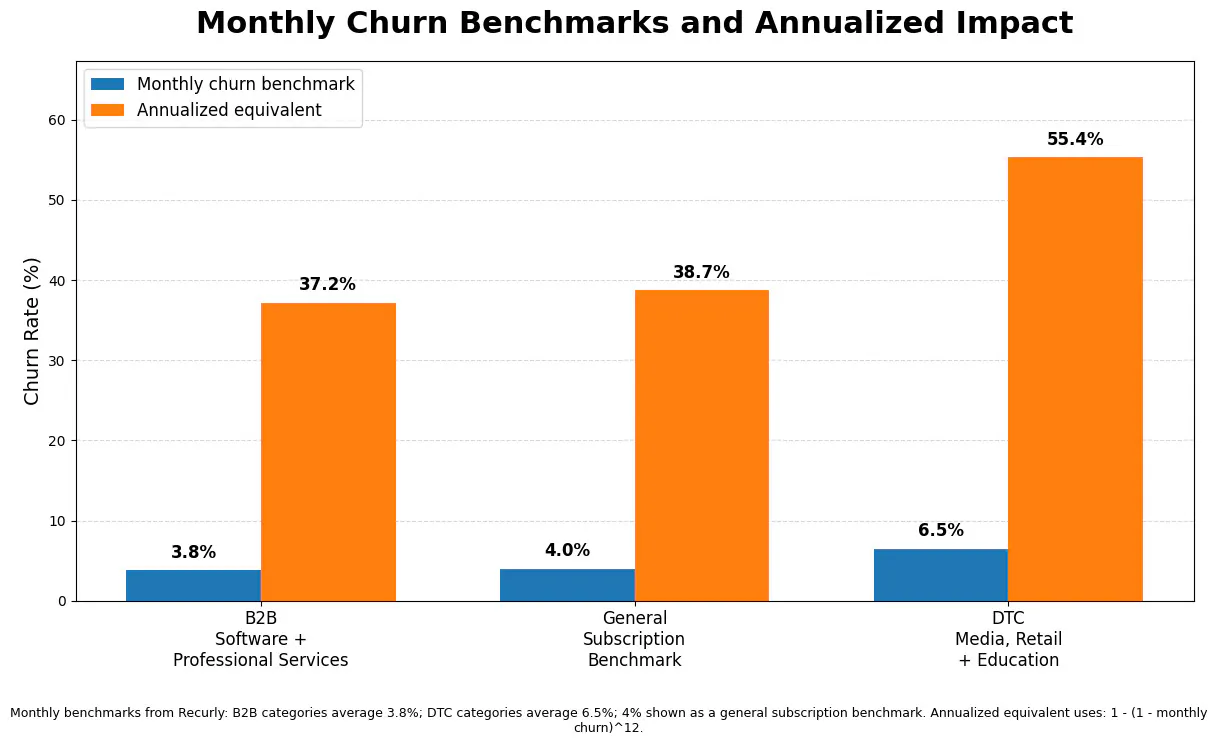
Treat these as a sanity check, not a scoreboard. A 6 percent annual churn rate on a $20-per-month plan and a 6 percent annual churn rate on a $2,000-per-month enterprise contract represent very different amounts of at-risk revenue, which is exactly why the revenue churn formula above matters more than the raw percentage.
Why reducing customer churn matters
Churn cuts directly into customer lifetime value, which is the total revenue a customer brings over their relationship with you. Forrester data shows that current customers drive 61% of B2B revenue through renewals and expansion. When customers leave early, you lose future revenue, referrals, and the chance to recover acquisition costs.
SnapDownloader saw this play out directly. After adopting Chatling to handle support at scale, the team cut ticket volume by 45%. Response quality stayed consistent throughout the transition, and that kind of consistency is what protects lifetime value quarter after quarter.
How to reduce customer churn
Reducing churn comes from a series of specific changes across onboarding, support, and how you respond to early warning signs. Here are 13 strategies that address customer churn at each of those stages.
1. Fix onboarding drop-off points
Most churn is decided in the first few weeks. If a customer struggles to get early value, they rarely stick around long enough to see the benefits later.
Here's how to find and fix it:
- Map every onboarding step, from account creation through the first meaningful action a customer takes.
- Pull usage data to find the specific screen or step with the steepest drop-off, not just an overall completion percentage.
- Add a targeted intervention there, like a checklist, a short walkthrough, or a chat prompt offering help the moment a user pauses too long.
- Re-measure completion rate to confirm the fix worked, then repeat for the next biggest drop-off point.
The step most correlated with long-term retention is rarely account creation itself. It's usually a specific action, like inviting a teammate or connecting a data source, that shows real product use. A targeted prompt there beats a generic onboarding email.
2. Set a first response time benchmark and track it
Slow support responses can push customers closer to canceling. An unanswered question makes your business feel hard to reach when something goes wrong.
Set a clear response-time benchmark, such as replying to new conversations within a set number of minutes. Track how often you hit it, since averages can hide delays on urgent tickets.
If your team keeps missing the target, improve triage before adding staff. Simple questions should be answered instantly, while complex ones should reach the right person faster.
Still, don’t optimize for deflection alone. A customer blocked from reaching a human is not retained, they are just quiet until they cancel. Track resolution, escalation quality, and customer satisfaction instead.
3. Build a self-service knowledge base that stays current
Customers often try to solve their own problem before contacting support. An outdated help center pushes them straight into a support queue, or worse, to a cancellation page.
Build a knowledge base covering your most common questions, then update it whenever your product changes. Left alone, it becomes a liability within a few months.
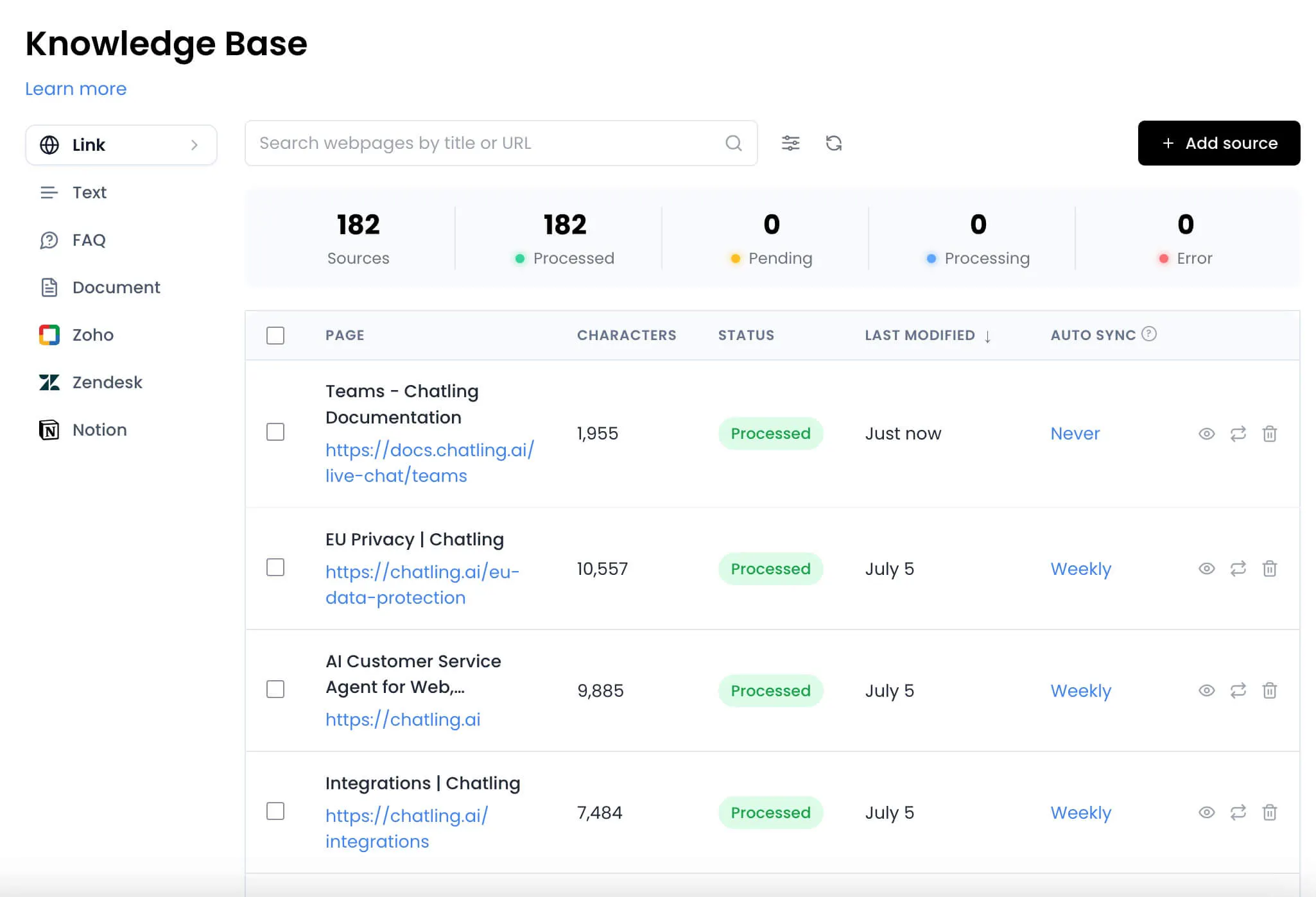
Ben Sibley described how the AI scanned their knowledge base and started answering in the same tone their team already used, including questions from international customers in German and Italian.
Our guide to building a knowledge base chatbot covers how to structure this so customers find answers instead of opening a ticket.
4. Deploy proactive support triggers before customers ask
Reactive support only helps once a customer already has a problem. Proactive support gets ahead of it, reaching out at the exact point customers commonly get stuck, such as a step in an integration or setup flow.
Chatling's AI agents can trigger a proactive message based on page behavior or message intent, catching friction before a customer has to ask for help at all. See how this works in practice on our customer support use case page.
5. Use AI chat summaries to close context gaps at handoff
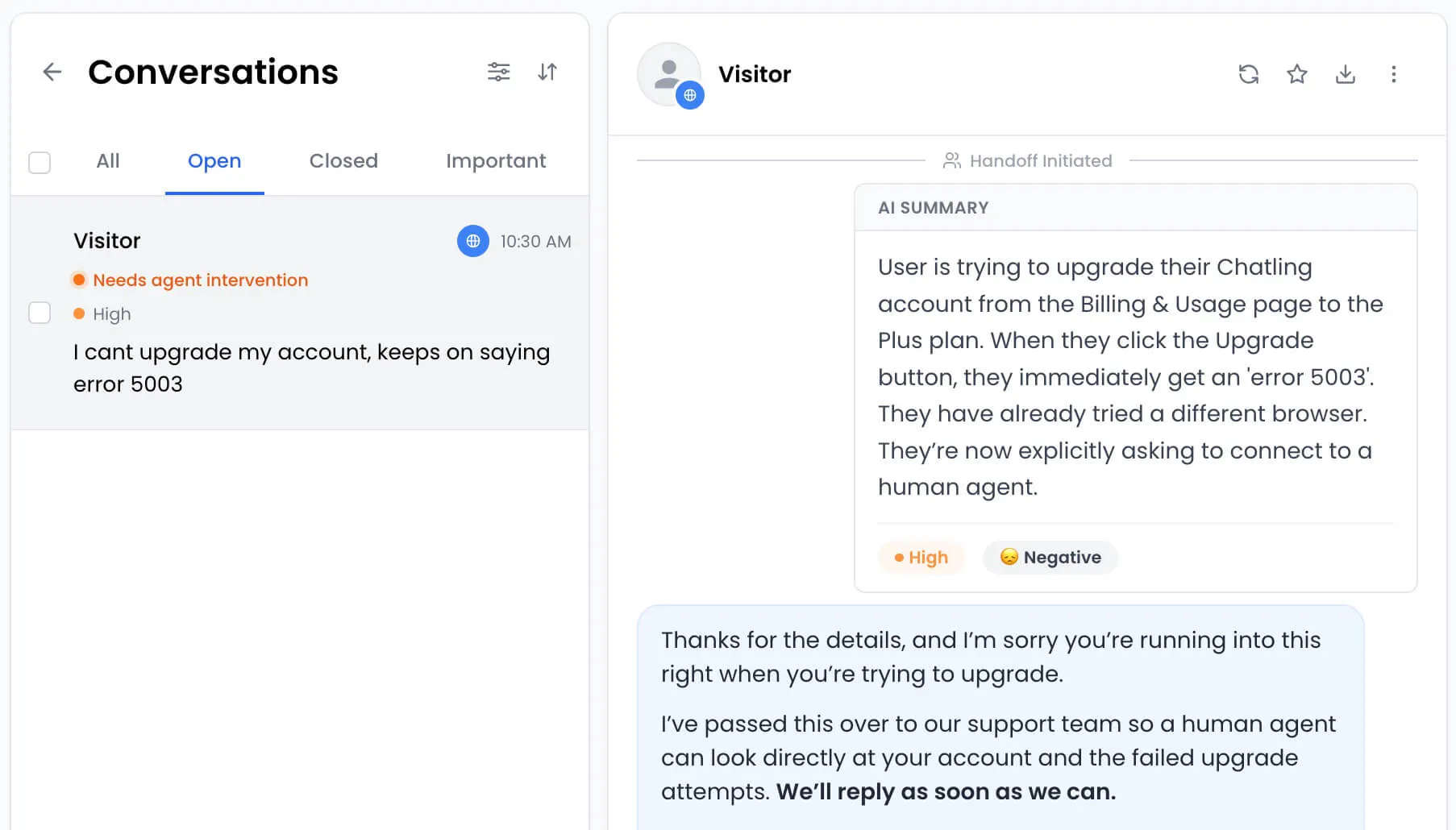
A poor handoff between AI and a human agent is one of the fastest ways to frustrate a customer who already needed help. Repeating information turns a support interaction into extra work instead of a resolution.
When a conversation needs a human, the agent should get full context automatically, not a raw transcript. Chatling generates an AI summary at handoff so your team can jump straight into solving the problem.
6. Monitor CSAT trends as an early warning signal
A single low satisfaction score isn't a crisis. A downward trend across three or more consecutive interactions is a stronger signal, since it shows a pattern rather than a one-off bad day.
Send a short CSAT survey after each interaction and track scores by account, not as a company-wide average. A declining trend deserves outreach before the next renewal date, even if no single score would trigger an alarm.
Our guide to chatbot analytics covers which metrics to track alongside CSAT, turning a passive feedback tool into an active churn prevention system.
7. Segment at-risk accounts by usage and ticket volume
Not every at-risk customer looks the same. Some stop using the product with no complaint. Others generate a spike in tickets right before they cancel.
The strongest combination to flag is declining usage paired with a rising ticket count. Together, they usually mean a customer is struggling and close to giving up, while either signal alone can just as easily mean nothing.
Review this segment weekly and assign a team member to reach out personally, since an automated email rarely carries enough weight this far along. A phone call works better than another survey here, since it surfaces context a form response never will.
8. Personalize renewal outreach using support history
Generic renewal emails ignore the exact reason a customer might be leaving. A customer with three unresolved issues last quarter needs a different message than one with a smooth experience.
Pull support history into your renewal process so outreach reflects what happened. Referencing a resolved bug or a feature the customer asked about retains a hesitant account better than a standard reminder.
9. Close the feedback loop visibly
Customers who give feedback and never see it acted on tend to stop giving feedback, and often stop being customers soon after. Silence after a complaint reads as indifference, even when real change is happening internally.
When you make a change based on customer feedback, tell the customers who asked for it. PwC’s 2025 Customer Experience Survey found that 52% of consumers stopped using or buying from a brand because of bad experiences.
A short update message costs very little, but it shows customers their input was heard and acted on.
10. Reduce channel-switching friction with omnichannel support
Customers who start on WhatsApp and have to repeat themselves on website chat feel real friction, and friction adds up into disengagement.
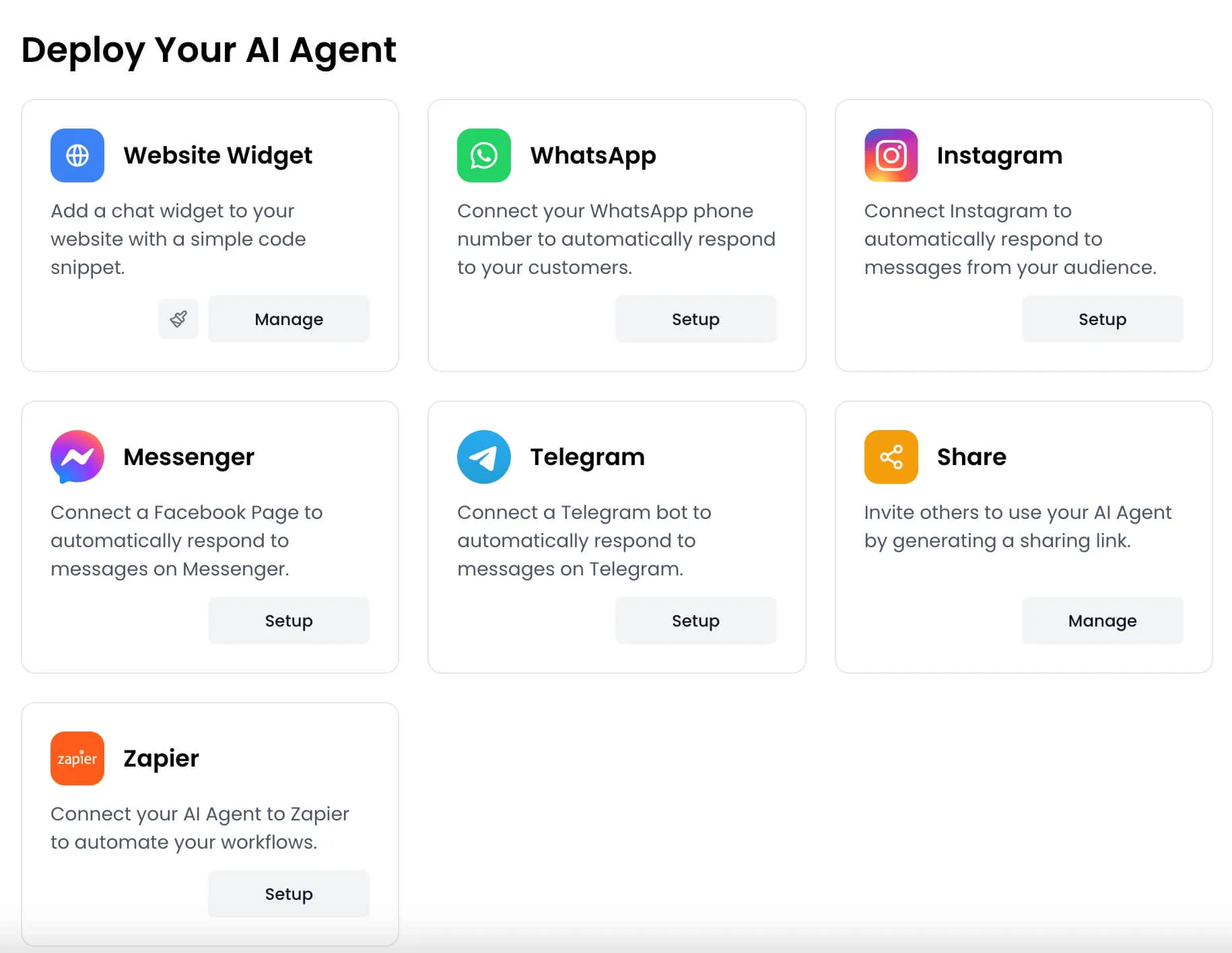
Bringing every channel into one inbox means a customer's history follows them wherever they reach out next. Chatling supports website, WhatsApp, Messenger, Telegram, and Instagram from a single unified inbox, so agents see the full picture instead of starting from zero.
11. Train your team to spot churn signals in conversation
Some of the strongest churn signals show up in language, not data. A comment like "we're evaluating other options" or "this used to work better" deserves escalation instead of a standard scripted reply.
Train your team to flag these phrases immediately, even mid-conversation, and route them to someone who can offer a real solution. Flagging language in real time, rather than answering the surface question, often separates a save from a quiet cancellation weeks later.
12. Offer flexible plans instead of forcing cancellation
A customer who cannot downgrade often cancels entirely. Rigid plans push hesitant customers toward the exit instead of offering a lower-commitment option that keeps the relationship alive.
Offer a lower tier plan, a pause option, or a usage-based adjustment before a customer reaches the cancellation page. Either keeps the relationship alive at a lower price point, with room to win the seats back later.
13. Run a quarterly churn audit against your own data
Generic churn advice only goes so far, since the real reasons your customers leave are specific to your product and audience. This audit alone puts you ahead of most teams.
Every quarter, run this audit against your own cancellation data:
- Pull every cancellation from the past quarter, voluntary and involuntary.
- Tag each churn case by stated or inferred reason, using exit survey answers first and support history when needed. Store tags as structured fields you can filter and report on, not free-text CRM notes that are hard to analyze later.
- Group tags into patterns, such as support delays, missing features, or pricing objections.
- Prioritize the top pattern as next quarter's focus and assign it to a specific team.
This turns churn reduction into a repeatable process.
Best practices to strengthen your churn reduction efforts
Strong retention strategies work best when paired with these practices:
- Keep humans in high-value save conversations: Use AI for early triage, but route serious cancellation risks to a person who can adapt, empathize, and offer the right save option.
- Treat failed payments as a churn risk: Use retry logic, card expiration reminders, and billing alerts to recover revenue before customers leave unintentionally.
- Act before the cancellation request: Watch for warning signs like lower usage, repeated support tickets, or poor engagement, then intervene while the customer is still open to staying.
- Segment your retention offers: A power user, inactive account, and price-sensitive customer should not receive the same save offer. Match the response to the churn reason.
- Learn from every churn conversation: Track why customers leave, which offers work, and where patterns repeat. Use those insights to improve onboarding, support, pricing, and product experience.
Reduce churn with support that actually resolves
Reducing churn comes from consistently removing friction across onboarding, support, and every touchpoint in between, then acting quickly when warning signs appear.
Chatling is built for resolution, not deflection. Our AI agents answer repetitive questions, flag frustrated conversations, and hand off complex issues to your team with full context, so nothing falls through the cracks before it turns into a cancellation.
Start building a support experience that keeps customers around. Try Chatling for free today.
Frequently asked questions
What causes customer churn in the first place?
Churn usually comes down to three things: confusing onboarding, support that can't keep up, or a better competitor offer. Our guides to customer service automation and building a knowledge base chatbot cover how to close the support gap without adding headcount.
Should you try to prevent all churn, or is some churn healthy?
Not always. A customer who outgrew your product, or never fit your ideal customer profile, isn't worth the same effort as an unhappy account you could have kept. Focus resources on customers who fit and left for a fixable reason.
What should I ask customers who are about to cancel?
Keep it short: why they're leaving, what almost kept them, and whether a lower-tier plan or pause option would have changed their mind. Our guide to chatbot analytics covers how to track these responses alongside other retention metrics.
How long does it take to see results after making retention changes?
Onboarding and support fixes usually show up in usage data within 2 to 4 weeks. Churn rate lags further behind, since it's measured over a full billing cycle, so give any change one full cycle before judging it. Our guide to deflection rate tracks a metric that moves faster.