AI chatbots have significantly changed how businesses approach customer service. They help reduce repetitive work, provide round-the-clock support, and improve customer satisfaction and operational efficiency.
Many businesses use chatbots at different stages of the customer journey, from helping website visitors choose a product to qualifying sales leads and resolving support issues.
The adoption is already happening at a large scale, with 99% of the Fortune 500 using AI in various functions, including customer service. Still, businesses are actively evaluating ways to incorporate these AI-powered tools in their workforce.
The key is knowing where a chatbot can make a real difference. Here are 10 practical AI chatbot use cases, and how businesses can apply them.
- Businesses use chatbots to handle customer support, sales enquiries, bookings, and internal requests.
- Rule-based chatbots follow predefined flows, while AI chatbots can handle more varied questions.
- Chatbot use cases range from answering FAQs to recommending products and troubleshooting technical issues.
- Integrations let chatbots retrieve order details, schedule appointments, and connect conversations with business workflows.
- Clear escalation paths help chatbots pass complex or sensitive requests to human agents.
- The right use cases depend on your customers’ needs, the tasks you want to automate, and your available resources.
Why Listen To Us?
At Chatling, our authority in the field of chatbot technology is built on a foundation of rigorous research, innovative development, and real-world applications. That's why startups and large organizations rely on our tool to enhance customer interactions and streamline operations.

Our team comprises seasoned experts in AI, machine learning, and customer interaction systems, ensuring that our insights are accurate and actionable.
You can trust the information we share because it reflects our comprehensive understanding and practical knowledge gathered over the years.
1. Answering Customer Support Questions
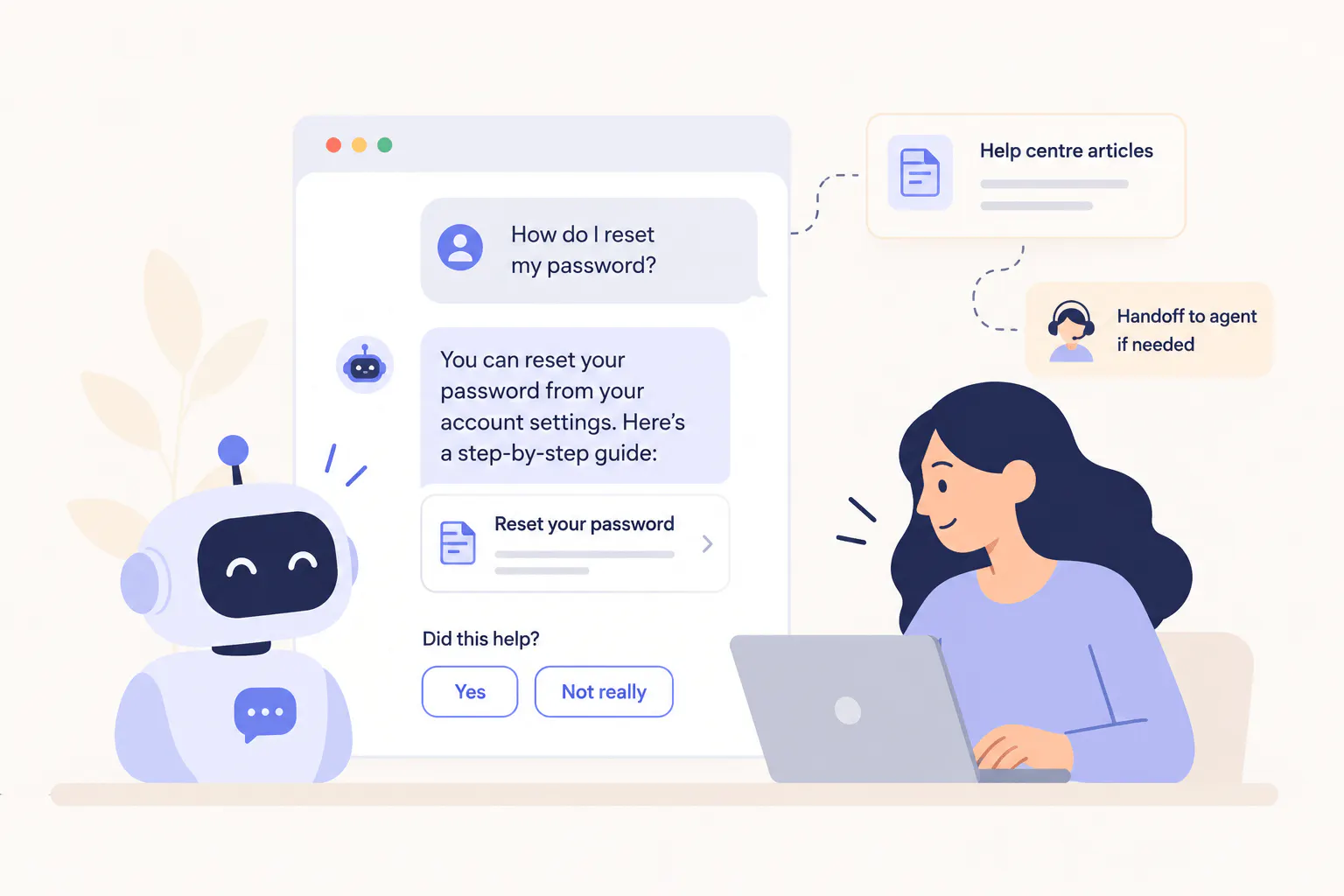
Customer support teams answer many of the same questions every day. Customers want answers to common questions like how a product works, whether a refund is available, how to change an account setting, or where to find a particular feature.
An AI chatbot can answer these questions using information from a company's website, FAQs, help articles, and product information. Customers can ask questions in their own words and get an answer without searching through several pages.
For example, someone using a project management tool could ask how to invite a colleague to a workspace. The chatbot can give the steps and the link to the relevant guide.
This use case works well for businesses that receive a high volume of repetitive enquiries. The team can spend less time answering routine questions and more time resolving issues that need individual attention.
The information behind the chatbot needs regular updates. If you are using Chatling’s AI chatbot, you can manually update your knowledge base or set auto-sync at your preferred intervals.
Read Next: What Is an AI Chatbot? How It Works, Types & Examples
2. Troubleshooting Technical Problems
Customers often contact support when something stops working. They might see an error message, struggle to connect an application, or have trouble configuring a feature.
If someone can't connect an email platform to a marketing tool, the chatbot can ask which email service they use, give the right setup instructions, and explain how to test the connection.
It can also:
- Give step-by-step instructions for common setup problems.
- Ask follow-up questions to narrow down the cause.
- Collect error messages and record which steps the customer has tried.
The chatbot should use verified instructions, not guess at the cause. Diagnosing account-specific or system-wide problems requires access to technical logs or live system data. If it can't identify the issue, it should explain the limit and direct the customer to further help.
3. Generating and Qualifying Sales Leads
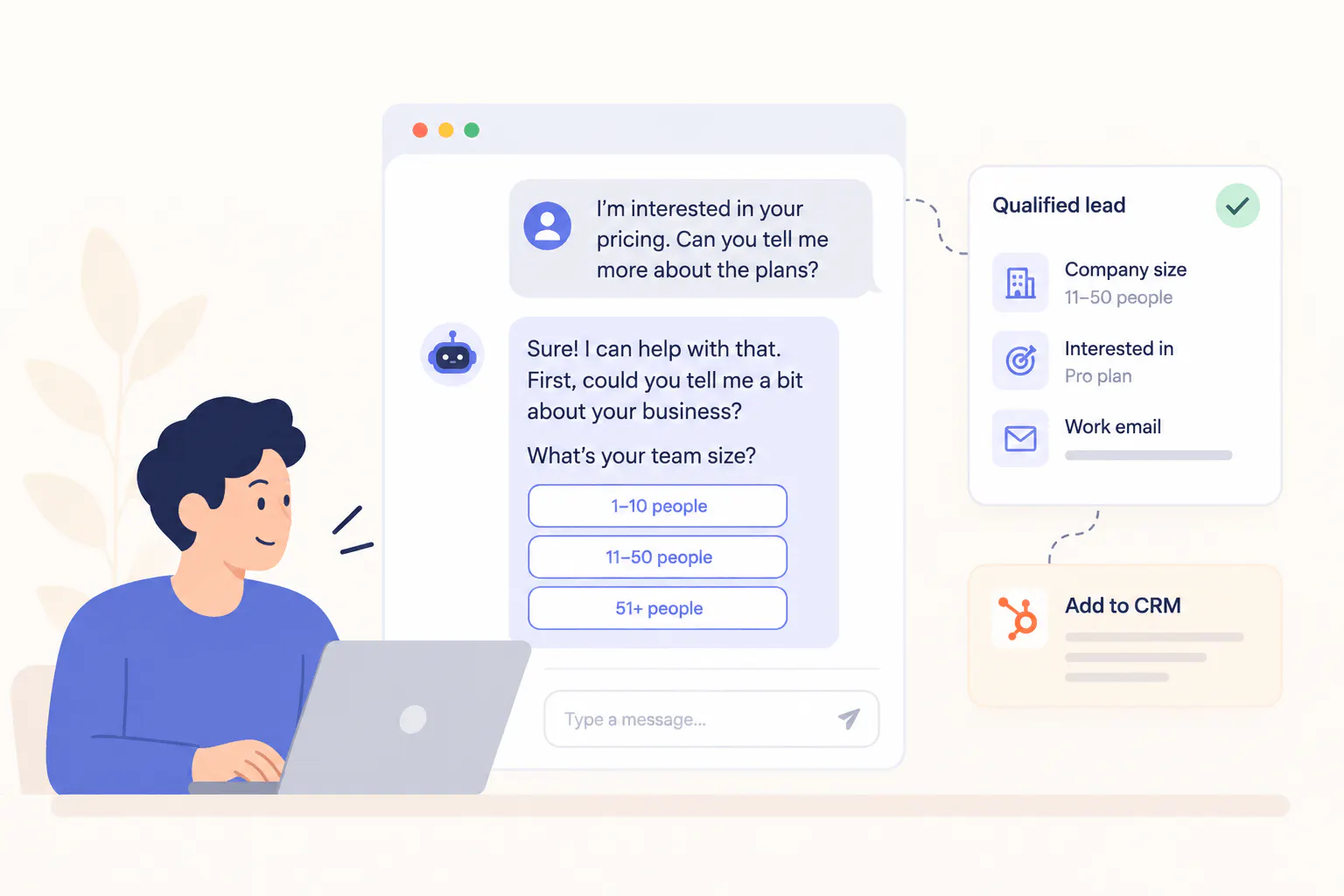
Generating sales and leads is one of the most lucrative benefits AI chatbots offer businesses. It answers visitors' initial questions and helps determine whether a product fits their needs.
For a customer support software company, it could ask about the visitor's team size, support channels, and automation goals. This gives the sales team useful context beyond a name and email address.
If the visitor wants a follow-up, the chatbot can collect their contact details. A CRM integration can send those details and the conversation history to the sales team.
Ask only for information that helps qualify the lead. Explain why contact details are collected and how they will be used.
4. Recommending Products to Shoppers
A shopping chatbot can help customers narrow a large product catalogue to options that fit their needs.
For example, someone looking for a laptop could share their budget, the software they use, and whether they need a lightweight device for travel. The chatbot can then:
- Filter products by budget, features, size, or intended use.
- Compare specifications across suitable models.
- Explain which differences matter for the customer's needs.
Product recommendations depend on accurate product information. Descriptions and specifications can support feature comparisons. Live prices, stock levels, and delivery estimates require access to the relevant data source.
5. Answering Sales and Pricing Questions
Customers often have questions before they buy. They may want to compare subscription plans, check whether a feature is included, understand a service package, or clarify delivery and return policies.
A chatbot can answer these questions using the company's current product and pricing information.
For example, someone comparing two software plans could ask whether both include team collaboration. The chatbot can explain the difference and link to the pricing page. For a physical product, it can answer questions about dimensions or compatibility.
These conversations can help customers decide whether a product meets their requirements before contacting sales or placing an order.
6. Scheduling Appointments and Product Demos
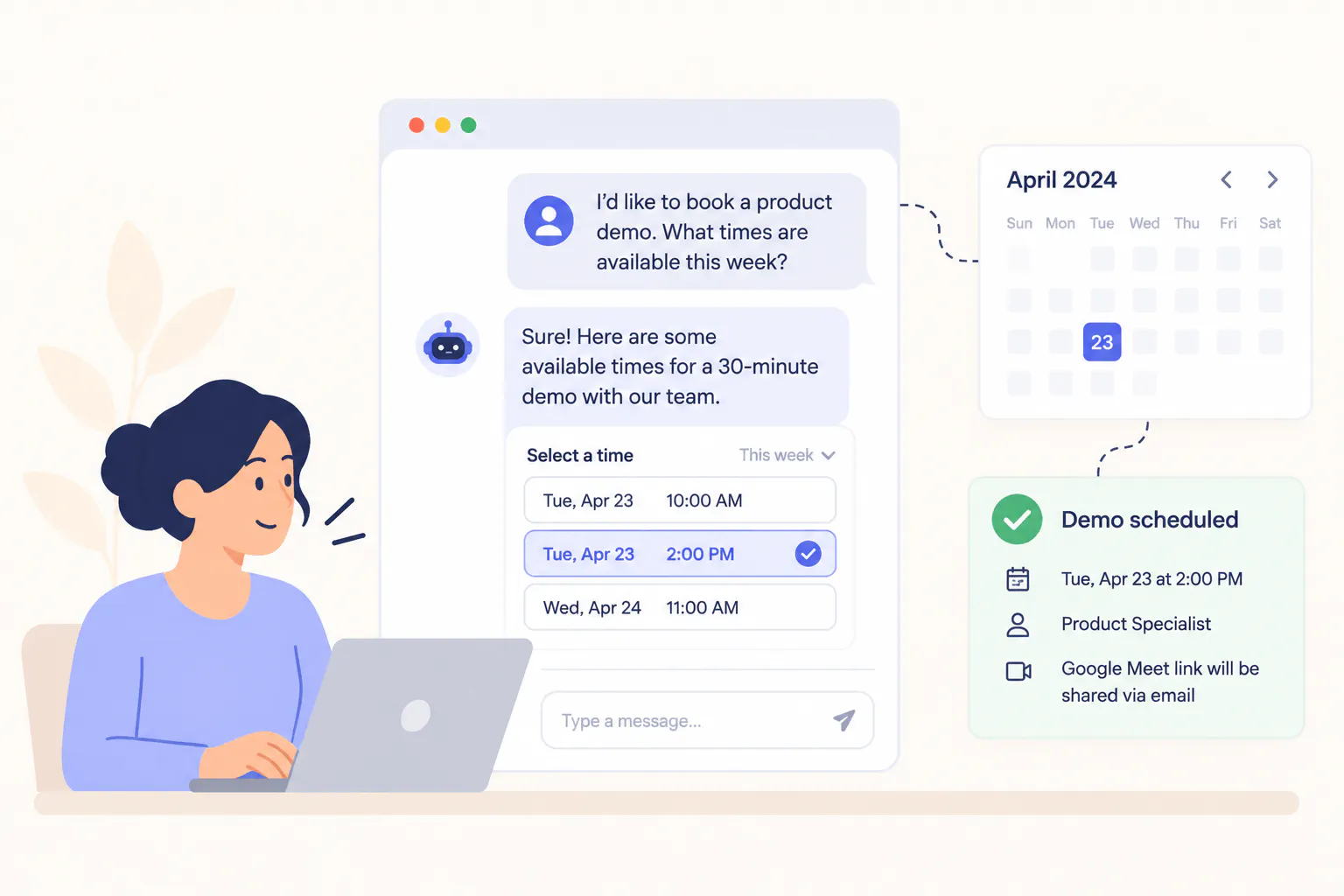
AI chatbots can be connected with scheduling calendars like Calendly and Google Calendar, allowing them to collect details for a demo or appointment and help the visitor book a time.
If it isn't connected to a calendar, it can share a booking link. With access to a scheduling system, it can check availability and book a slot.
For a software demo, the chatbot can ask which features the visitor wants to see. The representative then has that context before the meeting. The same process can support consultations, service appointments, and initial assessments.
7. Handling Booking and Reservation Enquiries
Hotels, travel companies, event organizers, and service businesses receive recurring questions about reservations. Customers want to know about cancellation rules, check-in times, available services, booking changes, and what their reservation includes.
A chatbot can answer general questions using the business's booking policies and service information. With the right integration, it may also retrieve reservation details or help customers make changes.
It can support three types of requests:
- Policy questions: Explain booking, cancellation, and service terms.
- Reservation lookups: Retrieve booking details when the customer is authorized.
- Changes and cancellations: Guide the customer through the approved process or complete it if the integration allows.
Changes and cancellations need particular care. The chatbot should follow the company's policies and confirm that an action has succeeded before telling the customer the reservation was updated. For this, many AI chatbot software allow you to test and fix the automated responses before you deploy the bot on your channels.
Read Next: We Tested the 3 Best Chatbots for Travel Industry and Here's What We Found
8. Helping Employees Find Internal Information
An internal chatbot helps employees find company policies, forms, and procedures without having to ask HR or search through multiple documents.
For example, a new employee could ask how to submit an expense claim. The chatbot can explain the steps and link to the expense system or form.
This is useful when information is spread across an intranet, policy documents, and internal guides. Employees can ask a question in everyday language instead of knowing which document to open.
This is also helpful in reducing routine questions sent to HR and IT, especially in companies with large teams or employees working across locations.
Read Next: 10 Best HR AI Chatbots for Employee Support in 2026
9. Routing Support Requests and Collecting Feedback
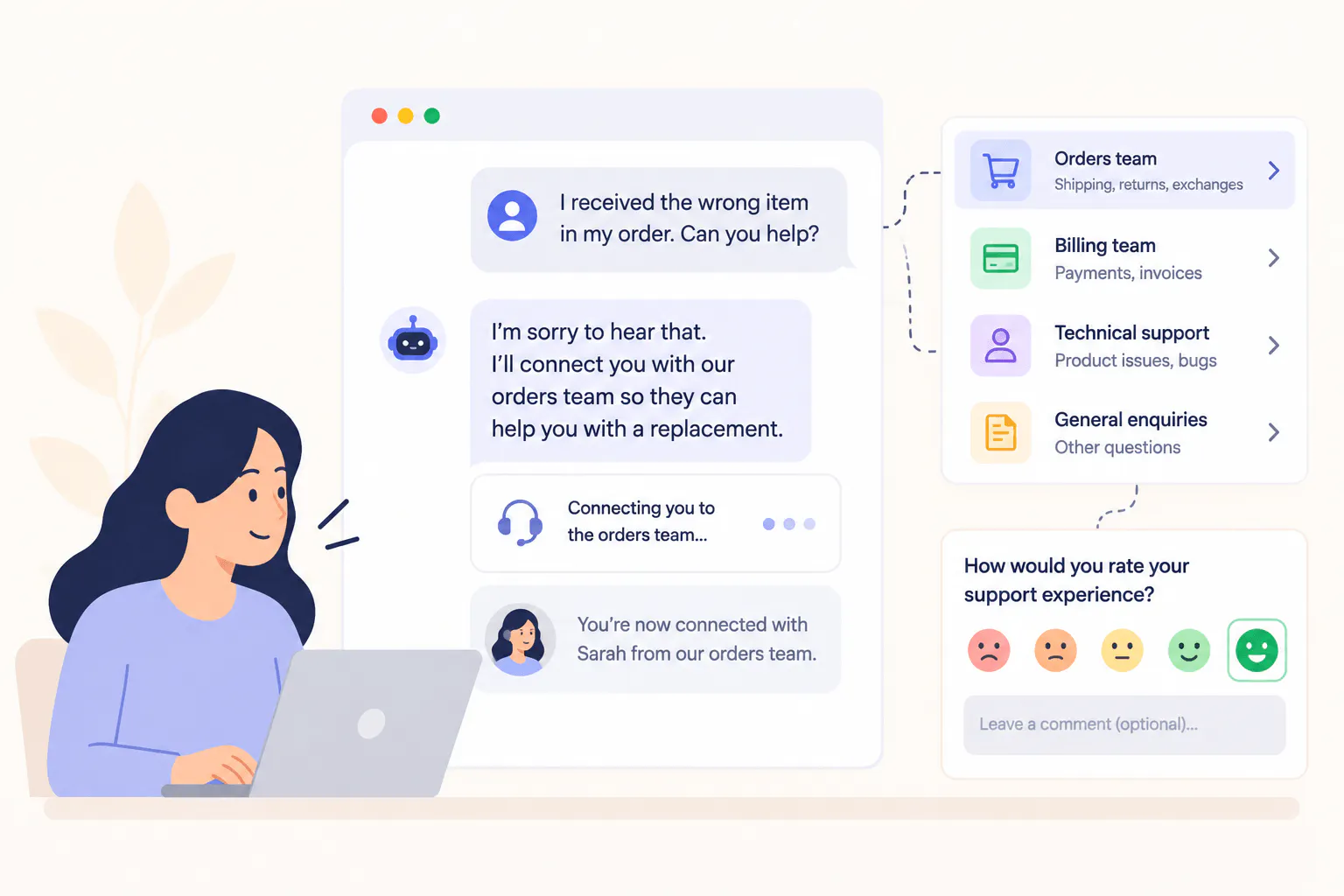
Some customer enquiries need a specialist. A billing question may belong with finance, a technical issue may need an engineer, and a complaint may require a support manager.
A chatbot can ask a few questions to understand the request, collect relevant details, and direct the conversation to the right team.
When connected to a help desk, the chatbot can create a ticket with the customer's description and conversation history. The next person can review the details without asking the customer to repeat everything.
After an interaction, the chatbot can ask whether the issue was resolved or invite the customer to share feedback. Teams can use these responses to spot recurring problems.
10. Real-time Language Translation
Chatbots equipped with real-time language translation capabilities are crucial for businesses operating in multilingual environments. Chatling, for example, excels in this area with its multilingual AI support, which can seamlessly communicate in over 85 languages.
This feature allows Chatling to offer real-time translation during interactions, eliminating language barriers that could impede customer service.
For example, an online store whose support team works mainly in English might receive a question in Spanish about its return policy. The chatbot can answer in Spanish using the company's approved policy information.
This capability not only enhances communication but also broadens your business reach. This way, your services become accessible and efficient for a diverse global audience.
Best Practices for Implementing Chatbots in Your Business
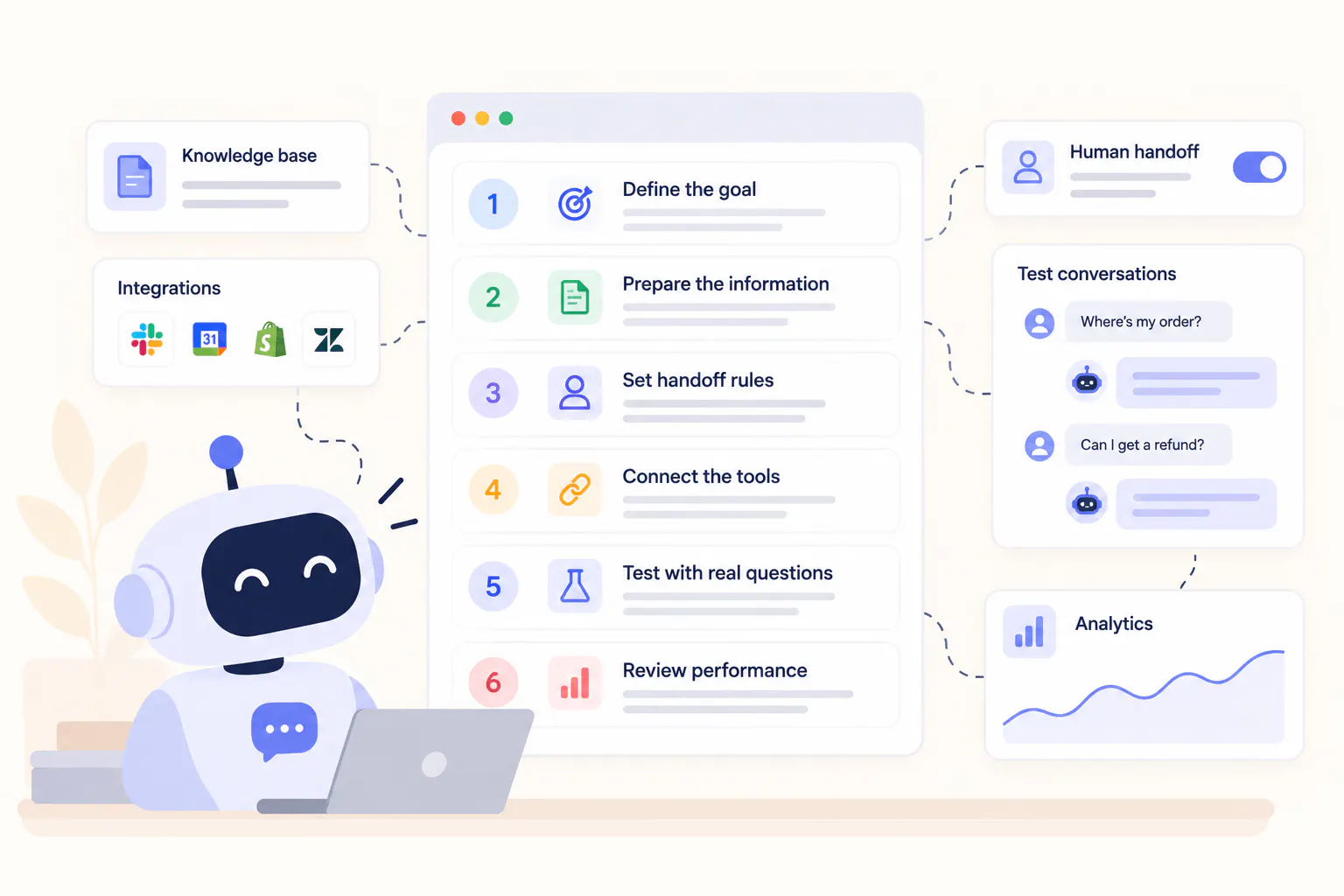
A successful chatbot starts with a clear purpose, reliable information, and a plan for handling questions it can't answer. These decisions shape how well it works for customers and employees.
Start With a Task You Can Define
Start with a task that takes up staff time or causes recurring problems. Common examples include answering support questions, collecting details from sales enquiries, and helping employees find company policies.
Be specific about what you want to improve. You might want to reduce routine questions reaching your support team, make demo bookings easier, or help employees find answers without contacting HR. A clear goal also gives you a way to measure the chatbot's performance after launch.
Prepare the Information It Will Use
Review the FAQs, product pages, policies, and other resources the chatbot will use to answer questions. Remove outdated content and resolve conflicting information so customers don't receive different answers to the same question.
The information also needs to stay current. Update company policies when they change, and connect the chatbot to live data when it needs to check details such as product availability or order status.
Decide When a Person Needs to Take Over
Some questions require human judgment, particularly when they involve complaints, exceptions to company policies, or sensitive information. Decide which requests the chatbot can handle and which should go to an employee.
For example, a chatbot can explain the standard refund policy but pass a request for an exception to the support team. Test this process before launch to make sure customers reach the right person with a conversation history and context, so the agent can pick up where the chatbot left off.
Connect the Tools the Workflow Needs
Some chatbots only need access to company information. Others need to connect to calendars, CRMs, ecommerce platforms, or ticketing systems to complete tasks that are important to your business.
Start by mapping out what the chatbot needs to do, then identify the integrations and permissions required for each task.
Chatbot task | Access required |
|---|---|
Answer questions about booking policies | Current policy information |
Check an order's status | The relevant order or ecommerce system |
Change an existing reservation | The booking system and permission to make changes |
Create a support ticket | The help desk or ticketing system |
Test It With Real Questions
Test the chatbot with questions customers and employees actually ask, including misspellings, vague requests, follow-up questions, and requests it doesn't have enough information to answer.
Check both the accuracy of its answers and how it handles requests it can't resolve. If it gives outdated information or directs someone to the wrong place, fix the source content, instructions, or workflow and test again.
Review Performance After Launch
Measure performance against the goal you set at the start. For customer support, useful metrics include resolution and escalation rates. For lead generation, you could track the number of qualified enquiries.
Numbers alone don't tell the whole story. A low escalation rate, for example, doesn't mean the chatbot is working well if customers leave without getting an answer. Review conversations to understand where it struggles, then use those findings to improve its information and workflows.
Read Next: Our Ultimate Guide to Chatbot Analytics (+ 5 Metrics That Matter)
What's Next for AI Business Chatbots?
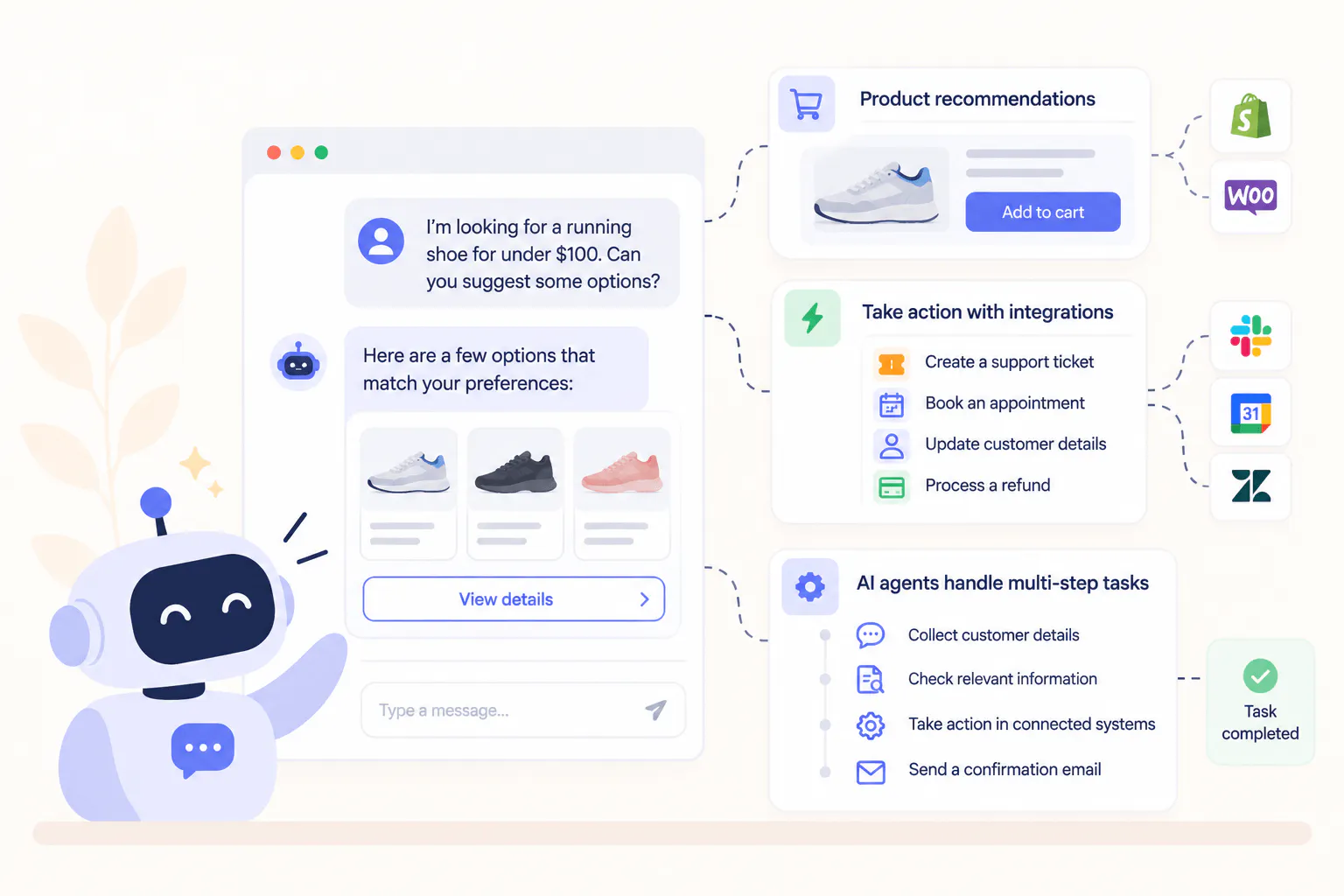
Business chatbots for websites and other channels are expanding beyond answering questions. They can help customers choose products, interact with business systems, and carry out tasks. AI agents take this further by working through multiple steps toward a goal.
Shopping Through Conversations
A shopping chatbot can help customers narrow their options based on budget, needs, and preferences. It can compare product features and explain which options fit the customer's requirements. With access to current product data, it can also check stock or help customers move toward checkout.
These capabilities depend on the systems connected to the chatbot. Product descriptions can support recommendations, but checking live availability or completing a purchase requires access to the relevant ecommerce systems.
Chatbots That Can Take Action
Connections to business systems let chatbots do more than provide information. They can retrieve records, create support tickets, book appointments, or start approved workflows.
For example, a chatbot connected to a ticketing system can collect details about a technical issue and create a ticket for the support team. One connected to a scheduling system can check available times and book a meeting.
The business must set clear limits on what the chatbot can do, with appropriate permissions and safeguards for actions involving payments, account changes, or sensitive records.
AI Agents Handling Multi-Step Tasks
AI agents use machine learning to understand, plan, and execute multi-level workflows through a series of steps. In customer support, an agent could collect details about a problem, check relevant help content, execute the needed solution, and send a confirmation email.
With the right integrations and permissions, it can also carry out additional steps without requiring a person to guide each one.
The key distinction is the scope of the task: a chatbot might answer a question or perform a specific action, while an AI agent can coordinate several actions toward a goal.
Read Next: AI Agents vs. Chatbots for Customer Support: 6 Key Differences
How Chatling Helps Businesses Use Chatbots
Chatling lets businesses build and deploy AI chatbots on their websites and supported channels using a no-code visual builder.
You can connect your business information to the Chatling knowledge base, set up conversational flows with a drag-and-drop builder, and start answering customer questions. It also supports live chat and human handoff, so teams can manage conversations that need personal assistance.
Businesses can use Chatling for tasks such as answering common support questions, helping visitors book appointments, guiding shoppers through a product carousel, and collecting information from potential customers.
Start by choosing one task, preparing the information the chatbot needs, and testing the experience with real questions. You can sign up today and begin with a free plan to start building your AI chatbot.
Frequently Asked Questions
What Are the Most Common Chatbot Use Cases for Businesses?
Businesses commonly use chatbots to answer customer support questions, troubleshoot technical problems, qualify leads, recommend products, handle sales enquiries, schedule appointments, answer booking questions, support employees, route requests, collect feedback, and communicate with customers in multiple languages.
How Can a Chatbot Help a Small Business?
A chatbot can answer routine questions, collect leads, explain products and services, and help customers find information outside business hours. This can be useful for small teams that receive recurring enquiries but have limited time to respond to each one individually.
Can Chatbots Complete Tasks, or Do They Only Answer Questions?
Some chatbots can complete tasks when they have the required integrations and permissions. Depending on the setup, they may be able to book appointments, create support tickets, retrieve customer information, or update records. A chatbot without access to the relevant system may only be able to explain the process or direct the user to the appropriate page.
How Should a Business Choose Its First Chatbot Use Case?
Start with a repetitive task that has a clear purpose and reliable source information. Consider how often the task occurs, how much time it takes, and what the chatbot would need to answer or complete it. Test a small workflow first and measure whether it improves the process.
Do Chatbots Replace Customer Support Agents?
Chatbots can handle many routine questions, but people are still needed for complex issues, exceptions, complaints, and decisions that require judgment. Businesses should give customers a clear way to reach a human agent when the chatbot cannot resolve their request.
What Information Does a Chatbot Need?
The information depends on the task. A chatbot answering FAQs needs accurate details about products, services, and policies. One that checks order status or manages bookings needs access to the relevant system. Information should be kept current, and access to personal or confidential records should be restricted.